Best QuillBot Humanizer Alternative (Tested)
editGPT is the best Quillbot Humanizer alternative thanks to its Track Changes and contextual editing.
editGPT is the best Quillbot Humanizer alternative in 2026 because of its track changes and contextual editing that preserves your original tone and voice while letting you keep complete control.
QuillBot's AI humanizer is free, widely used, and built into the paraphrasing tool many students and writers already have open while writing. But the catch is that it hands back a completely rewritten text with no tracked changes to see what actually happened.
That’s great if you only need a quick, free, one-off pass where you don’t need to review the result.
If you want to stay more in control of what changes in your text and how, preserves your original tone and voice, offers a free tier, and is built for longer documents, editGPT is the best QuillBot humanizer alternative.
editGPT lets you review and approve every individual change in your text using intelligent contextual editing, so your writing still ends up sounding like you rather than a robotic answer from a model.
This guide covers what QuillBot's humanizer actually does, how it compares to QuillBot's own AI detector and checker tools, where it falls short for ongoing editing, and why editGPT fits that gap better.
What Is QuillBot's AI Humanizer?
Core mechanism
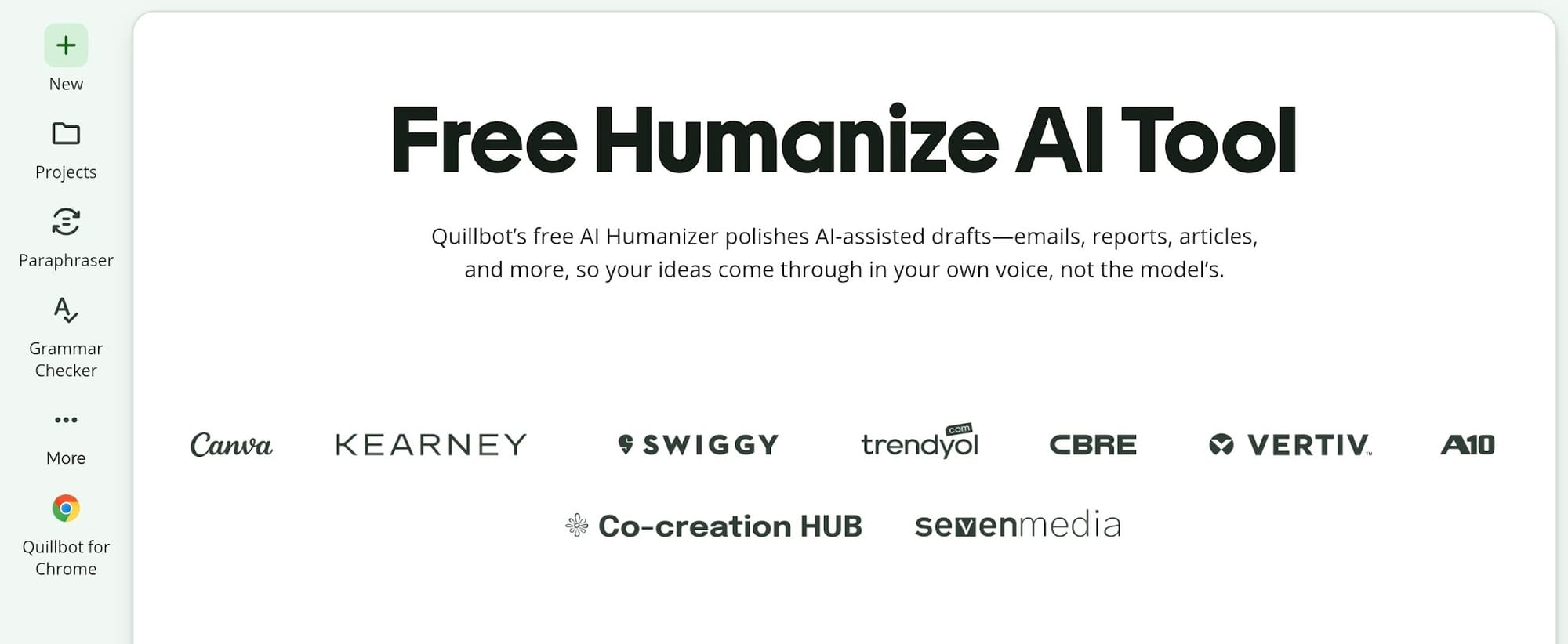
QuillBot's AI Humanizer is a free utility built right into its main web suite. It takes raw drafts from models like ChatGPT, Claude, or Gemini and rewrites the sentences to sound more natural and conversational.
It helps to separate this tool from QuillBot's separate AI Detector and AI Checker features. They live under the same brand umbrella, but they solve different problems.
The AI detector and checker analyze your text to spot robotic patterns and flag AI writing, while the humanizer actually rewrites your draft to fix those stiff phrasing choices.
Where It Falls Short
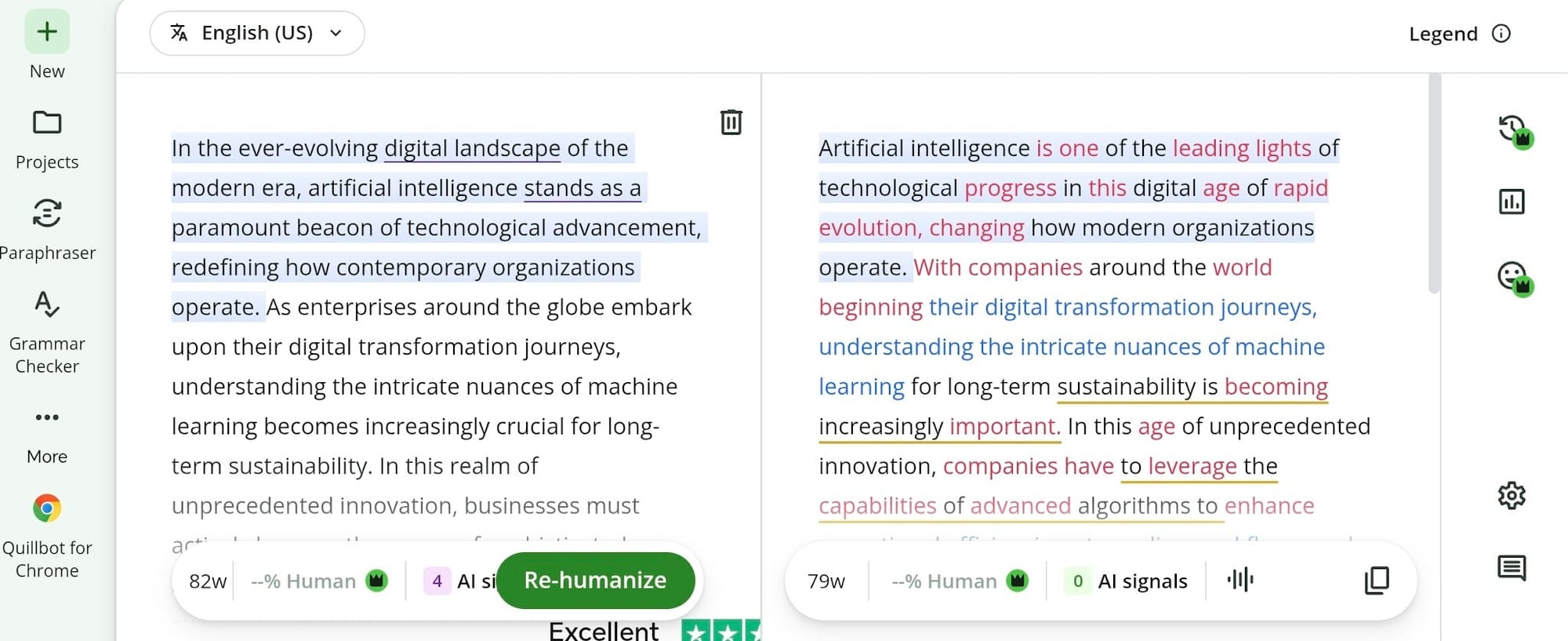
Running text through QuillBot’s humanizer gives back a finished block of copy with zero edit history. There are no strikethroughs, no highlighted swaps, and no way to accept or reject edits line by line.
If a rewrite accidentally shifts your original point, finding that mistake takes a manual, side-by-side comparison.
That setup happens because the feature lives inside a free rephrasing tool designed for fast volume. Speed takes priority over nuance. Standardized rewordings replace your sentence structures, often washing out distinct phrasing styles and personal tone in favor of generic readability.
QuillBot Humanizer vs editGPT: Quick Verdict
editGPT works best when polishing original writing. You get to inspect every edit, review phrase choices, and accept or reject individual edits before saving the document.
Quillbot AI humanizer suits quick, single-pass rewrites. It handles fast tasks well, especially when reviewing individual word changes is not your priority.
What Makes editGPT Different
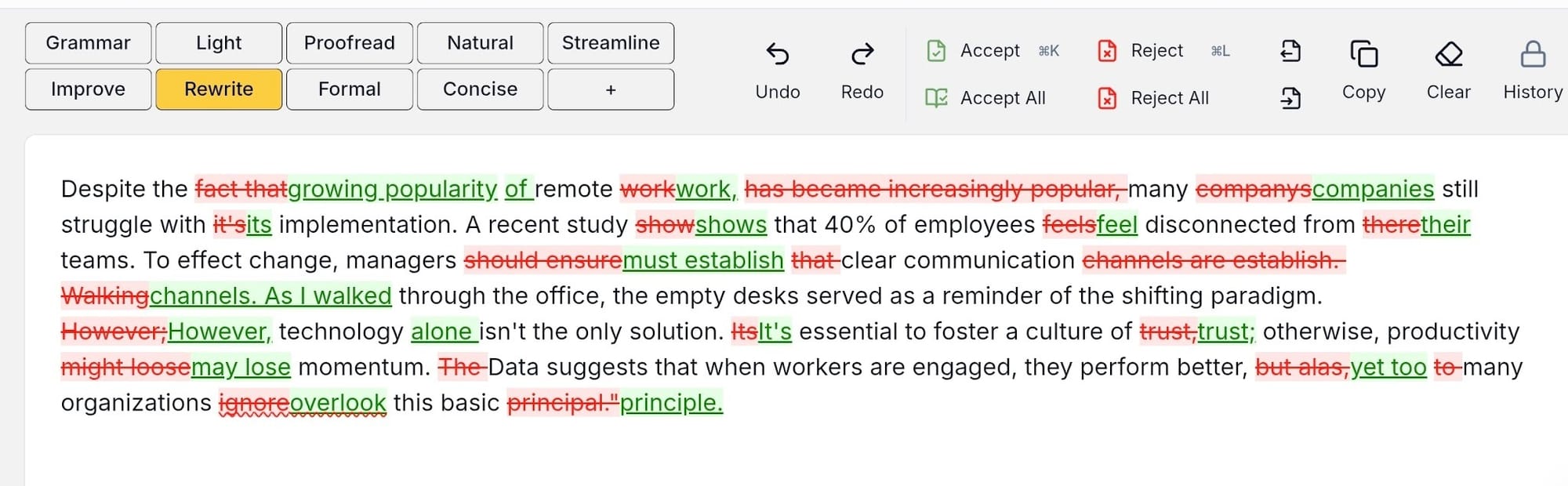
The main difference lies in how editGPT edits your writing. Rather than replacing entire paragraphs at once, it adjusts clause order and sentence lengths while marking every update.
Added words and deleted phrases appear right on the page as inline tracked changes.
That clear markup puts you in charge of the editing process. You decide line by line which revisions stay and which get thrown out. QuillBot simply hands back a finished block of copy without showing what shifted.
How editGPT Works
Editing in place, not regenerating
Generating a brand new paragraph from scratch often destroys the original tone of a draft.
editGPT works differently by revising the text that’s already there. You paste your content into the editor, and the software applies structural tweaks right to those exact sentences.
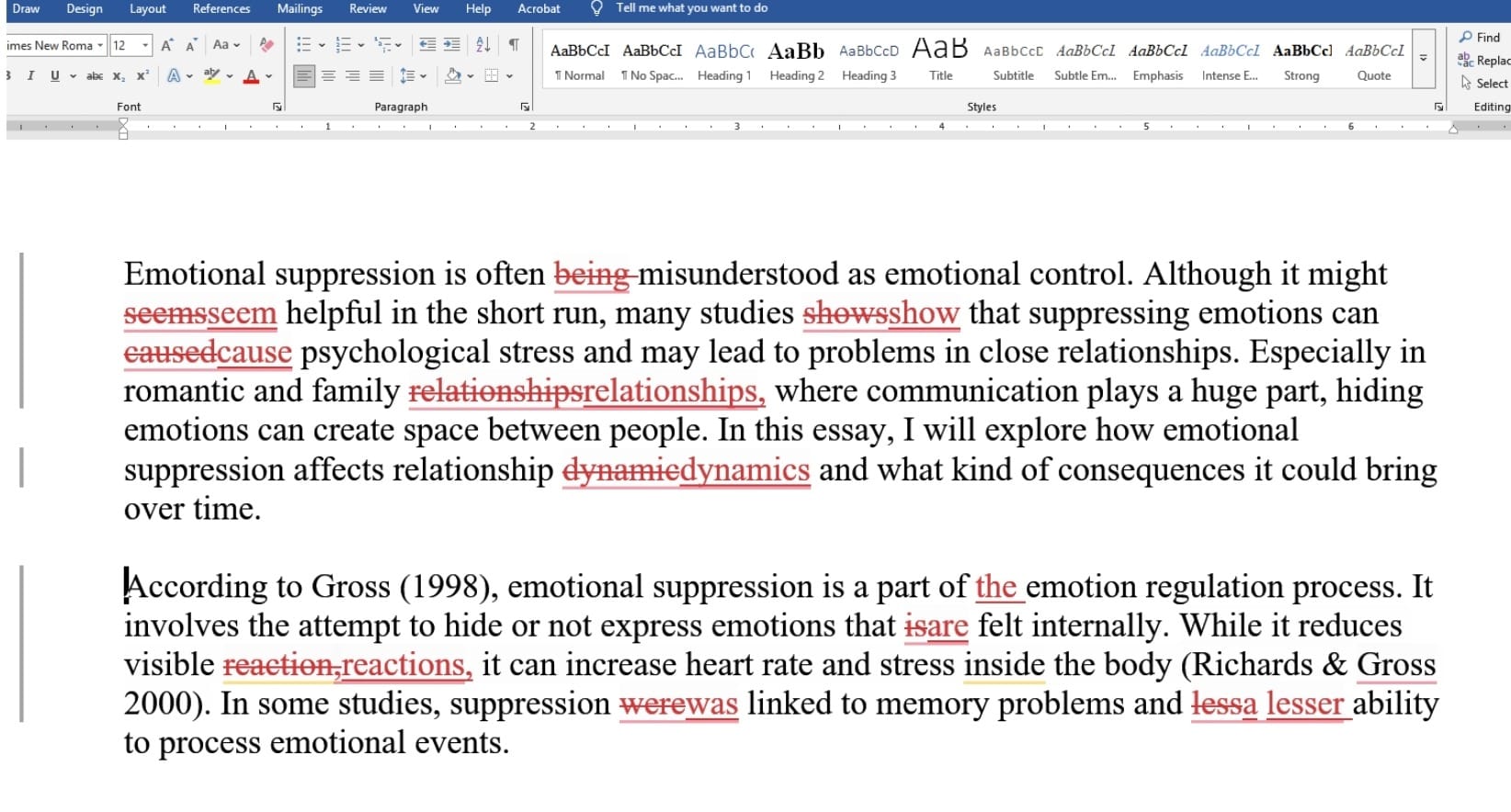
Every modification shows up as a highlighted tracked change.
You read the markup and click to either accept or reject the adjustments line by line. That direct approach makes it simple to fix awkward spots flagged by a Quillbot AI checker. You now can clean up the phrasing without erasing the unique voice of the piece, keeping total authority over the final document.
Word workflow, batch editing, and multi-language support
You’d need more than a basic web interface if you’re working with long documents.
editGPT allows users to upload standard Microsoft Word documents and export them later with all tracked changes perfectly intact. Retaining that exact edit history is something Quillbot humanizer output doesn’t offer.
A dedicated Project Mode handles documents holding up to 200,000 words at once. It processes heavy batch edits without messing up the track-changes layout.
For quick daily tasks, editGPT offers a browser extension that operates strictly inside the ChatGPT website. It takes the AI output and overlays tracked changes right inside your chat window.
editGPT also supports over 80 languages, which is practical for ESL writers looking to refine their natural English phrasing.
Pricing
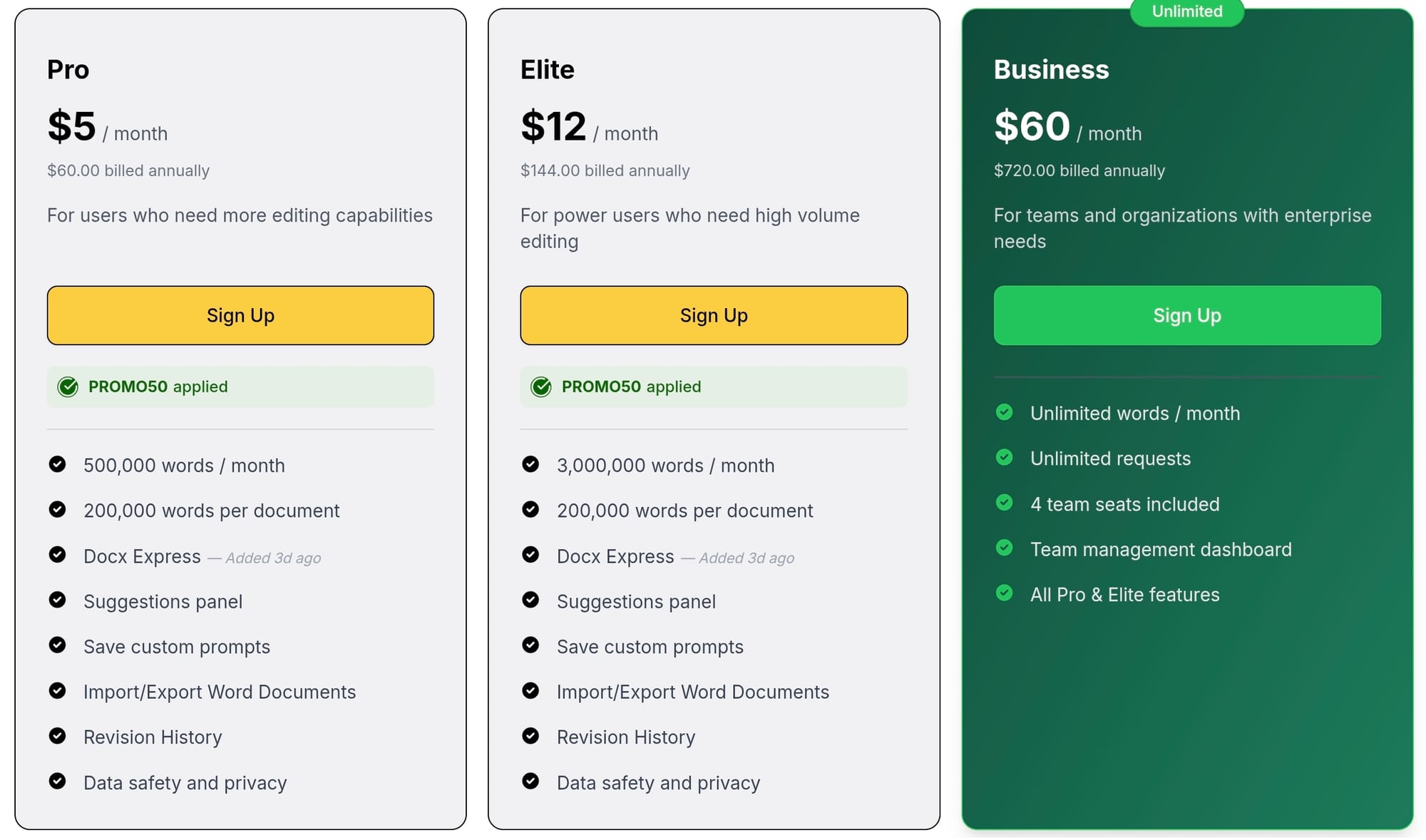
The free tier offers a highly functional starting point. It covers 600 words per request and includes a 20,000-word allowance every month. Anyone requiring higher limits can switch to the Pro plan. That tier costs $5 a month (paid annually) and sets the monthly cap at 500,000 words.
High-volume projects fall under the Elite plan, which costs $12 a month (paid annually) for three million words. Teams and organizations with enterprise needs can get the Business tier at $60 a month. That choice provides unlimited word counts alongside extra administrative tools.
Pros and Cons
editGPT
Pros:
- You keep full editorial control.
- Every edit shows up as a tracked change.
- The app provides a genuine free tier.
- Project Mode handles long documents easily.
- It carries track changes over to Word.
- A browser extension works right inside ChatGPT.
- It supports over 80 languages and dialects.
Cons:
- It lacks a bundled detector and checker suite.
- The free tier caps at 600 words per request.
QuillBot AI Humanizer
Pros:
- The humanizer feature is completely free.
- The processing speed is fast.
- It sits inside a paraphrasing tool writers already use.
- It links with separate detector and checker tools.
- You get a complete workflow in one window.
Cons:
- It offers zero tracked changes.
- It hands back a completely fixed rewrite.
- You cannot audit the edits line by line.
Who Should Use editGPT
- Writers and students: You want absolute final say over every sentence edit. Reviewing inline suggestions individually keeps your unique voice completely intact instead of relying on a full page rewrite.
- Long-form editors: You regularly polish long Microsoft Word files. Project Mode easily processes whole manuscripts across thousands of words without cluttering your track-changes layout or messing up document formatting.
Limitations
editGPT uses AI solely to suggest inline revisions, skipping extra features like grammar checking or AI detection. QuillBot keeps those utilities under one roof. If your choice of an AI text humanizer requires built-in score tracking and proofreading alongside line edits, you'll need external apps to cover those extra steps.
FAQ
Is QuillBot's AI Humanizer free?
QuillBot gives you access at no cost directly inside its standard paraphrasing workspace. You don’t need to sign up for a paid plan or enter payment info just to test a draft. Paste your paragraph into the input box and get your rewrite right away.
Is it safe to use an AI text humanizer on schoolwork or client work?
Using software to sharpen rough copy isn't inherently dishonest. The real test comes down to specific rules. Professors and clients set their own boundaries regarding software assistance, so checking those policies beforehand keeps your submissions completely safe.
Can QuillBot or editGPT guarantee I'll pass an AI detector?
No tool offers a guaranteed pass every single time. Detection algorithms tweak their scoring models constantly, making ratings shift unexpectedly. Your smartest option is checking edits line by line so the final draft retains your genuine voice.
What's the real difference between QuillBot's humanizer and editGPT?
The main split is visibility and contextual intelligence. QuillBot replaces your draft with a brand-new block of copy, hiding what got swapped out. editGPT marks up every single suggestion like a human editor would using tracked changes. That transparent setup makes editGPT a better choice if you want the best QuillBot alternative for important projects.
Is QuillBot's humanizer better than editGPT for quick jobs?
QuillBot works well when you need a fast pass on a short paragraph and don't care to inspect individual word choices. editGPT takes over when you need total editorial oversight. Its tracked-changes system and Project Mode manage longer documents smoothly, helping you humanize AI text without losing control of your style.
Final Verdict
editGPT takes top spot as the best QuillBot humanizer alternative if approving every single edit and keeping your tone and voice matters to you. You get tracked changes carried directly into Word or ChatGPT. That means you see what changed and keep complete say over your draft.
QuillBot handles quick rewrites just fine. It even includes a built-in grammar checker and AI detector. editGPT skips those extra tools and caps free requests at 600 words.
Still, approving visible markups line by line beats taking a blind rewrite every single time.
Click HERE to try editGPT for free.
Recommended Reading
7 Best Tools to Humanize ChatGPT Text in 2026 (Tested for Natural, Undetectable Writing)
7 Best Quillbot Alternatives for AI Paraphrasing and Content Rewriting
7 Best ZeroGPT Humanizers in 2026 (Tested & Ranked for Writers)
What is the best AI Proofreader?
Top 10 Creative Writing Tools in 20206
Best AI Proofreader Tools of 2026 (Tested for Accuracy, Speed & Tone)
Best AI Proofreader Chosen by the Reddit Community
Video review: This AI Text Editing Tool Is FLAWLESS!
Best AI Proofreader Tools of 2026 (Tested for Accuracy, Speed & Tone) editGPT vs Grammarly vs Quillbot: Which Writing Tool is Best?
The Best AI Proofreaders That Actually Work (Free & Paid)
Review: Wordtune Editor vs editGPT
Review: Grammarly vs editGPT
Review: ProWritingAid vs editGPT
Review: Hemingway Editor vs editGPT