Humbot vs editGPT: Which AI Humanizer Actually Works?
I tested Humbot and editGPT as AI humanizers to see which one actually bypasses AI detection without mangling your writing. Here's the honest verdict.

TL;DR: editGPT is the better AI humanizer in 2026 after being tested against Humbot.
Seeing a 78% AI score verdict on an essay you worked on all night feels like getting accused of a crime you didn't commit. You need a fast fix that clears Turnitin and GPTZero without ruining the quality of your paper.
editGPT is great for writers and students who want complete editorial control.
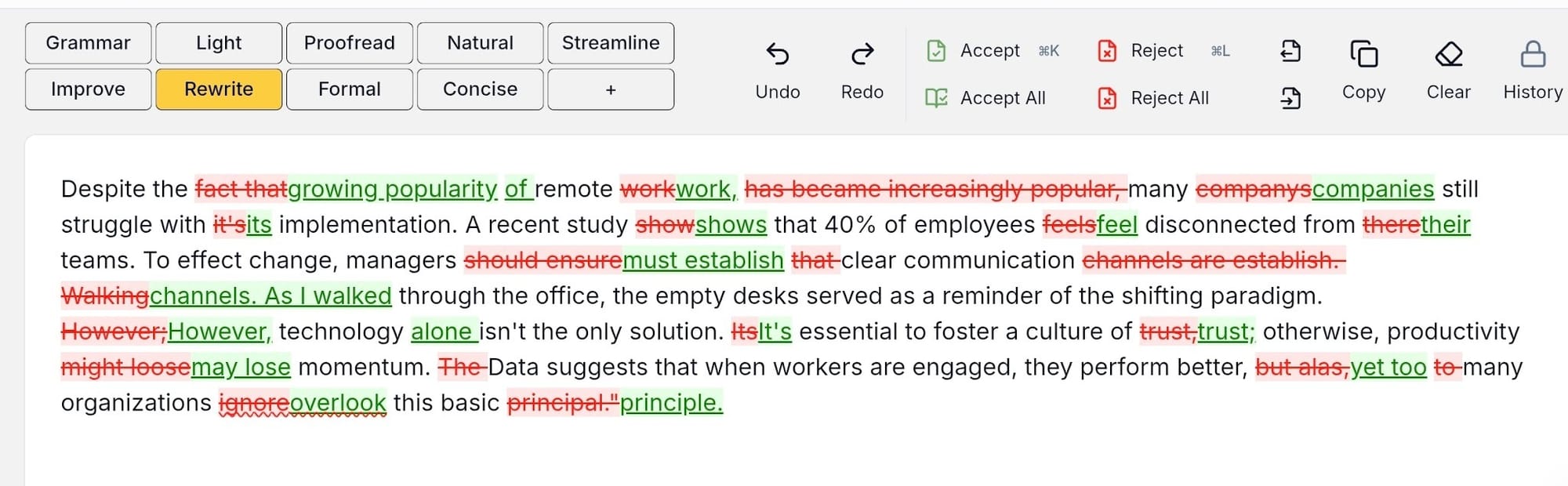
Running inside your document, it shows every suggestion as a redline track change so you approve or reject edits word by word. Humbot works better for quick, automated rewrites, but without edit history.
Here’s how both options compare on bypassing detection, keeping control of your text, and pricing.
What Is an AI Humanizer?
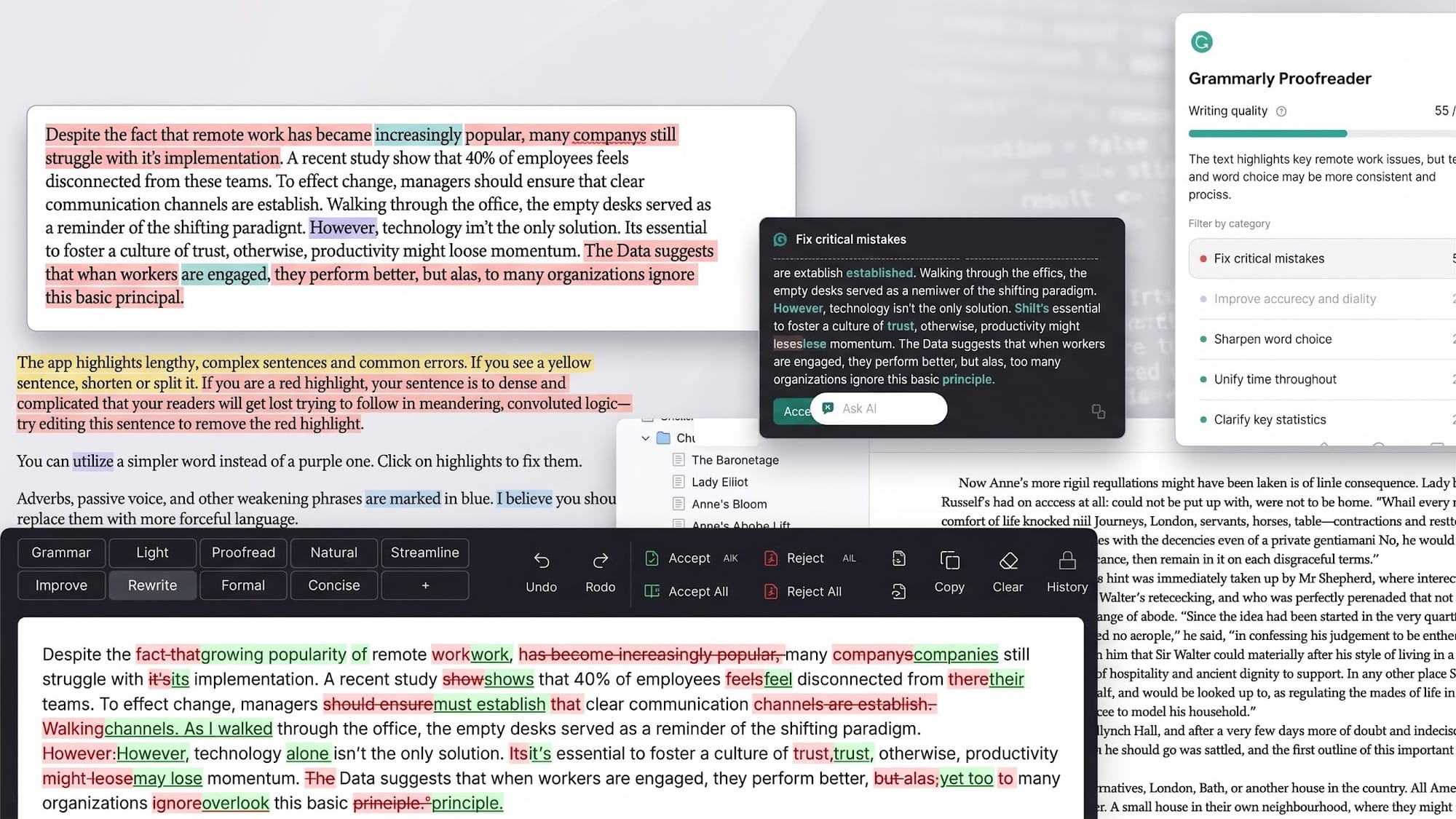
An AI humanizer is a specialized rewriting tool designed to adjust the rhythm, word choices, and structural patterns of machine-generated drafts so they sound natural and conversational. Writers and students often use these tools to polish stiff phrasing and bypass AI detection scanners like Turnitin or GPTZero without altering their core message.
How Do AI Humanizers Work?
To bypass AI detection tools, an AI humanizer adjusts two primary statistical markers: perplexity and burstiness. Standard AI bots naturally write with uniform sentence lengths and predictable phrasing. Detection algorithms look specifically for this flat pattern.
A dedicated humanizer alters those signatures by mixing short statements with longer sentences while swapping out repetitive vocabulary.
The main goal remains a clean detection bypass, with humanizing serving as the underlying engine. Restructuring the rhythm tricks the scanners into rating the text as original, human-written content instead of flagging it as automated text.
What Separates a Good AI Humanizer From a Bad One?
Not every humanizing tool gives you good results. Some end up leaving you with weird phrasing or broken logic. Look out for these three things:
- Does it keep your original meaning and voice, or just swap words? Most tools just trade words for awkward synonyms. A good one changes up sentence lengths while keeping your points clear.
- Does it show you what changed, or just dump a new block of text? Basic humanizers overwrite your draft without showing what they changed. Better ones mark up additions and deletions so you can review every edit.
- Does it fit into your current setup, or force a copy-paste back and forth? Switching between browser tabs can get so inconvenient fast. The best options work right inside your document editor.
Humbot vs editGPT: Quick Verdict
editGPT is the better AI humanizer if you’re refining your own writing (not handing everything to AI) and want full visibility over every edit. By processing text through Word-style track changes, it lets you review and approve additions and deletions line by line.
This is great if you want complete control of your text, making sure your original voice or argument stays intact while clearing AI detection scans.
Humbot fits better if you have a chunk of purely AI-generated text that you need humanized fast. It automatically rewrites your input in seconds to bypass detector algorithms, but it handles the process behind the scenes.
You get a clean block of replacement text without a record of what changed, making it a quick option for fast, low-friction edits.
What Makes editGPT Different?
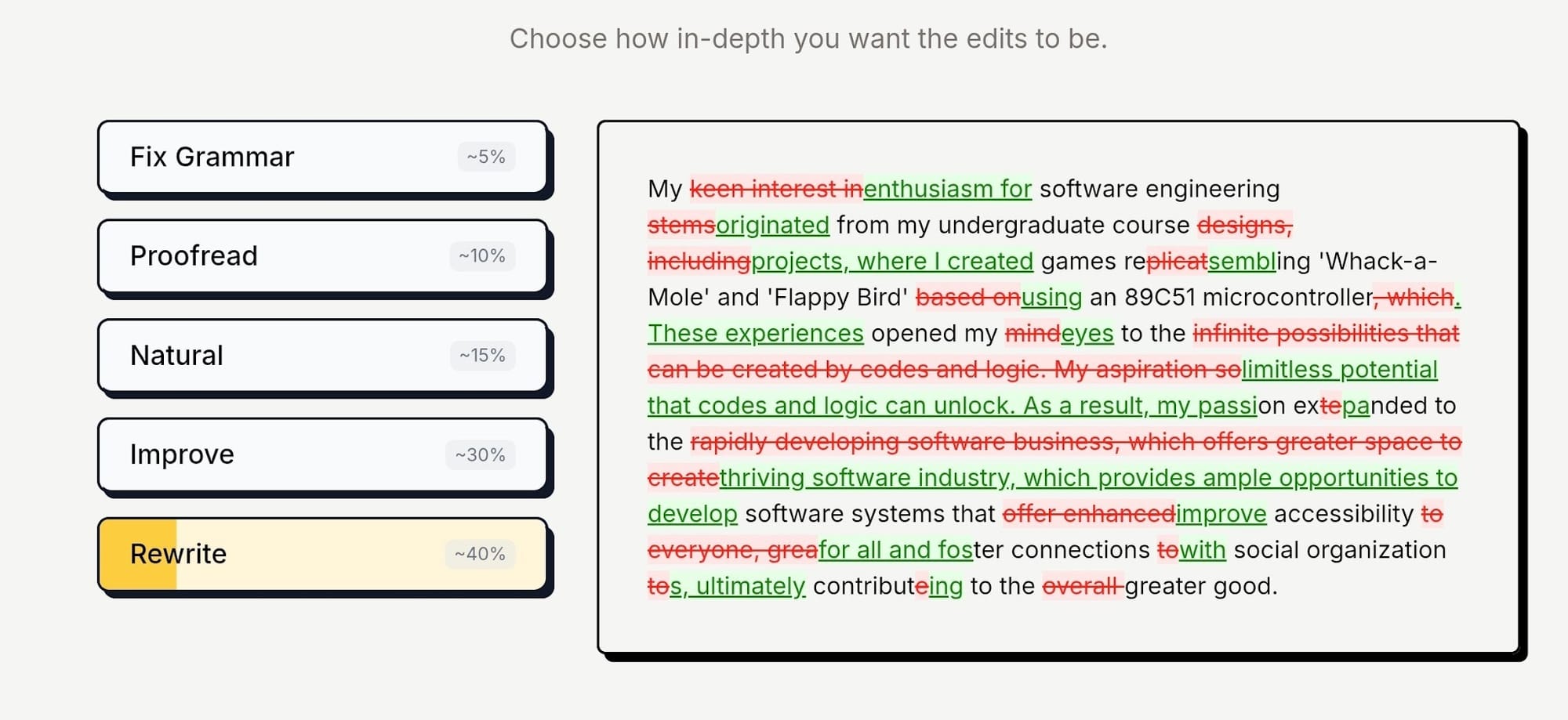
Most AI humanizer tools rely heavily on basic synonym-swapping, which often introduces awkward phrasing and breaks your logic.
editGPT takes a structural approach instead. It reorders clauses, breaks up long sentences, and varies rhythm across paragraphs to clear detector scans while maintaining clean readability.
The biggest differentiator is tracked-changes visibility.
Rather than swapping out your text blindly, editGPT highlights additions in green and deletions in red. You get full transparency into every adjustment, allowing you to reject edits that alter your meaning, a level of line-by-line control that Humbot’s output simply doesn’t provide.
How Humbot Works
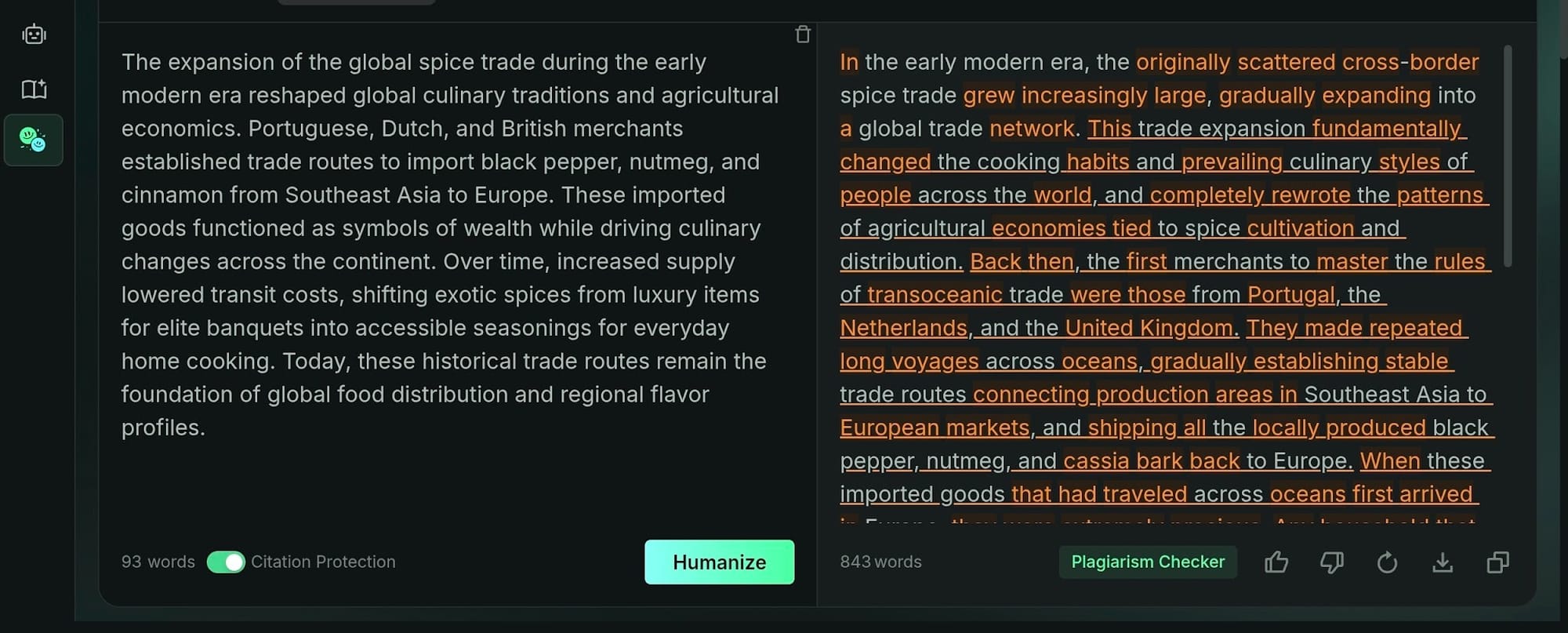
Core Mechanism
Humbot AI humanizer runs AI drafts through a rewriting engine built to scramble predictable machine signatures. Changing sentence lengths and swapping word choices helps the humanizer aim for clean passes on detectors.
This tool also packages an AI reader, summary tool, and plagiarism checker into its system.
Pricing and Word Limits
Unlocking full document rewrites requires picking a paid tier, as free accounts only process short snippets. Current options include:
- Basic: $11.99 monthly ($7.99 monthly on yearly plans) for 3,000 basic and 1,000 advanced words.
- Pro: $22.99 monthly ($9.99 monthly on yearly plans) for 30,000 basic and 5,000 advanced words.
- Unlimited: $59.99 monthly ($9.99 monthly on yearly plans) for unlimited basic and 10,000 advanced words.
How editGPT Works
Editing in Place Instead of Regenerating
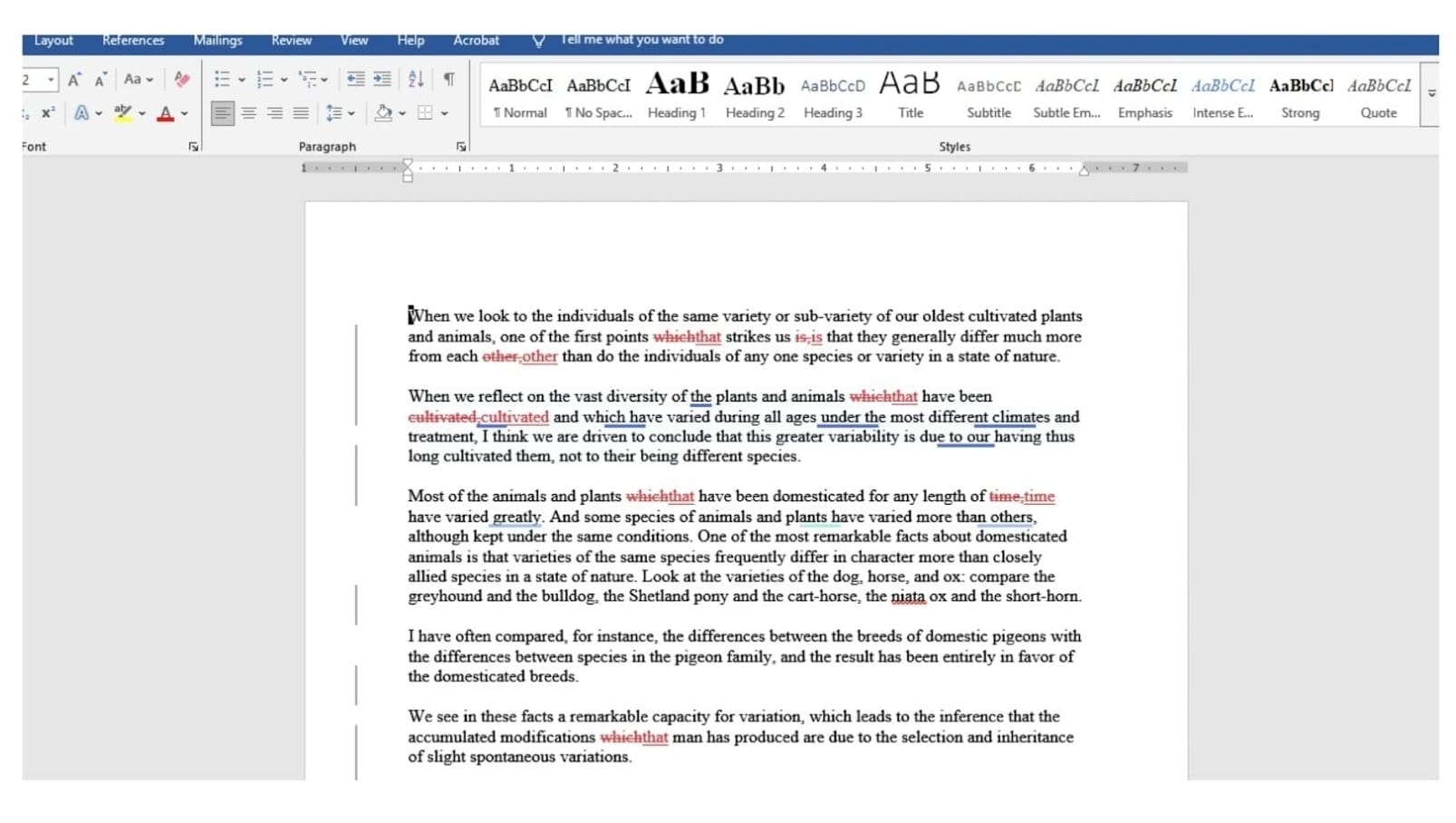
editGPT focuses on refining existing text rather than replacing it. While traditional tools run your text through an automated writer to deliver a completely new version, editGPT skips that total rewrite. It makes targeted adjustments right over your original work, instead.
Proposed additions, cuts, and structural tweaks appear as clear tracked changes. You review every single edit individually, choosing what to keep or discard in your web workspace.
Word Workflow and Multi-Language Support
Handling longer essays or manuscripts often means working directly with file attachments. editGPT supports native Word document imports and exports while keeping your markup intact throughout the process.
Opening the exported file in Word preserves every redline and suggestion for easy review.
A web extension also allows you to run edits across online workspaces and document editors. For writers polishing papers to satisfy tools like Turnitin AI detector, editGPT’s system handles multi-language text effortlessly.
You can clean up phrasing and improve overall flow in non-English drafts without losing your authentic voice.
Pricing
- Free: Costs nothing for up to 10,000 words a month (600 words per request limit), covering fundamental tracked changes and multi-language editing.
- Pro: $10 monthly ($5 monthly on annual plans) for 500,000 words a month, unlocking Word file uploads, revision logs, and custom prompts.
- Elite: $25 monthly ($12 monthly on annual plans) for 3,000,000 words a month, tailored for heavy users working on book-length drafts.
- Business: $60 monthly on yearly billing for unlimited usage and 4 user seats alongside team controls.
Pros and Cons
editGPT
Pros:
- Total Line-by-Line Oversight: You check every edit before it stays, hitting accept or reject on suggestions right in the tracked changes markup.
- Native Document Integration: You run edits directly inside Word or via browser extensions, avoiding back-and-forth copy-pasting.
- Multi-Language Cleaning: Writers working across non-English drafts can fix tone and structure without losing original context.
- Deeper Sentence Work: Adjustments go straight after clause ordering, length, and flow instead of substituting weak synonyms.
Cons:
- The editor targets hands-on revisions rather than spinning long drafts automatically in one click.
- Processing massive book-length projects means stepping into paid monthly tiers.
Humbot
Pros:
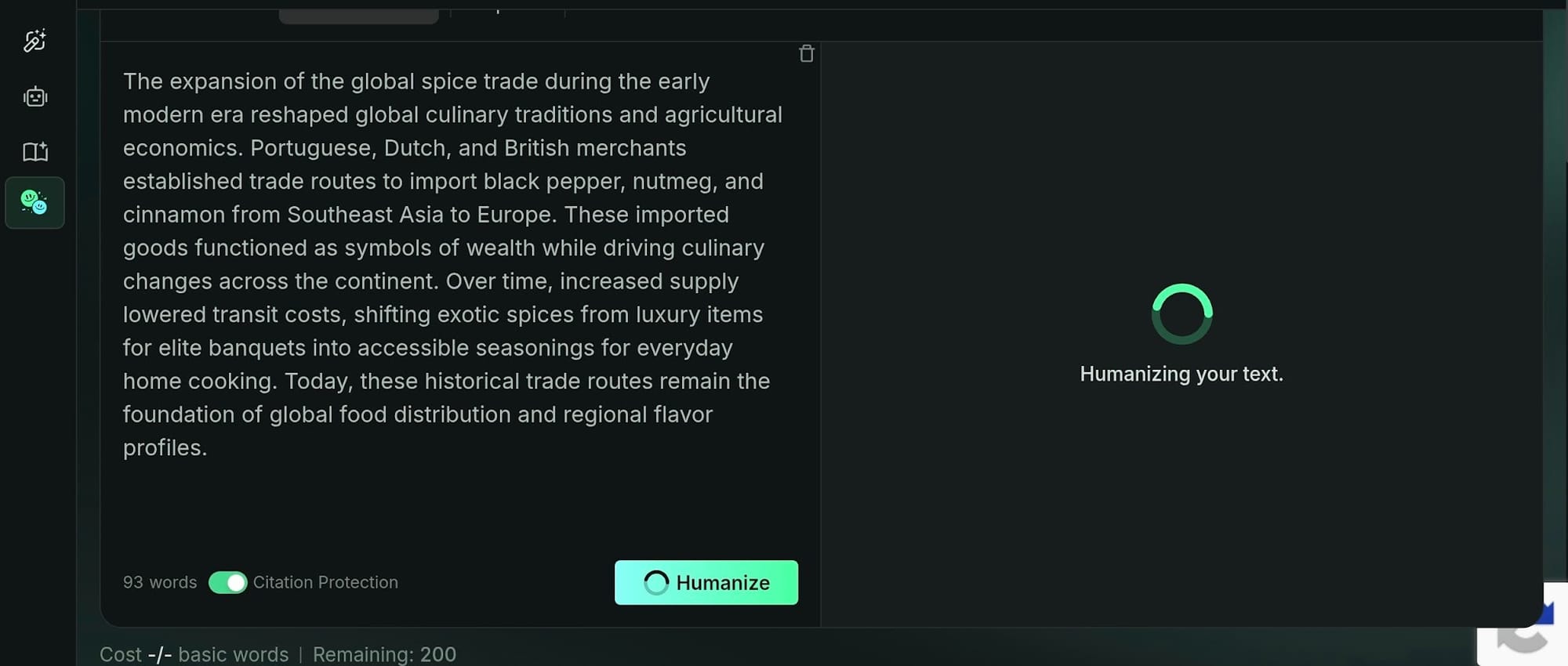
- Fast One-Click Rewrites: You paste text in and get an automated rewrite back in seconds.
- All-in-One Dashboard: The system bundles extra features like a text summarizer, translation tools, and a plagiarism checker.
Cons:
- Output returns as a single fixed block of text, leaving zero markup history of what changed.
- Processing full document drafts requires signing up for a paid plan upfront.
Humbot vs editGPT: Which Actually Bypasses AI Detection?
Detection-Bypass Approach Compared
- Humbot: Runs text through an LLM trained to rewrite phrases, targeting lower probability scores on standard detection scans.
- editGPT: Focuses on structural editing by varying sentence lengths and shifting clause orders, keeping the exact revision mechanisms open and visible rather than hidden behind an automated system.
editGPT provides transparent markup that shows every single edit if you want to bypass AI detection while maintaining full authority over your original draft. Humbot focuses on automated generation, outputting a completely fresh block of text with zero editing history.
Which One to Trust With Your Own Writing?
Protecting your personal writing style or voice is essential when refining a draft that combines your own research with AI assistance. editGPT’s tracked-changes workflow lets you review individual edits, ensuring your voice stays clear while removing machine patterns.
On the other hand, Humbot works best when you need to bulk-humanize a generic piece of text quickly and have no need to inspect individual sentence changes.
Who Should Use editGPT?
- Students and ESL writers who need academic drafts to sound natural without triggering Turnitin or GPTZero, while keeping full oversight over every change.
- Authors, researchers, and marketing teams editing long documents in Word who want seamless revisions within their existing workspace.
- Anyone who prefers clear audit trails for every edit instead of relying on a black-box system.
Limitations
editGPT isn't built for one-click bulk humanizing of large batches of already-finished AI text. Its system prioritizes careful manual review and user control rather than automated volume. That focus remains a conscious choice for writers who demand complete authority over every single update.
FAQ
Is it safe to use an AI humanizer on schoolwork or client work?
Refining your draft to polish sentence flow or fix awkward phrasing is standard practice, but check your institution's or client's specific guidelines first. Using an AI writing assistant to polish existing drafts differs from generating fake research. Picking a tool that shows tracked edits line by line makes reviewing changes straightforward so you can stand behind the result.
Can Humbot or editGPT guarantee I'll pass an AI detector?
No tool promises a permanent pass because detection software updates scanning rules continuously. Rather than searching for a quick fix, focus on retaining authority over your content. Understanding every structural update in your draft gives you the best control over your final text.
Does editGPT have a free plan like some AI humanizers?
Yes, editGPT provides a free tier covering up to 10,000 words monthly with a 600-word limit per request. You get core features like tracked changes, manual accept/reject options, and multi-language support without entering credit card details. Paid tiers start at $5 monthly on annual plans for heavy usage needs, including native Word file imports.
What's the real difference between an AI humanizer and just editing the text yourself?
Manual proofreading takes time, whereas automated tools apply sentence-length variation and structural tweaks in seconds. editGPT combines the speed of an automated text converter with manual oversight. Instead of replacing your prose blindly, it presents revisions as individual suggestions so you keep final authority over every sentence.
Is Humbot better than editGPT for bulk jobs?
Humbot works fast when you need to process a single block of text without inspecting individual edits. However, for ongoing work on client deliverables or academic papers where maintaining your exact style matters, editGPT's in-place tracked-changes workflow offers the oversight required for serious writing projects.
Final Verdict
editGPT is the stronger choice for writers refining their own drafts who want complete review control. The Humbot AI humanizer can handle quick, automated rewrites well when you just need to spin text fast without checking edits.
But if maintaining your exact voice matters, editGPT fits right into Word or browser workflows, giving you full oversight through tracked changes.
You get to approve every edit line by line, making it ideal for student papers and complex documents where blindly trusting a black-box rewrite simply will not cut it.
Granular control over your text ultimately protects your natural writing style far better than any automated machine spin ever could.
Recommended Reading
7 Best QuillBot Alternatives for AI Paraphrasing and Content Rewriting
QuillBot vs editGPT: We Tested the Best AI Proofreaders in 2026
What is the best AI Proofreader?
Top 10 Creative Writing Tools in 20206
Best AI Proofreader Tools of 2026 (Tested for Accuracy, Speed & Tone)
Best AI Proofreader Chosen by the Reddit Community
Video review: This AI Text Editing Tool Is FLAWLESS!
Best AI Proofreader Tools of 2026 (Tested for Accuracy, Speed & Tone) editGPT vs Grammarly vs Quillbot: Which Writing Tool is Best?
The Best AI Proofreaders That Actually Work (Free & Paid)
Review: Wordtune Editor vs editGPT
Review: Grammarly vs editGPT
Review: ProWritingAid vs editGPT
Review: Hemingway Editor vs editGPT