7 Best Paraphrasing Tools in 2026 (Ranked & Reviewed)
I tested the 7 best paraphrasing tools of 2026. Here's how they compare on quality, features & pricing, and which one I'd actually recommend.
After using the top-rated tools today, here are the best paraphrasing tools in 2026:
- editGPT - Best Overall
- Quillbot
- Wordtune
- Paraphraser.io
- Grammarly
- Spinbot
- Scribbr
I’ve rephrased more text over the years than I care to admit, covering college papers and marketing hooks. When I looked for the best paraphrasing tools online, I expected them to spit out the same robotic sentences.
A few options genuinely surprised me, though.
A standard paraphrasing tool rewrites your text by swapping out phrases while keeping your core message intact.
Now, I tested these tools using real essays and creative paragraphs to see how they hold up. This guide is for students, marketers, and academics who need to rewrite copy without losing the original meaning.
I graded each best paraphrasing tool on:
- Language accuracy
- Tone adjustments
- And free tier limits
The seven best choices today are ranked below, starting with my favorite pick that fixes your paragraphs without ruining your natural style.
What is a Paraphrasing Tool?
Paraphrasing simply means changing up the words of a sentence to state the exact same point without losing your original meaning.
A digital paraphrasing tool speeds this up by utilizing software models that rewrite your text instantly.
Instead of trading single words for clunky synonyms, a reliable paraphrase tool adjusts the actual sentence structure, alters clause paths, and manages voice shifts to rephrase your text cleanly.
Who use paraphrasing tools?
College students usually use these web tools to keep essays clear and original, while marketers can deploy them to spin stale social media copy. Academics find them useful for breaking down heavy journal references, and non-native speakers use them to smooth out awkward phrasing.
Now, what’s the difference between paraphrasing, rewording, and rewriting?
Basic reworders just trade single words for dictionary synonyms, which sounds unnaturally mechanical and even robotic. Complete rewriters overhaul the full page, risking your original arguments.
Real paraphrasing hits the exact middle ground, flipping sentence patterns while leaving your core point completely untouched.
What I Looked For When Testing These Tools

I spent days throwing messy paragraphs, complex essays, and short marketing blurbs into every popular rephrase tool on the market to see what actually helps real writers.
I ran each tool through a strict set of personal testing standards to separate the genuinely helpful services from the absolute waste of money.
- Paraphrasing quality: I checked if the rewording tool built natural sentences that flow cleanly or just barfed out random synonyms that read like an unedited translation.
- Meaning preservation: I monitored the outputs closely to ensure the core facts stayed accurate instead of getting completely warped during the rewrite process.
- Tone control: I messed around with the settings to see if selecting a formal or casual voice actually changed the sentence structures or just swapped adjectives.
- Sentence and paragraph handling: I tested how well the paraphrasing tool tracks context when rewriting an entire paragraph rather than just fixing one isolated sentence.
- Variety of outputs: I counted how many alternative phrasing suggestions each paraphraser provided so I had real options to choose from.
- Free plan value: I checked if the free account limits gave me enough daily word count to get real work done or if they just locked everything behind an immediate paywall.
- Pricing: I looked at the premium monthly rates to decide if the paid upgrades actually bring enough extra value to justify pulling out your credit card.
The 7 Best Paraphrasing Tools in 2026 (Ranked)
1. editGPT - Best Paraphrasing Tool Overall
What is it:
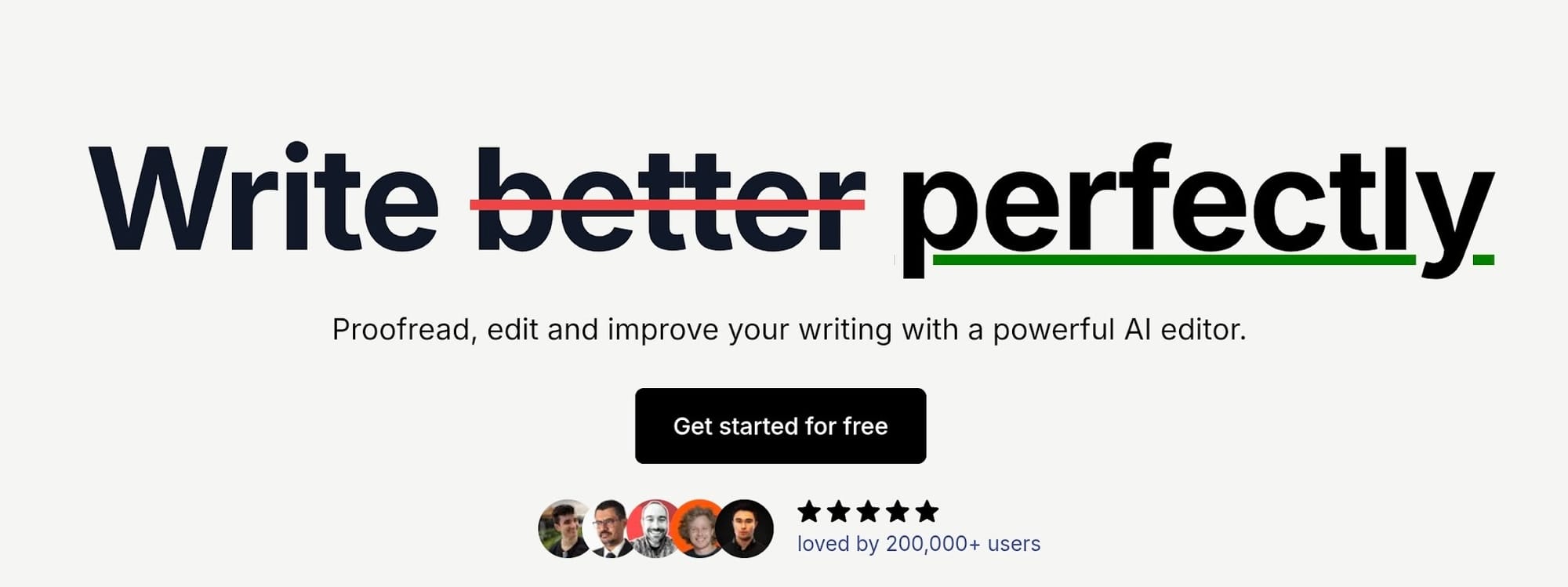
After testing numerous AI paraphrasing tools for months, editGPT emerged as the best overall for most kinds of writers in 2026. editGPT is an AI-powered editing and paraphrasing tool that can handle long-form texts and preserves your voice and tone.
My experience:
I put editGPT through its paces by tossing it a dense academic paragraph that usually causes standard software algorithms to glitch.
It instantly gave back a clean, readable rewrite that kept my original point perfectly intact, easily making it one of the best paraphrasing tools I tested this year.
The standout feature during my run was the tone controller.
Shifting between formal, casual, and natural settings actually changed the underlying sentence structures rather than just swapping out verbs for lazy synonyms. It handled full paragraph overhauls flawlessly, and the text never had that dead, mechanical giveaway common with lower-tier software.
Of course, editGPT is well-known for its intelligent contextual editing which gets your intention and voice right away and works to preserve it.
Every output sounded like it was typed out by an actual human editor working on a fresh draft.
Standout features:
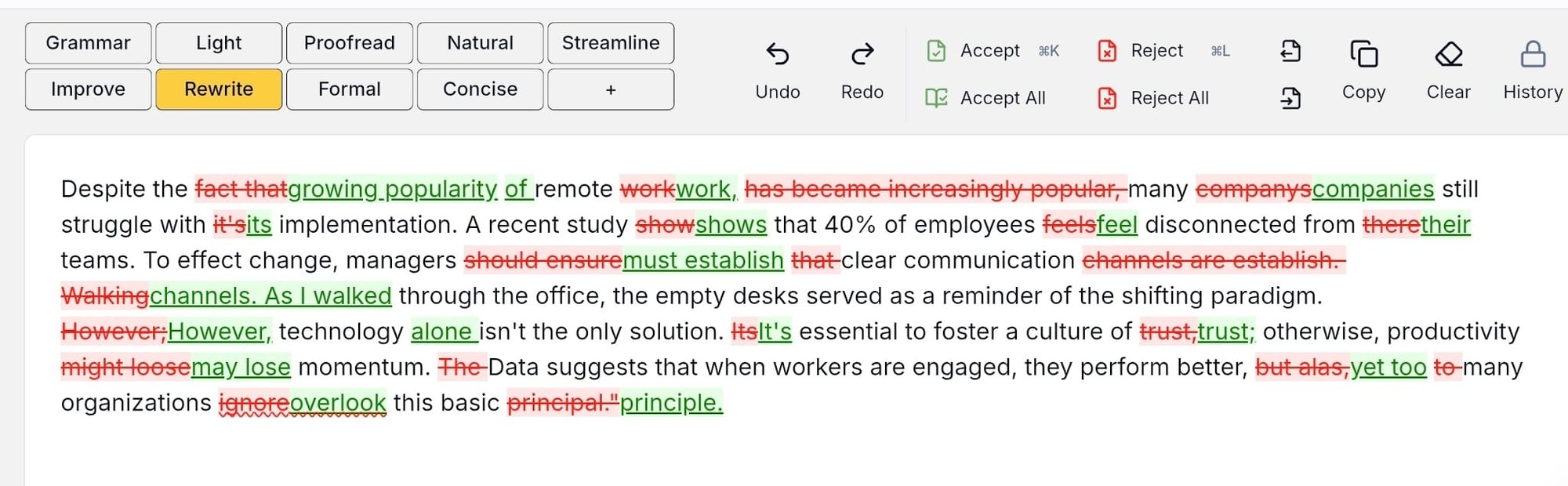
- Context-aware paraphrasing: This AI paraphraser reads your entire passage to understand your core topic before it attempts to change any wording.
- Tone selector: You can switch between formal, conversational, creative, persuasive, and academic styles depending on your project needs.
- Multiple variations: The system serves up several distinct rewrite options so you can pick the specific phrasing that matches your personal voice.
- Academic mode: A dedicated setting built to handle complex prose, making it perfect for formatting research papers and essays without losing structural precision.
- Generous free tier: You get access to meaningful paraphrasing tool functionality without an immediate paywall.
What I loved
The output quality is genuinely incredible as editGPT completely rebuilds clunky sentences from scratch and with contextual editing, rather than just shuffling words around.
It’s the only AI tool I tested that successfully retained the exact emotional weight and structural intent of my original draft while actively elevating the overall readability.
The finalized paragraphs came out sounding completely organic, fluid, as if polished by an actual human editor.
What could be better
The daily processing limits on the free version mean heavy users will hit a wall quickly, meaning you will need a premium tier for large projects.
Pricing
The free plan includes 10,000 words per month with a 600-word limit per request. Upgrading to the Pro Plan costs around $10 to $12 per month and unlocks 3, 000,000 words alongside advanced fine-tuned models.
Verdict
Whether you’re a student cleaning up a term paper or a marketer spinning digital copy, editGPT is the best paraphrasing tool choice out there for any type of texts, short and long.
I recommend editGPT the most as it’s the only AI tool that actually respects my voice. While testing more than 10 tools, I constantly ran into tools that completely stripped the personality right out of my writing.
This easily became the application that I personally keep open in a browser tab whenever I need to untangle clunky sentences without making my work read like a robot drafted it.
2. QuillBot - Best Free Paraphrasing Tool
What it is:
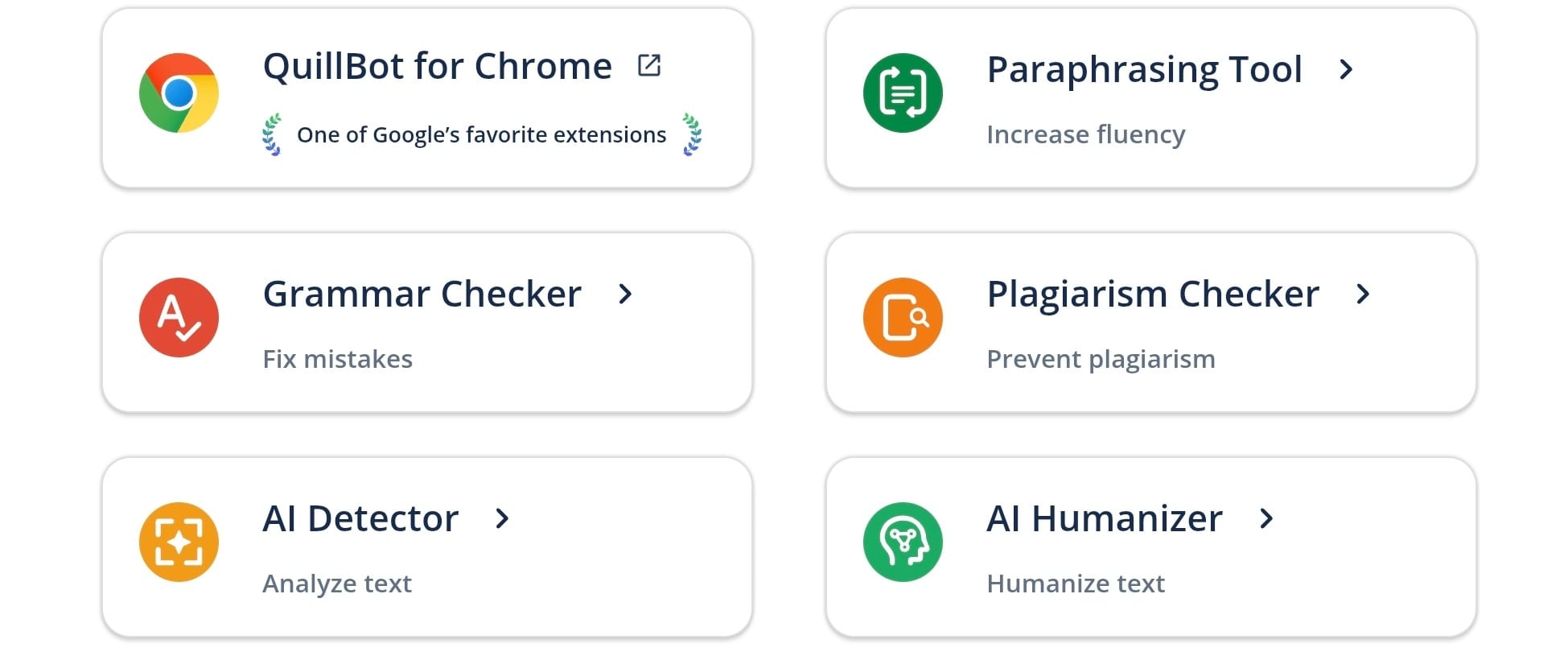
QuillBot is arguably the most famous name on the market, known best for offering an accessible free paraphrasing tool setup. It functions mainly as a fast web application built to help you rephrase isolated sentences or brief paragraphs instantly without entering a credit card.
My experience:
I pasted several essay drafts into the interface to see how the system behaves under pressure. The layout is clean, and toggling the integrated synonym slider gave me precise control over how aggressively the engine swapped out vocabulary words.
However…
…when I loaded in longer multi-sentence arguments, the structural output started to feel formulaic and repetitive. It works wonderfully if you're polishing short email copy or single sentences, but tends to struggle matching human flow when tackling a long, continuous manuscript.
Standout features:
- Distinct phrasing modes: Quillbot features settings like Standard, Fluency, Formal, Academic, and Creative to alter your text profile.
- Synonym slider: A manual adjustment bar that lets you dictate how heavily the software replaces your original words.
- Compare mode: A visual layout choice that maps out your original phrasing directly next to the fresh AI generation.
- Built-in extensions: It links straight into browsers and word processors, letting you rephrase text while working inside other apps.
What I loved
The variety of writing presets gives you incredible flexibility without charging you a single dime. Switching a paragraph from standard mode to the academic setting immediately shifts the vocabulary choices into a much more professional register, which is a lifesaver for student assignments.
What could be better
The 125-word cap on the free plan is quite a bottleneck. Copying and pasting your text fragment by fragment becomes quite tedious if you’re trying to overhaul a full article.
Pricing
The free tier costs nothing and handles up to 125 words at a time. To remove limits and unlock all 10 writing modes, premium plans run around $19.95 on a monthly basis, or drop to $8.33 per month if you pay for a full year upfront.
Verdict
If you need a zero-cost paraphrasing tool free of major headaches, QuillBot is an easy recommendation. I still prefer editGPT for heavy publishing work because the overall prose feels much more organic, but QuillBot remains the absolute king of budget-friendly text tuning.
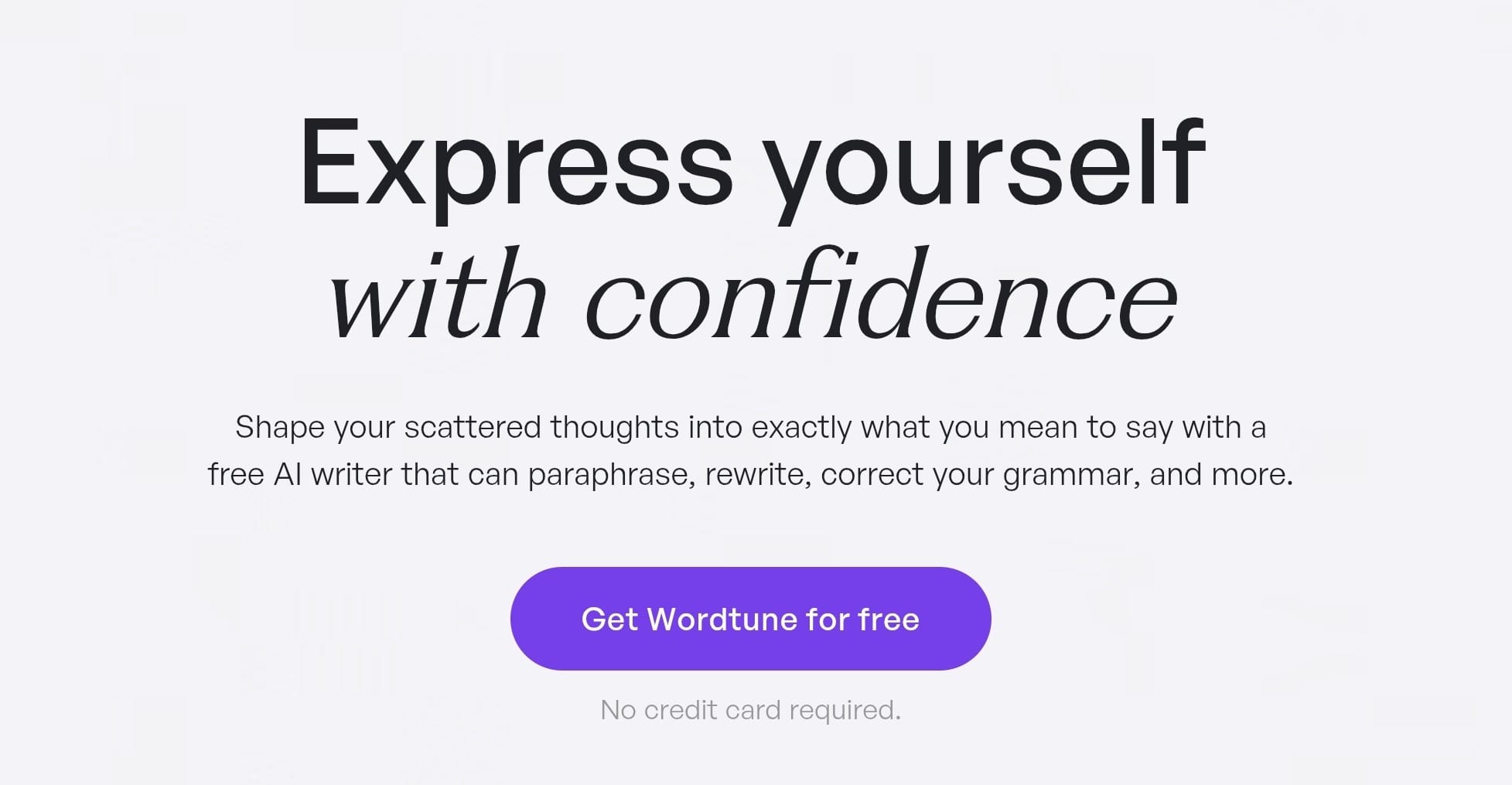
3. Wordtune - Best Paraphrasing Tool for Sentence-Level Rephrasing
What it is:
Wordtune approaches editing a bit differently by focusing almost entirely on sentence-by-sentence adjustments.
Instead of giving you a big box to dump an entire article into, this specialized sentence rephraser sits right alongside your text cursor to offer immediate inline phrasing suggestions as you draft.
My experience:
I installed the official extension and used it while working inside Google Docs to tweak a set of flat marketing copy.
Highlighting an individual sentence causes a small pop-up menu to appear, showcasing roughly ten different ways to restate the exact same concept. Wordtune handles inline adjustments better than its competitors, allowing you to quickly lengthen or shorten clauses on the fly.
However, this granular approach breaks down if you want a rephrase tool to swallow a three-page essay and spit back a totally new draft, as you have to approve suggestions one single sentence at a time.
Standout features:
- Inline suggestion box: Wordtune populates rewrite options directly beneath your highlighted text to keep you focused on your document window.
- Length controllers: Dedicated toggle switches let you lengthen or compress sentences to fit tight layout margins.
- Smart features: A unique tool adds extra context, clarifying statistics, or counter-arguments to flat sentences.
- Deep integrations: This tool operates natively across Microsoft Word, Google Docs, and standard web browsers.
What I loved
The inline suggestion model provides a seamless editing experience because it mimics working alongside a real human editor who points out weak grammar choices in real time. I can scan a dozen distinct ways to rephrase a thought without having to leave my text document or change web tabs.
What could be better
The strict daily limits on the free plan are highly restrictive, providing only ten free rewrites every twenty-four hours before blocking your access completely.
Pricing
The free plan provides 10 daily sentence rewrites at zero cost. Unlocking unlimited phrasing generations requires upgrading to the Advanced Plan for $6.99 per month, or the Unlimited Plan which costs $9.99 per month when billed annually.
Verdict
I highly recommend Wordtune if you prefer editing your work paragraph by paragraph as you write rather than pasting full drafts into an external website.
It lacks the bulk processing power found in platforms like editGPT, but it functions perfectly as a personal assistant for cleaning up individual sentences.
4. Paraphraser.io - Best Free Online Paraphrasing Tool for Quick Rewording
What it is:
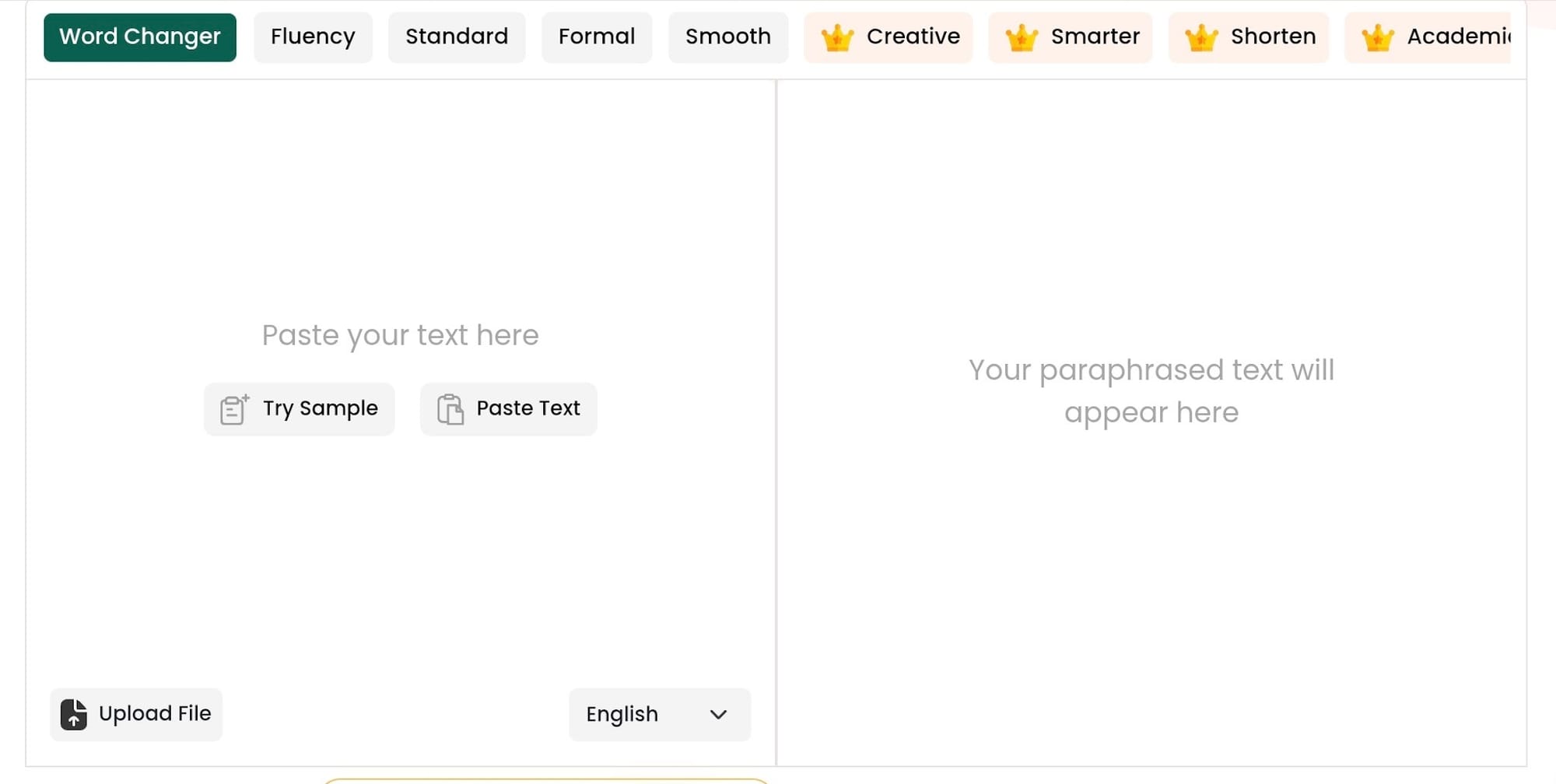
Paraphraser.io is a straightforward, browser-based text flipper built for speed and instant execution. This specialized paraphraser tool targets users who want to patch up a paragraph immediately without wasting time navigating mandatory registration pages or complex installation wizards.
My experience:
After dropping in a few standard content drafts directly on the homepage, its system worked as a lightweight paraphrase generator, letting me click a single button to get a refreshed version of your text in just a few seconds.
The free tier gave me a surprisingly high word limit per run compared to its immediate competitors.
However, the output quality takes a big hit if you try to feed it complex, multi-layered arguments.
While it handles basic line changes fine, it could struggle with contextual awareness, meaning you will often have to step in and manually fix awkward word choices that disrupt your original message.
Standout features:
- Zero-signup interface: You can land on the main website, paste your sentences, and grab your text generation without typing out an email login.
- Generous processing allowances: The free version processes up to 500 words per session, beating out several major premium platforms.
- Diverse mode variations: The dashboard includes Standard, Fluency, and Creative configurations to alter the final text design.
- Multilingual support: The translation engine helps you parse and rephrase AI text across more than twenty distinct languages.
What I loved
The complete lack of setup friction makes it a fantastic option for fast, one-off rewrites when you are in a massive rush. I can open the site on my phone, clean up a messy email draft, and close the tab in under a minute without dodging aggressive subscription pop-ups.
What could be better
The web interface is absolutely crawling with flashing display ads and obnoxious reCAPTCHA checkmarks that slow down your manual editing workflow considerably.
Pricing
If you need to bump up your word counts, their paid tiers include a Silver plan at $4.55 weekly, a Gold plan at $9.55 monthly, and an annual Diamond plan that checks out at $0.99 weekly (billed at $47.52 per year).
Verdict
I highly recommend Paraphraser.io if you just need a quick, no-nonsense text swap and refuse to create another digital account.
It definitely cannot match the advanced phrasing depth or human-like polish of the top tools on this list, but it serves its purpose perfectly as a fast, zero-cost paraphrase AI option for daily writing tasks.
5. Grammarly - Best Paraphrasing Tool for Grammar-Integrated Rephrasing
What it is:
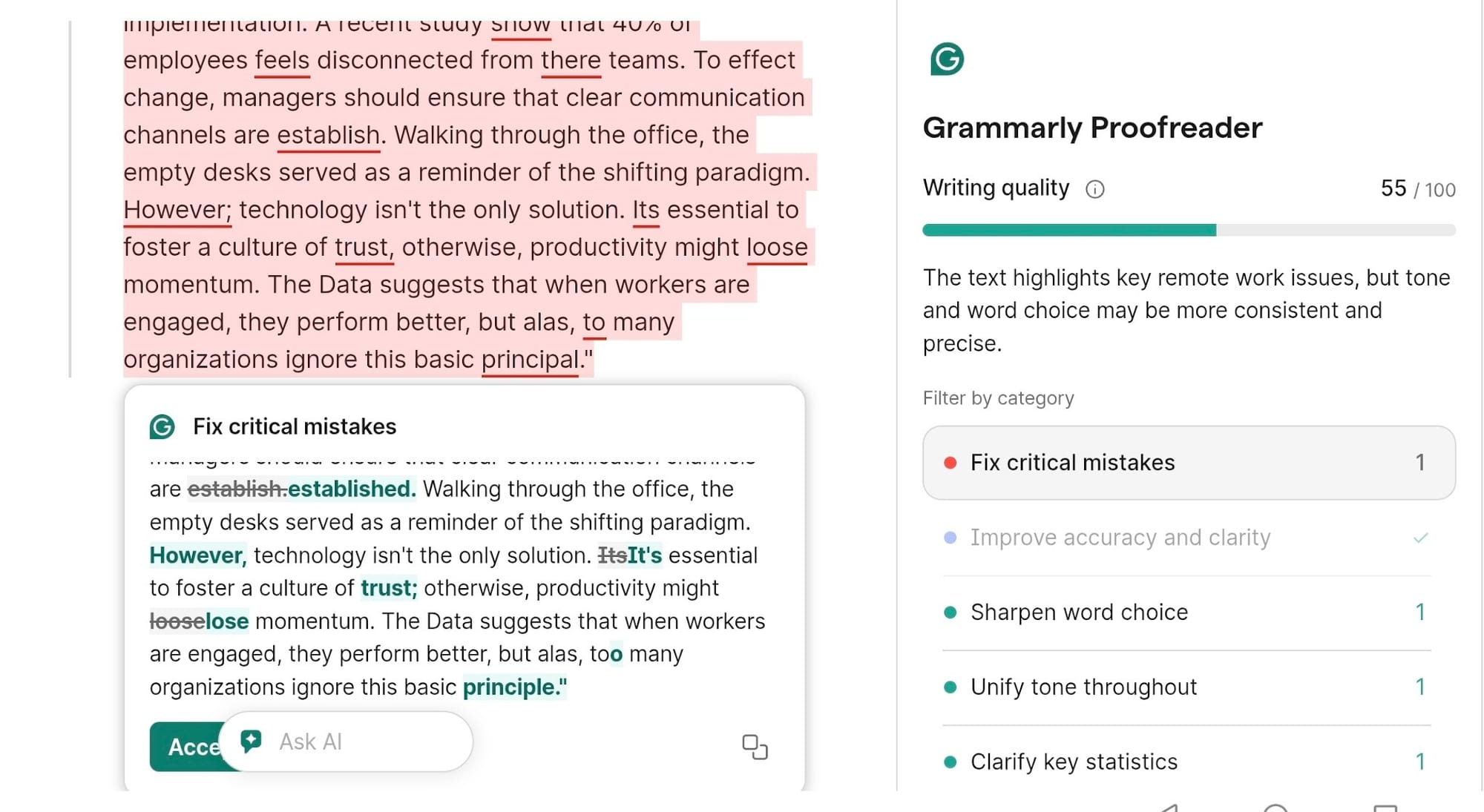
Grammarly operates primarily as a real-time spelling, punctuation, and style checker that embeds machine learning adjustment menus straight into your drafting screen.
Rather than standing alone as a dedicated copy rewriter, its system incorporates an AI paraphraser loop designed to repair syntax errors and text pacing simultaneously.
My experience:
I sync Grammarly’s overlay across my system to see how it acts while drafting inside standard workspace documents.
If you highlight a wordy or problematic passage, an inline prompt labeled "Improve It" appears, immediately generating a cleaner alternative that drops unnecessary padding.
It excels at smoothing out grammar flaws and shifting basic text style mid-sentence, but this tool falls flat if you want to paste a giant article block and convert it into a completely fresh draft.
It’s a great passive editing companion for everyday messaging, but could fail to deliver the deep, page-wide structural flexibility you find with focused rewriting software.
- Unified text analysis: Grammarly’s editor merges spelling corrections, punctuation patches, and sentence adjustments into a single interactive click menu.
- Contextual style checks: An integrated sensor evaluates the tone of your text draft, alerting you when your words read as aggressive, overly formal, or lazy.
- Full sentence overhauls: The premium dashboard allows you to swap complete phrase groups to instantly improve text clarity.
- System-wide link support: The application works continuously inside email clients, native text programs, and popular web browsers.
What I loved
The ability to clean up punctuation mistakes and immediately rephrase a rough sentence inside a single edit menu keeps your daily output moving fast. You can polish text fragments natively while chatting with coworkers or typing out project updates without leaving your document window.
What could be better
Grammarly hides its robust structural sentence-flipping tools behind a costly monthly paywall, and the basic free version only provides light conciseness changes.
Pricing
The free version costs nothing and covers basic spelling corrections along with 100 monthly AI prompts.
Unlocking full sentence rewrites and advanced tone control requires upgrading to Grammarly Pro, which costs $30 per month on a month-to-month cycle, $20 per month on a quarterly plan, or drops to $12 per month (billed upfront as $144) for an annual commitment.
Verdict
I recommend Grammarly as a permanent addition to your dashboard if you want your standard proofreader and your rewording tool to live in the exact same application.
It lacks the dedicated text-spinning power found in other specialized tools, but it remains a reliable option for keeping your daily professional correspondence error-free.
6. Spinbot - Best Free Paraphrasing Tool for Content Spinning
What it is:
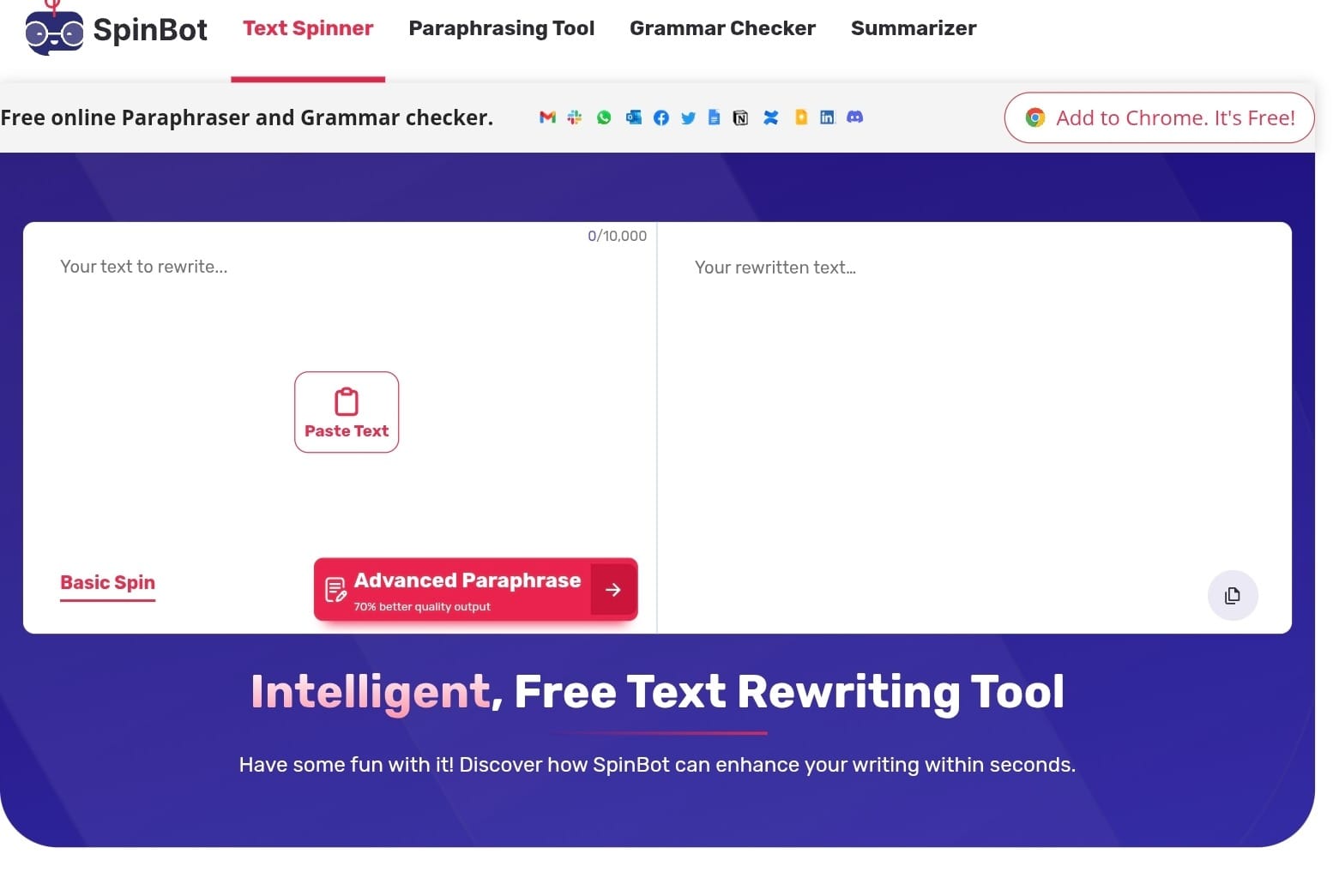
Spinbot is a veteran web-based article rewriter known for offering immediate automated text flipping with zero barrier to entry. It serves primarily as a lightning-fast content spinner designed to churn out massive blocks of alternative copy for bulk publishing projects.
My experience:
I used the main homepage dashboard to process a few basic blog drafts. The turnaround time is completely instant, and you don’t even have to register a profile to get your rewritten text.
However, the resulting output quality is easily the lowest of any platform I tested.
This tool frequently swaps out words with literal, out-of-context vocabulary choices that make sentences read like clunky machine translations.
While it works passably for tracking down basic synonym swaps, you will have to spend significant time manually reviewing and restructuring the output to make it acceptable for human readers.
Standout features:
- 100% free accessibility: You can leverage the complete core rewriting application without setting up a login password or handing over payment information.
- Massive text capacity: The dashboard processes up to 10,000 characters at a single time, letting you cycle through full articles in one go.
- Varying length modes: Simple navigation buttons let you instruct the system to spit back the shortest, longest, or default paragraph layouts.
- Ancillary editing tools: The homepage sidebar grants quick, free access to a basic grammar checker and an AI content detector.
What I loved
The lack of text constraints and absolute zero-cost model make it incredibly efficient for high-volume, low-stakes content cycles. If your absolute priority is spinning draft text into alternative setups as fast as humanly possible, this interface requires zero setup friction.
What could be better
The sentence flow looks completely mechanical, often failing to maintain the basic narrative nuance or logical sequence of your original draft.
Pricing
Spinbot is entirely free to use directly inside your browser window with no premium tier subscriptions or hidden usage fees attached to the application.
Verdict
I recommend Spinbot strictly if you need to generate high-volume alternative copy for low-risk drafts where speed is more critical than polished readability.
For academic research papers, formal emails, or anything destined for professional publication, you should skip it entirely and use editGPT to keep your content sounding natural and credible.
7. Scribbr - Best Paraphrasing Tool for Academic Writing
What it is:
Scribbr is a dedicated academic resource tool built to support students, researchers, and thesis writers. Rather than acting as a flashy social media content flipper, its built-in text companion specializes strictly in processing technical prose, scholarly journal references, and heavy academic essays.
My experience:
I tested the interface by feeding it a dense research paragraph filled with complex passive arguments. The structural output was incredibly impressive, managing to reorganize the heavy syntax paths while displaying unmatched meaning preservation.
Unlike general web applications that completely scramble technical jargon…
…this engine retains the exact thesis context of your original source material. It pairs up beautifully with an integrated citation helper, allowing you to track your source formatting directly inside your active workspace without having to jump across different websites.
Standout features:
- Scholarly sentence tuning: The processing logic focuses explicitly on maintaining a formal, objective, and scholarly tone across all text outputs.
- Flawless thesis protection: The advanced contextual algorithm preserves complex data, specific terminologies, and research variables perfectly.
- Integrated citation generator: The editor allows you to generate flawless APA, MLA, and Chicago source credits right beside your active text draft.
- Turnitin-powered safety checks: The platform includes direct integration with premium academic databases to verify original text structure.
What I loved
The sheer precision when handling complex research prose is easily the best in its class for university work. It avoids the cheap synonym shuffling that usually flags essay text as artificial, turning out polished sentences that read like a seasoned academic peer reviewed your draft.
What could be better
The web interface is heavily optimized for formal manuscripts, meaning it is not a practical option if you want to generate punchy marketing slogans or casual social media posts.
Pricing
The core text-adjusting app is completely free to use directly inside your browser for up to 125 words per session.
If you need to leverage the premium database plagiarism scanner or advanced formatting modules, they use a pay-per-use model that runs $19.95 for small papers up to 7,500 words, $29.95 for documents up to 50,000 words, and $39.95 for massive files over that limit.
Verdict
I highly recommend Scribbr if you are actively drafting a thesis, term paper, or academic journal submission. It lacks the creative range found in general workflows, but it remains a safe and accurate option on the internet for handling high-stakes educational writing projects.
Paraphrasing Tools - Quick Comparison Table
How to Choose the Right Paraphrasing Tool?
Choosing the right setup from this list comes down to analyzing your specific writing workflow and daily project constraints.
Remember: Different tools prioritize completely different goals, whether that means maximizing output fluidness or cleaning up complex grammar issues.
You can use this quick breakdown to find the exact application for your needs:
- For top-tier phrasing quality: editGPT focuses heavily on sentence structure overhauls, making it the best paraphrasing tool for maintaining a truly organic voice.
- For budget-friendly writing tasks: QuillBot gives you access to a dependable, zero-cost framework, holding its position as a highly popular paraphrasing tool fallback.
- For inline sentence edits: Wordtune operates right next to your text cursor, providing quick line-by-line suggestions inside your working document window.
- For fast browser checks with no login: Paraphraser.io allows you to paste your text block directly onto the main homepage and grab a draft without registering an account profile.
- For simultaneous grammar checks: Grammarly integrates an automated line corrector directly into your spelling editor, keeping your professional messages crisp.
- For high-volume text flipping: Spinbot provides a completely free text container built to shuffle large chunks of copy instantly for low-stakes drafts.
- For formal student assignments: Scribbr specializes in processing scholarly prose and technical journal papers, serving as an ideal paraphraser tool for college essays.
My reliable strategy that covers all my bases includes keeping editGPT open as my primary workspace app to secure high-quality narrative flow.
I, then, keep QuillBot bookmarked as a great free alternative for handling everyday sentences, while running my final drafts through Scribbr whenever I need to clean up heavy academic research material.
Paraphrasing vs Rewording vs Rewriting - What's the Difference?
Basic rewording handles light, surface-level adjustments by simply swapping single vocabulary words with direct synonyms while keeping your original sentence layout completely untouched.
On the other hand, paraphrasing operates a level deeper by restructuring full sentences, changing clause orders, and shifting formats while preserving your core meaning exactly as intended. Complete text rewriting means overhauling your draft from scratch.
A full rewriter alters the overall narrative layout, text length, and underlying tone parameters, which helps when adapting heavy copy for completely new distribution channels.
Matching your tool choice to your specific editing goal keeps your work fast and efficient.
Understanding language software variations comes down to tracking how deeply the algorithm alters your text.
Frequently Asked Questions (FAQ)
What is a paraphrasing tool?
I look at these tools as digital editing assistants. You paste in your draft, and the software rewrites it automatically using fresh vocabulary and new sentence layouts. The whole goal is to state your exact point using different phrasing so your core message stays completely clear.
What is the best paraphrasing tool in 2026?
I found that editGPT easily takes the crown this year as the best paraphrasing tool of 2026. It completely avoids the mechanical, predictable rhythms of older tools and keeps your text sounding like an actual human wrote it.
Is there a free paraphrasing tool?
Yes, you can use apps like QuillBot, editGPT, Grammarly, Paraphraser.io, and Spinbot without opening your wallet. QuillBot and Spinbot let you process a lot of words for zero cost, but editGPT gives you the highest quality rewrite on its free plan.
What is the difference between a paraphrasing tool and a rewording tool?
A rewording tool only tweaks the very surface of your text by swapping individual words with synonyms, which almost always reads terribly. A real paraphrasing tool takes a much smarter route by dismantling your full sentences and changing the actual grammar structure so the final copy flows naturally.
Can paraphrasing tools be detected?
AI detectors are getting sharper, but software that builds realistic sentence variation is much harder for those scanners to catch. I always recommend using these apps for rough inspiration and manually adding your personal style before submitting or publishing your work.
What is the best paraphrasing tool for students?
Scribbr handles academic contexts best because it understands complex data points and does not distort the meaning of your research sources. It also includes a helpful citation assistant, though QuillBot's academic mode works fine if you just need a fast, zero-cost rewrite.
What is the best free paraphrasing tool?
QuillBot is my top pick for budget tasks because its interface gives you free access to essential tone modes and synonym adjustments. Spinbot allows you to dump in larger text blocks for free, but it swaps words indiscriminately, meaning you will have to spend time cleaning up the draft yourself.
My Final Recommendation
I spent months analyzing these tools, and editGPT stands out as the top choice for anyone tracking creative text composition. It avoids the flat, predictable rhythms of old text engines and alters complete sentence layouts while keeping your natural tone intact.
To build a flawless content system…
…I recommend setting up editGPT as your primary dashboard app to preserve organic formatting. You can always pull up QuillBot as a fast, zero-cost backup for quick line adjustments, and swap over to Scribbr whenever you need to check a dense academic research paper.
You can test out editGPT for free right now to start refining your drafts with formatting that sounds entirely human.
Recommended Reading
7 Best QuillBot Alternatives for AI Paraphrasing and Content Rewriting
QuillBot vs editGPT: We Tested the Best AI Proofreaders in 2026
What is the best AI Proofreader?
Top 10 Creative Writing Tools in 20206
Best AI Proofreader Tools of 2026 (Tested for Accuracy, Speed & Tone)
Best AI Proofreader Chosen by the Reddit Community
Video review: This AI Text Editing Tool Is FLAWLESS!
Best AI Proofreader Tools of 2026 (Tested for Accuracy, Speed & Tone) editGPT vs Grammarly vs Quillbot: Which Writing Tool is Best?
The Best AI Proofreaders That Actually Work (Free & Paid)
Review: Wordtune Editor vs editGPT
Review: Grammarly vs editGPT
Review: ProWritingAid vs editGPT
Review: Hemingway Editor vs editGPT