5 Best Book Writing Software
Discover the 5 best book writing software to boost your productivity. Compare the top tools for plotting, drafting, and publishing your manuscript.
The best book writing software stack for your workflow are:
- Google Docs
- Scrivener
- editGPT
- Atticus
- Notion
Finishing a book manuscript takes more than a quiet room and a laptop. You need a reliable book writing software to handle the heavy lifting of organization.
If you’re a seasoned author, you’d know that a single program rarely covers every stage of the process. You usually start with a space for notes and ideas, move to a drafting app, and finish with a dedicated proofreader and editor.
This keeps your research separate from your story and prevents your files from becoming a total mess.
But the thing is, there’s a big gap between drafting, editing, and publishing software.
Drafting tools help you hit word counts and organize chapters. Editing tools proofread it and fix your flow and logic once the story is actually down. Publishing software handles the margins and fonts for the final print version.
You can build a workflow that works by assigning one tool to each phase. Start with a drafting app to get the story out of your head. Next, use a professional editor to clean it all up and polish it.
Remember, finding the best book writing software for your specific style will save you months of formatting headaches.
Read on to see the best book writing software you can bet on for every stage.
The Book Writing Tool Stack Explained

Being meticulous and choosing the right tools for your manuscript will save you from the frustration of losing a great idea in a messy folder. Building a stack for writing and putting your book together is the best way to stay organized.
Stage 1: Planning and drafting
This is the part where your initial ideas and research notes start turning into actual chapters. You need a workspace that handles the messiness of a first draft and lets you move scenes around without breaking the whole document.
Specialized book writing software works best here because it offers visual boards to map out your characters and plot arcs. This organization keeps you from getting stuck when your story starts to get complex or you need to reorder your scenes.
Stage 2: Writing and collaboration
Turning a rough draft into a full manuscript usually involves getting feedback from beta readers or co-authors along the way. You want a tool that allows for real-time comments and easy version control so you never lose a paragraph during a revision.
Shared cloud documents are a favorite for this stage because they make it simple to track every change made by your team. This shared environment stops the annoying wait for email attachments before you can actually continue your work.
Stage 3: Editing and proofreading
Once the story is finished, you have to fix the structural issues, logic gaps, and grammar slips that basic spellcheckers always miss. This is the stage where a good proofreading and editing software provides the most value, as it polishes your prose while strictly respecting your unique author voice.
You should get a professional final draft that’s polished and ready for a public audience without sounding robotic.
Stage 4: Formatting and publishing
The final step is preparing your finished manuscript for print-on-demand services and digital e-readers.
You need software that handles the technical side of interior design, like margins, fonts, and table of contents. Specialized formatting programs are designed specifically for this, allowing you to export professional files that meet the standards of major retailers.
1. Google Docs: Best for Drafting and Collaboration
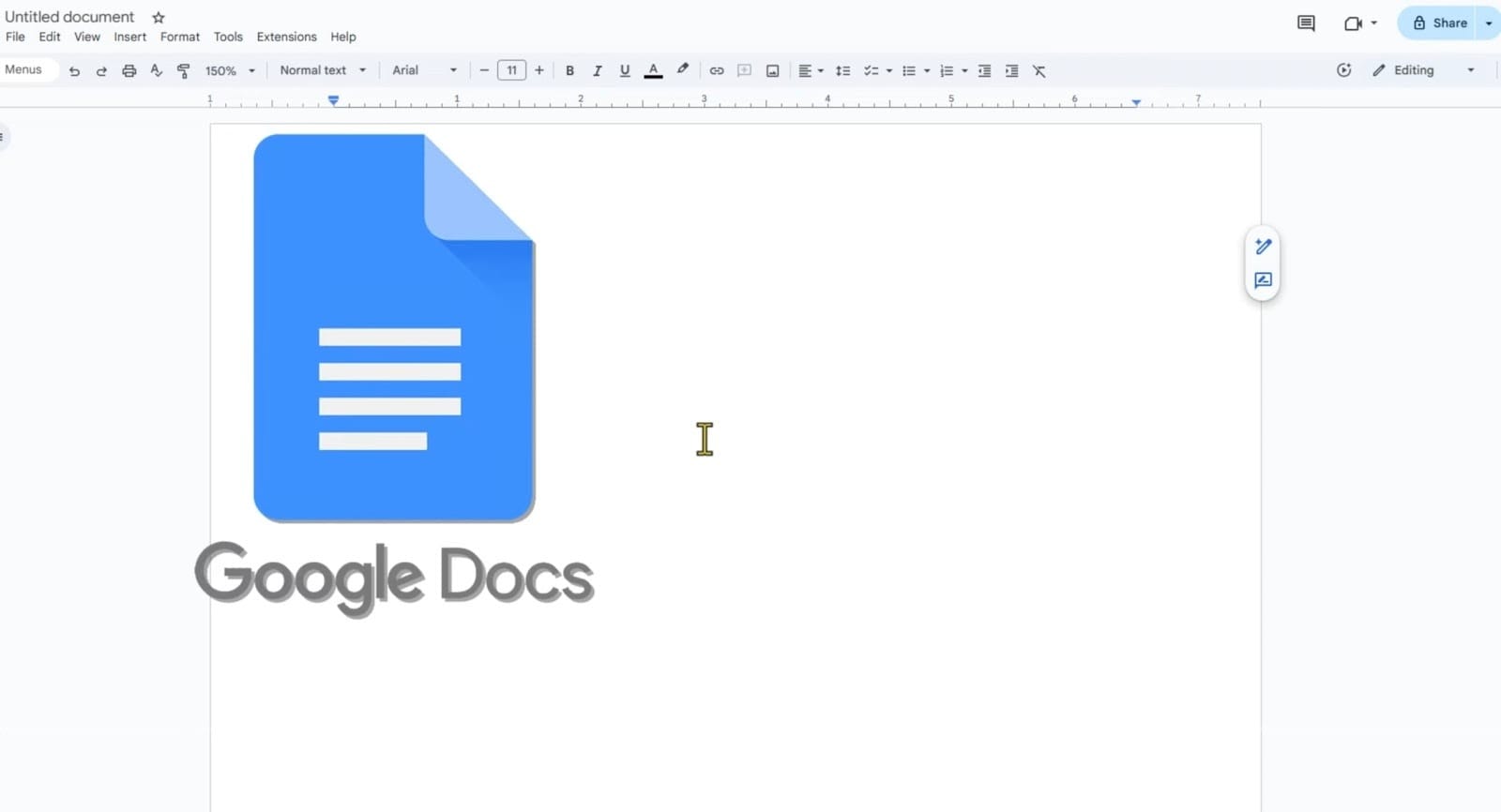
Google Documents is usually the first thing people open because it’s already sitting there in your browser for free. You don't have to spend your whole morning watching tutorials or fighting with complex settings before you can actually start your first chapter.
Real-time writing anywhere
I usually pull up my manuscript on my phone while I’m waiting for my coffee and then see those exact changes on my laptop when I get back to my desk. Since every word stays in the cloud, it’s a very reliable book writing app for anyone who has to fit their creative time into 15-minute gaps throughout a busy day.
Comments, suggestions, and version history
Getting notes from a beta reader or just your helpful editor friends is much faster when they can just highlight a clunky sentence and leave a comment right there. The version history feature is also a massive relief if you ever delete a whole scene and realize three days later that you actually liked the original version better.
It’s one of those writing apps that keeps your entire history in one file instead of cluttering your desktop with different "final" versions of the same draft.
Best for long drafting sessions and co-authors
If you’re co-writing a story, you can both be in the same chapter at once without accidentally overwriting each other's work. This writing software stays fast and responsive enough for the early stages where you just need to get the plot out of your head and onto the screen.
You get a quiet, distraction-free workspace where you can focus on your characters before you ever have to think about the technical side of publishing.
Pros
- Free for anyone with a Google account
- Syncs across every device
- Simple sharing for editors
- Instant, reliable auto-save
Cons
- It tends to lag once the file gets huge
- No plot-building tools
- Offline mode is often clunky
Best use case in a book workflow: Use this for the initial drafting phase and your first few rounds of feedback from readers before you move into the final layout.
2. Scrivener: Best for Plotting and Organizing a Book
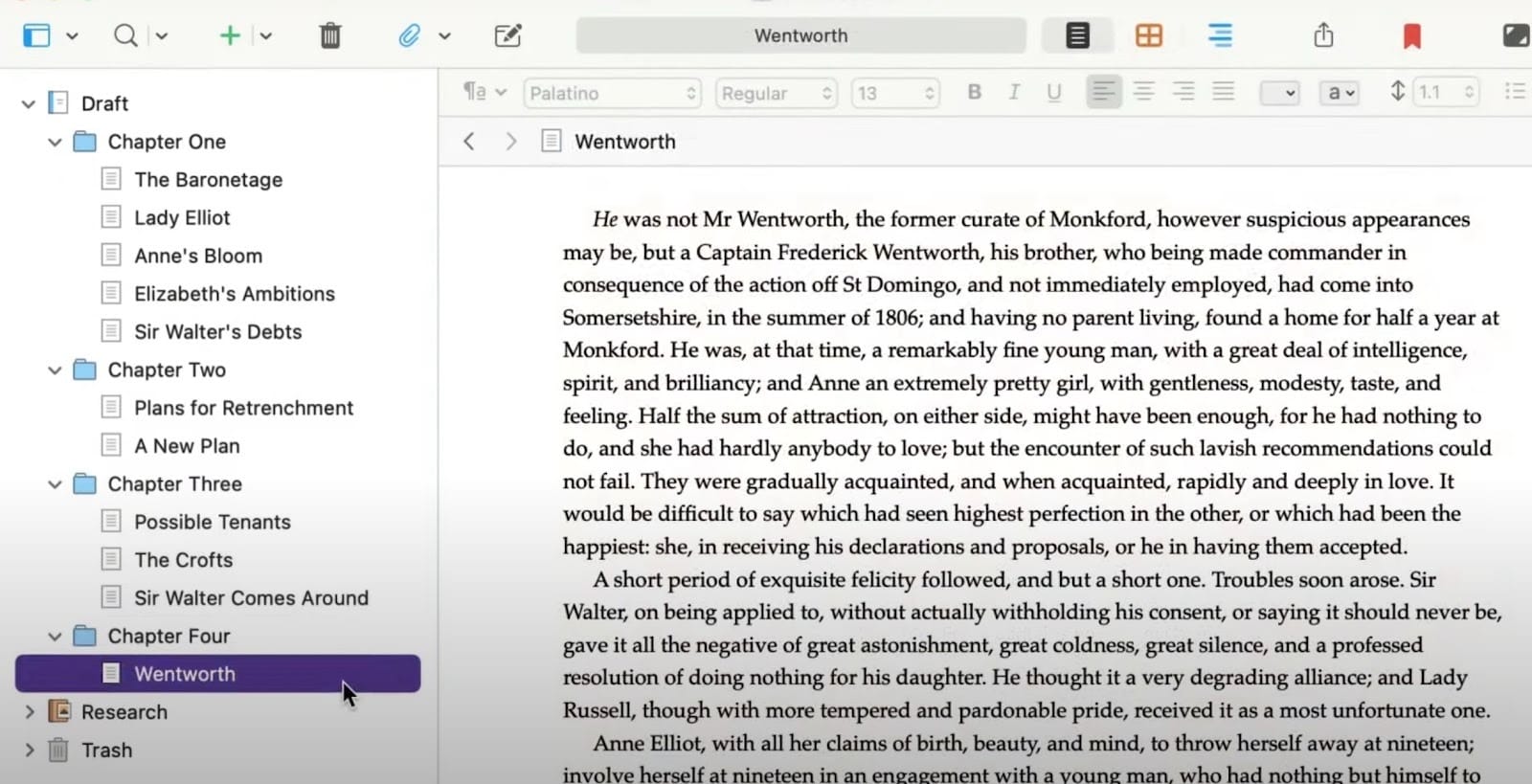
Scrivener is basically the heavy-duty option for anyone who wants total control over their manuscript structure. You move past that single scrolling document and start treating your book like a collection of pieces you can shift around whenever you want.
Chapter level organization
This tool lets you break your book into tiny scenes instead of one massive, terrifying file. You use a sidebar called the binder to drag and drop these pieces whenever the pacing of your story feels a bit off.
It’s the best novel writing software for authors who realize halfway through that chapter five actually belongs at the very beginning. You can see the whole bird’s-eye view of your plot without having to scroll through fifty pages of text just to find one specific scene.
Research and notes in one place
I love that you can keep your character bios, world maps, and PDF research right next to your active draft. You don't have to keep switching tabs or hunting for a lost notebook because every scrap of data stays inside the project file.
This makes it a powerful novel plotting software since you can view your notes in a split-screen while you are actually typing. It keeps your brain focused on the story rather than the frustration of managing a dozen separate windows on your desktop.
Best for fiction and complex nonfiction
If you’re building a complex fictional world or a research-heavy guide, this is the novel writing app that can actually handle the weight. It tracks your daily word counts and lets you set specific deadlines for each section of the project to keep you moving.
This is the writing software for novels that works best for writers who need to manage subplots and historical dates without losing track of the main arc. You get a level of granular detail that a standard word processor simply cannot provide.
Pros
- Pay once and own the license forever
- Incredible tools for visual planning
- Split-screen mode for referencing notes
- Handles massive projects without any lag
Cons
- Takes a few days to learn properly
- No built-in way to collaborate live
- Mobile syncing is a bit clunky
Best use case in a book workflow: Use this for your first draft and for organizing hundreds of research files that would otherwise clutter your computer.
3. editGPT: Best for Editing and Proofreading
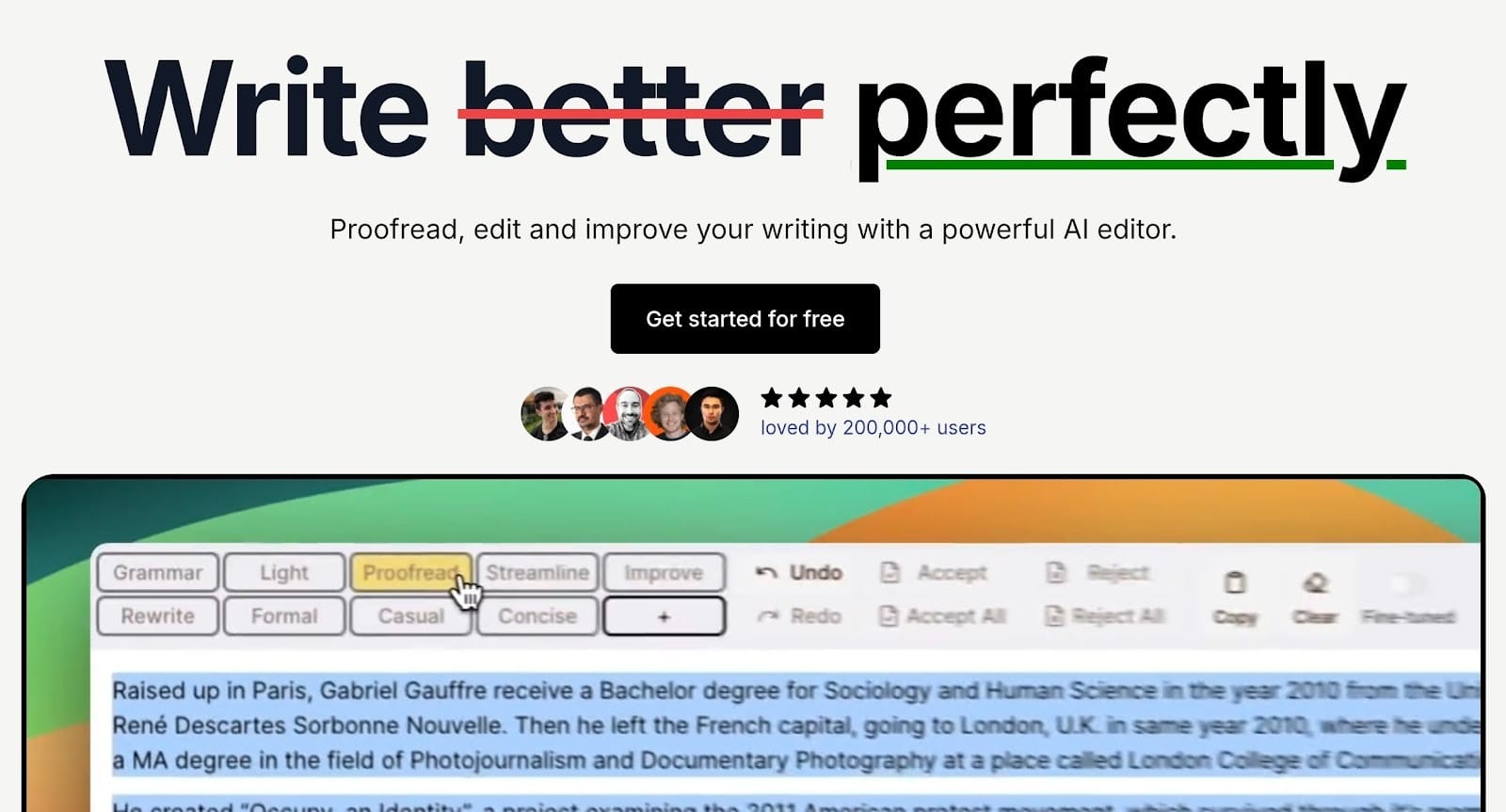
You’ll most probably agree with this: most people waste hours trying to fix their prose while they’re still in the middle of a chapter, which usually just kills their momentum. editGPT will let you stay out of that messy drafting phase so you can focus entirely on the story first.
It acts as a specialized writing editing software that you bring in only when the heavy task of creation is over. This separation of tasks helps you avoid that frustrating loop of editing as you go.
Line edits, structural clarity, and flow
You get a much tighter manuscript because this proofreading tool focuses on the actual rhythm and voice of your paragraphs. It looks for repetitive words, awkward transitions, and those clunky sentences that you missed during your third late-night rewrite.
Using it as a writing aid helps you spot exactly where the reader might lose interest or get confused by a dense block of text. You end up with a polished draft that moves quickly and keeps the reader engaged from start to finish.
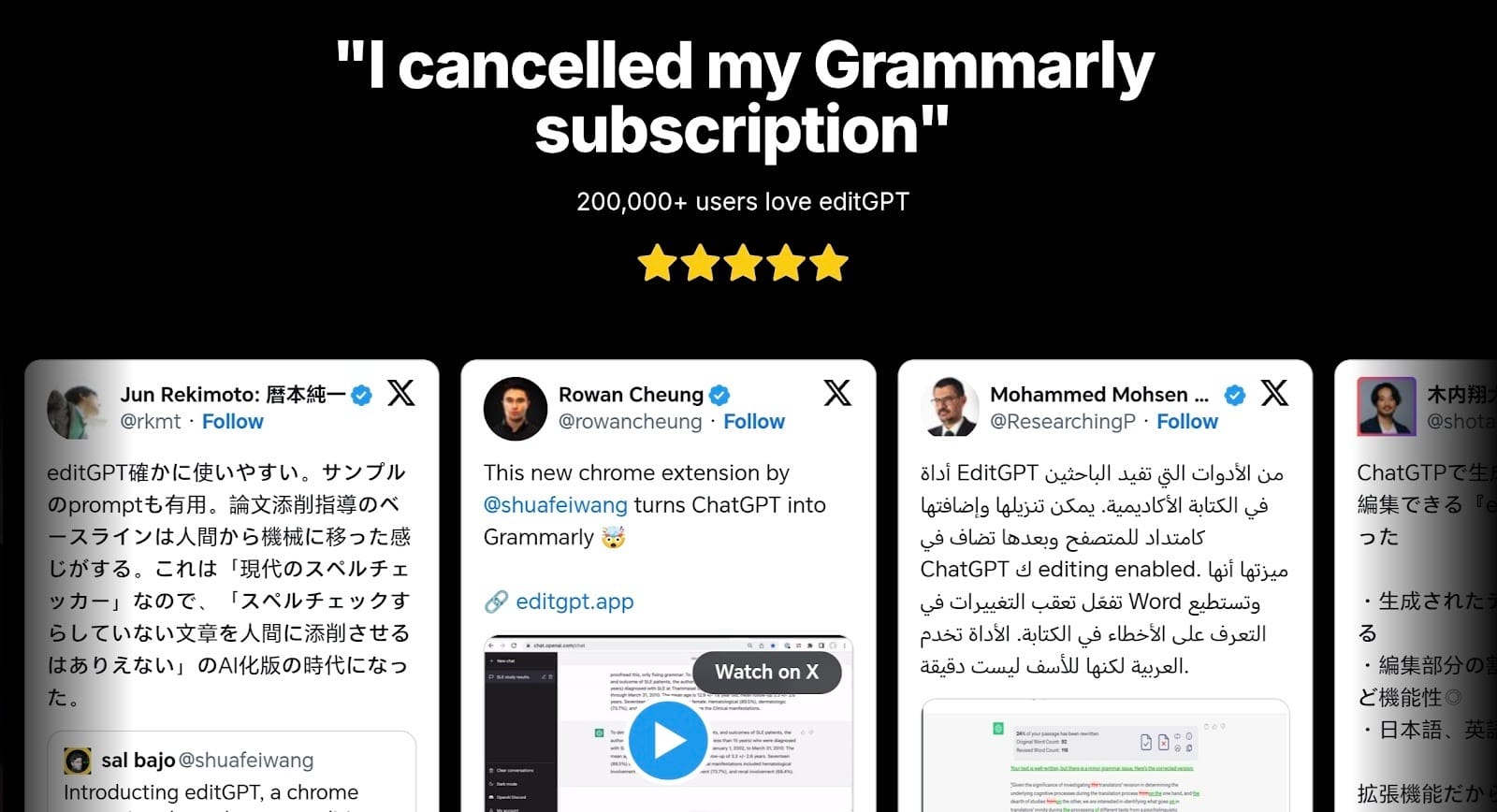
Fixes weak sentences without rewriting your voice
I’ve noticed that most writing tools try to make everyone sound exactly the same, which is a disaster for an author.
editGPT is the best AI novel writing software because it respects the specific way you talk and write, which almost no other tool does.
It suggests ways to strengthen a weak verb or shorten a run-on sentence without stripping away the personality that makes your writing unique. You stay in total control of the final output while the software handles the tedious work of cleaning up the technical errors.
Best used after drafts are complete
The most efficient way to use this book editing software is to wait until you have a full chapter for a deep scrub. You upload your text once the plot is solid and the characters are fully developed.
This allows the tool to analyze the flow of your finished work and catch the subtle mistakes that happen over the course of fifty thousand words. It’s the final checkpoint that ensures your work is professional enough to send to an agent or a printer.
Pros
- Keeps your unique author voice intact
- Catches subtle errors you might miss
- Fast and easy to use interface
- Great for humanizing dry text
- Its contextual editing and intelligence won’t make your work sound robotic
- Great for longform writing
- You can see tracked changes
- Great integrations
Cons
- Not meant for initial plotting
- No offline desktop application
Best use case in a book workflow: Bring this in for the final polish after you've finished your revisions in a word processor to make the prose as clean as possible.
4. Atticus: Best for Formatting and Publishing
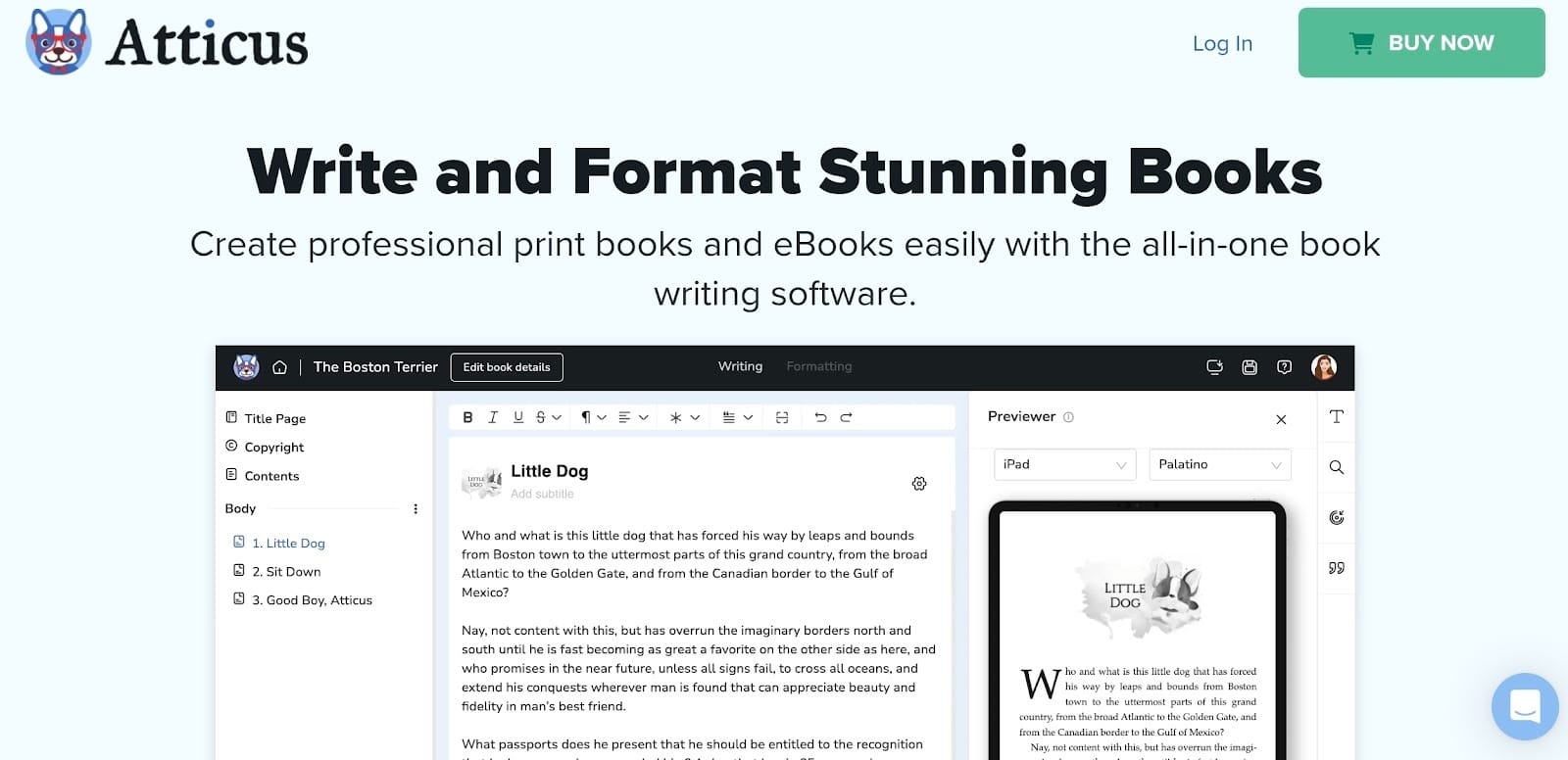
Getting your words on the page is only half the battle because readers expect your book to actually look like a book. You need a dedicated piece of book software to handle the heavy technical work sorting out margins, headers, and page numbers that standard word processors usually mess up.
Export for Kindle, paperback, and hardcover
You can use Atticus to generate every file you need for both digital and print shelves with just a few clicks. It’s a highly efficient book publishing software because it automatically adjusts your layout for different formats, like a reflowable ePub for Kindle or a fixed PDF for a physical hardcover.
Built-in formatting rules
Atticus comes pre-loaded with dozens of professional themes that handle the tricky design details like drop caps and ornamental scene breaks. It’s proven to be a reliable software for book writing and layout as it ensures your margins are wide enough for the spine and your fonts are actually readable in print.
You don't have to be a graphic designer to get a finished product that looks just as polished as a title from a major publishing house.
Best for authors ready to ship
If you have finished your final edits and are ready to upload your files to Amazon or IngramSpark, this is the tool you need. It stays fast and responsive even with large manuscripts, and the live preview shows you exactly how the book will look on a real device before you hit export.
It acts as the final bridge between your rough draft and a professional product that is ready for readers to buy.
Pros
- Works on Windows, Mac, and Chromebooks
- Over 1,200 unique formatting combinations
- Excellent for both fiction and non-fiction
- High-quality print-ready PDF exports
Cons
- Browser-based app can be slightly laggy
- Lacks advanced plotting boards
- Offline mode requires a pre-login
Best use case in a book workflow: Use this as your final stop to turn your edited manuscript into a professional ebook and print files right before you launch.
5. Notion: Best for Planning, Research, and World Building
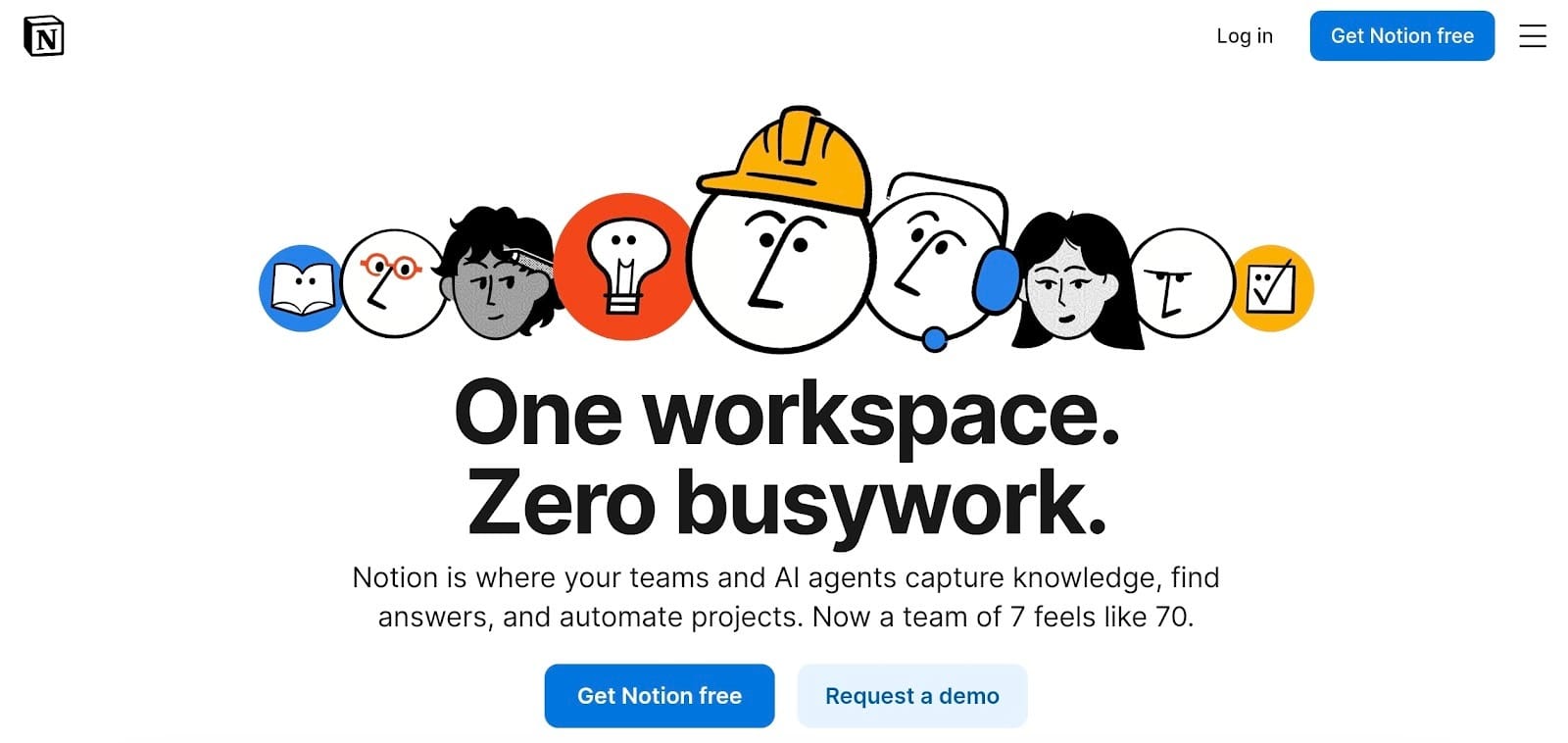
Sometimes a standard document doesn't have enough room for all the background details that make a story feel real. Notion acts as a digital workspace where you can dump every character idea and research link before you ever start your first chapter.
It’s one of the most flexible creative writing tools available as you can build a customized dashboard that tracks your plot without getting in the way of your actual drafting process.
Character databases, outlines, and timelines
You can create complex databases to track every detail of your cast, from their eye color to their deepest secrets. The gallery view lets you see your characters like a deck of cards, making it easier to spot gaps in your lineup.
This makes it a great story writing software companion because you can link your plot points to specific dates on a timeline view. You never have to scroll through a 50-page outline to find out what happened on a specific Tuesday in your story's world.
Not a writing app but a planning powerhouse
You probably won't want to type your actual manuscript here because it lacks the formatting power of a dedicated word processor. It’s strictly a writing tool meant for heavy organization and keeping your research from disappearing into a dozen browser tabs.
The ability to nest pages inside of pages means you can build a massive Wiki for your book that's actually easy to navigate.
Best use case in a book workflow: Start using this in the very early pre-writing phase to organize your world-building and keep it open on a second screen while you draft elsewhere.
Pros
- Massive library of community templates
- Syncs perfectly between phone and desktop
- Excellent for managing complex research
Cons
- Can feel overwhelming to set up from scratch
- No specialized features for manuscript exporting
- Requires an internet connection for most tasks
Comparison Table Book Writing Software by Stage
Sample Book Writing Workflow Using These Tools
Connecting these tools into a single system is the best way to get your manuscript from a rough idea to a finished book on a shelf without unnecessary delays. You stop guessing what to do next because each piece of software handles one specific job perfectly.
Idea and outline in Notion
Everything starts with a massive brain dump where you store every character trait, research link, and plot point in one spot. I use this for the messy pre-writing phase because it lets you build a custom dashboard to track your story arc without cluttering your actual manuscript.
You can see your entire timeline at once and make sure your world-building stays consistent as the project grows.
Draft chapters in Google Docs or Scrivener
Once your plan is solid, you move into the drafting stage to focus entirely on getting the story out of your head.
You might prefer a cloud-based document for its simplicity or a specialized program to keep your scenes organized in a sidebar as you type. This part of the process is only about building momentum and hitting your daily word counts without worrying about perfect grammar yet.
Edit and proofread with editGPT
This is the most important part of your entire workflow and is a non-negotiable step if you want a professional result. You bring in editGPT to scrub your draft of the clunky sentences and repetitive phrasing that naturally happen when you're writing fast.
It polishes your prose and fixes the flow while making sure you still sound like a human being rather than a machine.
This tool catches the subtle errors and logic gaps that standard spellcheckers miss, giving you a manuscript that’s clean and ready for a public audience.
Best of all, it does all these while preserving your unique voice.
Format and publish with Atticus
The final step is taking that polished text and turning it into a file that actually looks like a professional book. Atticus handles the technical side of the layout, from setting the correct margins for print to generating a clean file for E-readers.
You pick a theme that matches your genre and the software takes care of the headers and page numbers automatically.
How to Choose the Right Book Writing Software Stack
Your setup should depend on what you're actually trying to finish. You don't need a massive suite of expensive programs to call yourself an author. You just need a few things that stop you from losing your mind mid-project.
If you’re a first-time author
Don't go out and buy a bunch of complex software before you’ve even written ten pages. Most people do best by just opening a blank page in a free browser tool and typing until they have a few solid chapters.
You can always move your work into a more "professional" organizer once the story gets too big to manage in a single scrolling file. The main thing is to keep your workspace simple so you spend your time writing instead of clicking through settings menus.
If you’re writing fiction vs nonfiction
Novelists usually need a way to see their plot from a distance, so they benefit from tools that let them drag and drop scenes around like index cards.
If you're writing a business book or a biography, you're going to care way more about keeping your research links and interview notes in a searchable spot. Choose your drafting tool based on what you need to look at while you type.
One person needs a character map, while the other needs a folder full of PDFs that doesn't require constant tab-switching.
If you want AI help without losing control
You should use editGPT as your final checkpoint as its developed to have intelligence that works like a human editor rather than a rigid grammar bot. It’s the best way to tighten up your sentences and fix awkward pacing without letting a machine overwrite your personality.
This writing tool is perfect for catching those repetitive words we all use when we're tired, but it keeps your unique voice completely intact. You get a manuscript that reads like a pro wrote it, without the risk of it sounding like generic filler.
If you’re planning to self publish
If you aren't going the traditional route, you’re the one in charge of making the book look legit on a Kindle or in print. You need a dedicated formatting tool that handles the things like gutter margins and chapter headers automatically.
This saves you from the massive headache of trying to make a standard word processor behave like a design program. Having a solid tool for this last step means your book will look just as clean and professional as anything sitting on a shelf at a major bookstore.
FAQs About Book Writing Software
Do I need multiple tools to write a book?
You can finish a manuscript in one tool but it usually comes with a few issues. Most writers use two or three for different phases. It’s common to use one tool for the messy brainstorming and a different one for the actual chapters. Separating your research from your writing helps you stay focused and prevents your main document from becoming a giant, unorganized mess.
Can I write a book using only Google Docs?
Plenty of authors stay in a basic cloud document because it’s free and works on every device. It’s great for the early drafting phase, but you might notice some serious lag once you pass fifty thousand words. It also doesn't have the deep organizational tools or character trackers that professional novelists usually need to stay on track.
Is editGPT good for book editing?
Using editGPT could be the best move for your workflow as it handles the subtle rhythm of prose better than a standard grammar bot. It catches clunky phrasing and repetitive words that are very easy to miss after you’ve been staring at your screen for hours. You end up with a professional final draft that still sounds like a person wrote it (also retaining the voice you put into your book), rather than something spat out by a generic algorithm.
What is the best free book writing software?
editGPT is the best book writing software you can get. Most free apps are just basic blank pages, but this one actually focuses on making your sentences better while preserving your voice. You can drop in your draft and it immediately highlights clunky spots or weird phrasing that you might have missed. It handles the grammar and punctuation side of things for free, which saves you a ton of time during the revision phase.
What tools do professional authors use?
For the pro writing setup, most career writers rely on Scrivener to handle deep organization and Microsoft Word for industry-standard collaboration. They use the virtual corkboard in Scrivener to shift scenes around while they are still building the plot.
Once the draft is solid, many professionals bring in editGPT to scrub the prose and fix clunky transitions before anyone else sees it. This ensures the manuscript is as sharp as possible before it ever reaches a human editor or a shared file for team feedback.
What is the best software for self-publishing authors?
When it comes to the DIY route, Atticus is the top choice for independent authors because it simplifies the technical side of book layout. You can upload your text and pick a theme that automatically handles margins and headers for a physical paperback. To make sure the book looks as good as it reads, authors often run their final manuscript through editGPT first. This combination guarantees you have professional-level prose inside a perfectly formatted layout that matches the quality of major publishing houses.
Final Thoughts
Take this: You should focus on building a workflow that actually works for your specific writing habits.
No single tool can handle everything from the first messy outline to the final print-ready file. Using a tool like Notion to keep your research in order and a dedicated program like Scrivener for the actual drafting is something you can't skip.
And finally, the most important step is running your finished work through editGPT to clean up the prose and avoid any embarassing mistake.
This is a crucial step if you’re self-publishing or on a budget as it will act as a professional editor to fix your rhythm and flow while keeping your unique voice front and center.
Once your text is polished, use a layout tool like Atticus to handle the final formatting. This system keeps your creativity high and your technical stress low.
It's really not very chaotic to put your unique ideas into a book. You just have to have the right stack of writing tools.
Recommended Reading
What is the best AI Proofreader?
Top 10 Creative Writing Tools in 20206
Best AI Proofreader Tools of 2026 (Tested for Accuracy, Speed & Tone)
Best AI Proofreader Chosen by the Reddit Community
Video review: This AI Text Editing Tool Is FLAWLESS!
Best AI Proofreader Tools of 2026 (Tested for Accuracy, Speed & Tone) editGPT vs Grammarly vs Quillbot: Which Writing Tool is Best?
The Best AI Proofreaders That Actually Work (Free & Paid)
Review: Wordtune Editor vs editGPT
Review: Grammarly vs editGPT
Review: ProWritingAid vs editGPT
Review: Hemingway Editor vs editGPT