7 Best Writing Assistant in 2026
Writer's block is a nightmare when you’re under pressure to finish a draft. Using a good AI writing assistant can help you break through that mental wall." After testing out all the best AI Writing Assistants today, here are the best 7 for 2026 and how they work for different needs.
The 7 best writing assistants in 2026 are:
- editGPT
- Jasper
- Copy.ai
- ChatGPT
- Quillbot
- Hemingway Editor
- Writesonic
Writer's block is a nightmare when you’re under pressure to finish a draft. Using a good AI writing assistant can help you break through that mental wall.
You probably feel the constant weight of needing to produce more work in less time without losing your edge.
The best AI writing assistant does much more than just fix your typos.
These AI writing tools don't only generate ideas from scratch, they also rewrite awkward sentences, and optimize your work for specific audiences. Choosing the best AI writing assistant for your desk depends on whether you need a creative partner or a strict editor.
Using AI for writing is now a standard part of the job for most professionals who want to maintain high quality without burning out.
We've spent time testing different options to find the AI writing tool that actually makes your life easier.
In this ultimate guide to the best AI writing assistants in 2026, we’ve tested the best tools today to bring you:
- The best written content generator;
- AI writing assistants for SEO professionals;
- Tools for marketing-heavy content creators;
- One specialized editor for transparent tracked changes;
Read on to see what fits your goal and your workflow.
What Is an AI Writing Assistant?

If you have a good AI writing assistant tool, you can look at it as more of a partner than a simple spellchecker. Most basic tools just highlight a typo or a missing comma, but a writing assistant AI actually follows the logic of your sentences.
Some great ones even understand your context and purpose and edit around that.
It helps you restructure a messy paragraph or find a stronger word when you feel stuck. Using a writing AI means you aren't just looking for errors. You’re trying to make your entire message more convincing for your reader.
AI Writing vs Traditional Writing Apps
Standard apps like Microsoft Word are basically just digital typewriters. They don't give you any real feedback on how your tone sounds to a client or a professor.
An AI-powered writing assistant fills that gap by looking at the bigger picture of your draft.
You can use an AI writing app to turn a handful of bullet points into a full blog post or a professional email in a few minutes. It has also become a standard AI tool for writing video scripts and high-ranking SEO content that doesn't sound like a robot wrote it.
I've seen these tools help students organize complex essays without losing their personal style. Marketing teams also rely on them to create social media captions that stay on-brand and engaging (again, without sounding robotic).
Whether you’re drafting a detailed research paper or a quick script for a YouTube video, the goal is to handle the tedious parts of the process. This lets you focus on the actual strategy and the core ideas behind your work.
AI writing assistant use cases: blog posts, essays, emails, scripts, SEO content
How We Ranked the Best AI Writing Assistants
In this day and age, when hundreds of AI tools are promising you the best results, it’s important to keep your eyes open for the qualities you need to tick the boxes of.
Here are the things we considered when choosing, testing, and ranking the best AI writing assistants today.
Content quality
The best tool maintains a logical flow and actually contributes something useful to the topic. We looked for tools that produce text or corrections that don't sound like a generic robot wrote it. You want an assistant that handles nuance and follows specific instructions without giving you a block of text full of filler words.
Editing accuracy
This is all about how well the tool catches real mistakes and offers suggestions that actually make the writing better.
We tested these apps to see if they identify complex grammar issues or if they just flag basic typos. A top-tier assistant should suggest structural changes that improve the overall clarity of your work.
SEO capabilities
If you’re writing for the web, you need a tool that understands how search engines work without making the text unreadable SEO-wise.
We checked to see if the writing assistant integrates keywords naturally and provides data-backed suggestions for headers. It needs to help your content rank higher while keeping the tone engaging and professional.
Longform support
Many apps work fine for a quick social media caption but completely fall apart during a 2,000-word deep dive. We prioritized tools that can maintain a consistent tone and keep track of your main points across several pages. This is vital for anyone working on white papers, long blog posts, or detailed research projects.
Ease of use
The writing tool should save you time, not force you to spend three hours watching tutorial videos. We looked for clean interfaces that let you get straight to work and integrate easily with apps like Google Docs or MS Word. If the tool is too clunky or confusing to navigate, it usually ends up being more trouble than it’s worth.
Pricing
We compared the monthly costs against the actual features you get to make sure the value is really there. Some tools charge a premium for features that other apps offer for free, so we looked for transparent pricing models. It’s important to know exactly what you’re paying for and if there’s a realistic free version for casual users.
Best for students, marketers, professionals
We categorized each tool based on who will actually get the most out of it in a real-world setting. A student needs something that handles citations and academic tone, while a marketer needs high-speed drafting and catchy headlines. Professionals usually want deep editing and total privacy for their documents, so we made sure to point out which tool fits each group.
The 7 Best AI Writing Assistants
1. editGPT: Best AI Writing Assistant for Proofreading and Editing
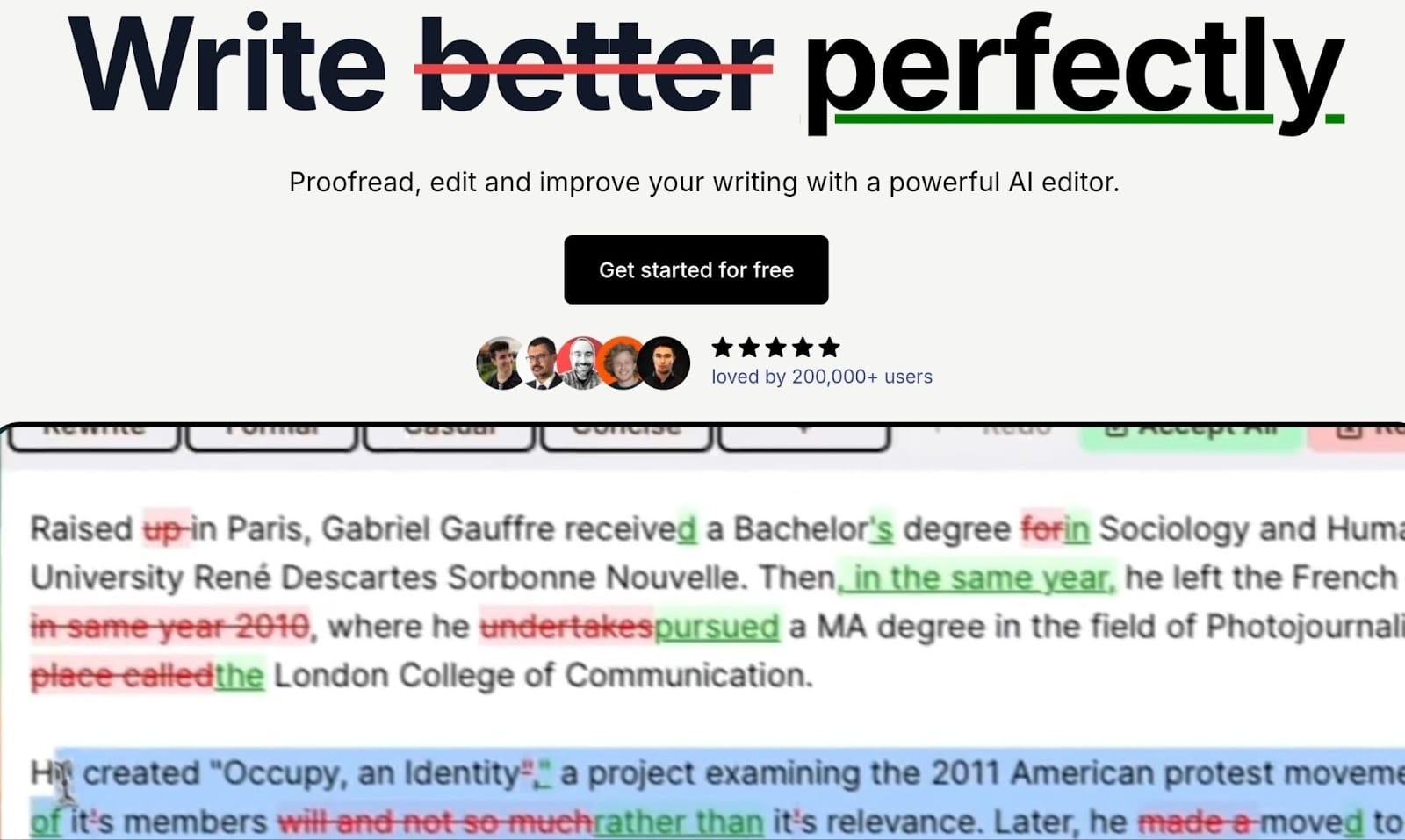
After using the best AI writing tools today, editGPT ended up being ranked first as it’s the only tool on this list that focuses purely on editing (and have perfected it, looks like).
While most apps just try to write for you…
…this one takes what you’ve already drafted and makes it much better while taking your goal into consideration. It looks at your work with a level of precision that fixes clunky structures and awkward phrasing. You get a dedicated AI editor writing tool that values clarity and accuracy over just churning out new words.
This AI tool handles much more than a few spelling slips.
It also provides AI writing assistance by checking the flow and tone of your entire document. If you need to edit my English for a high-stakes project, editGPT will give you a transparent view of every change. It works like a professional human editor leaving notes on your page.
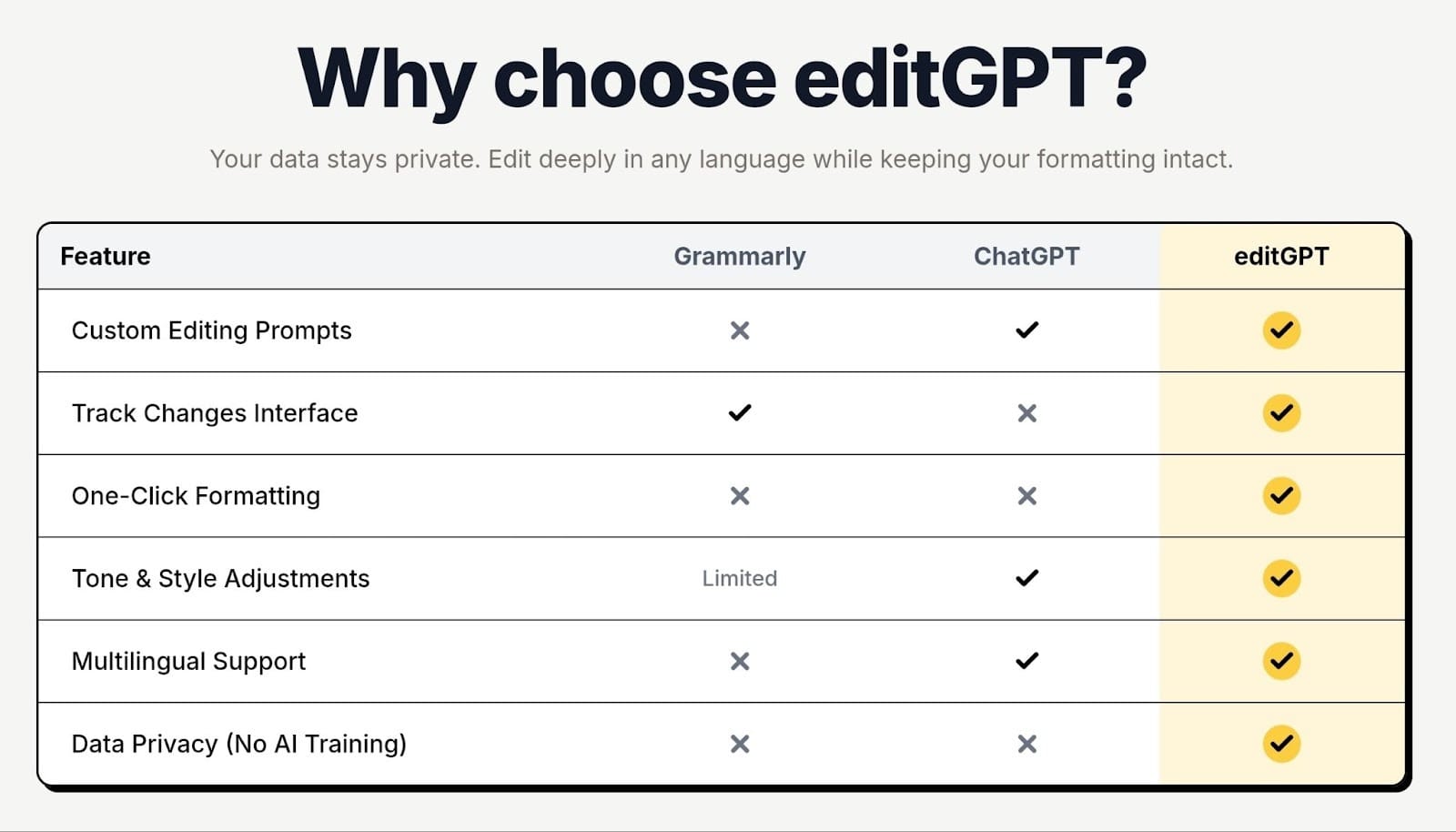
I’ve found that it’s especially effective as an online essay editor because it catches deep structural issues that standard grammar checkers usually ignore.
Key Features
- Context aware rewriting: The engine understands the meaning behind your sentences, so the suggestions actually fit your message.
- Line by line edits: You get a clear "track changes" view of every modification, making this the most transparent proofreading software available.
- English editing and clarity improvement: It finds and removes repetitive words or confusing jargon to make your writing easier to read.
- Works with Google Docs and MS Word: You can use it as a paper editor directly within the apps you already use for work.
- Great for essay editing and professional documents: It acts as a reliable essay editor that helps students and professionals meet the highest academic or corporate standards.
Why Choose editGPT Over Others
If you’ve already written your draft and just need it improved, this is the tool you should open. It’s not bloated with random generators that produce generic text. You get pure editing power that respects your original voice.
2. Jasper: Best for Marketing and SEO Content
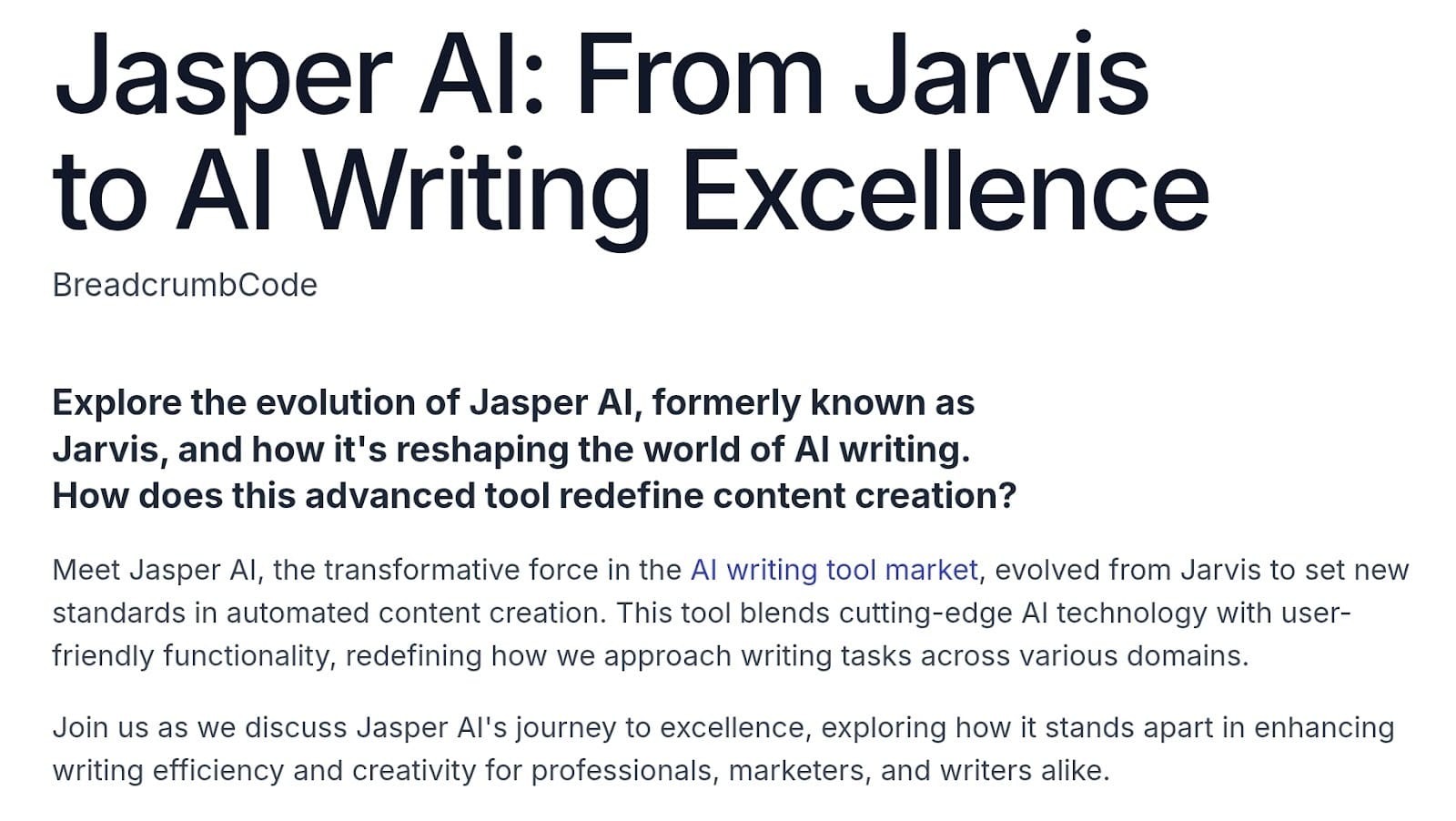
Jasper is a tool commonly used mostly by marketing teams and business owners who need to scale their output. It’s a good professional writing generator as it focuses on marketing copy.
One of the biggest wins here is how it works as SEO writing software. It connects with Surfer SEO, so you can see if your post will rank while you are still drafting it.
These content writing tools stop you from staring at a blank screen and help you get a solid draft done in minutes.
Why Choose Jasper Over Others
Pick Jasper if you need to grow a business through digital marketing. You get a tool that’s built to help you rank and move people through a sales funnel.
3. Copy.ai: Best for Short Form Content
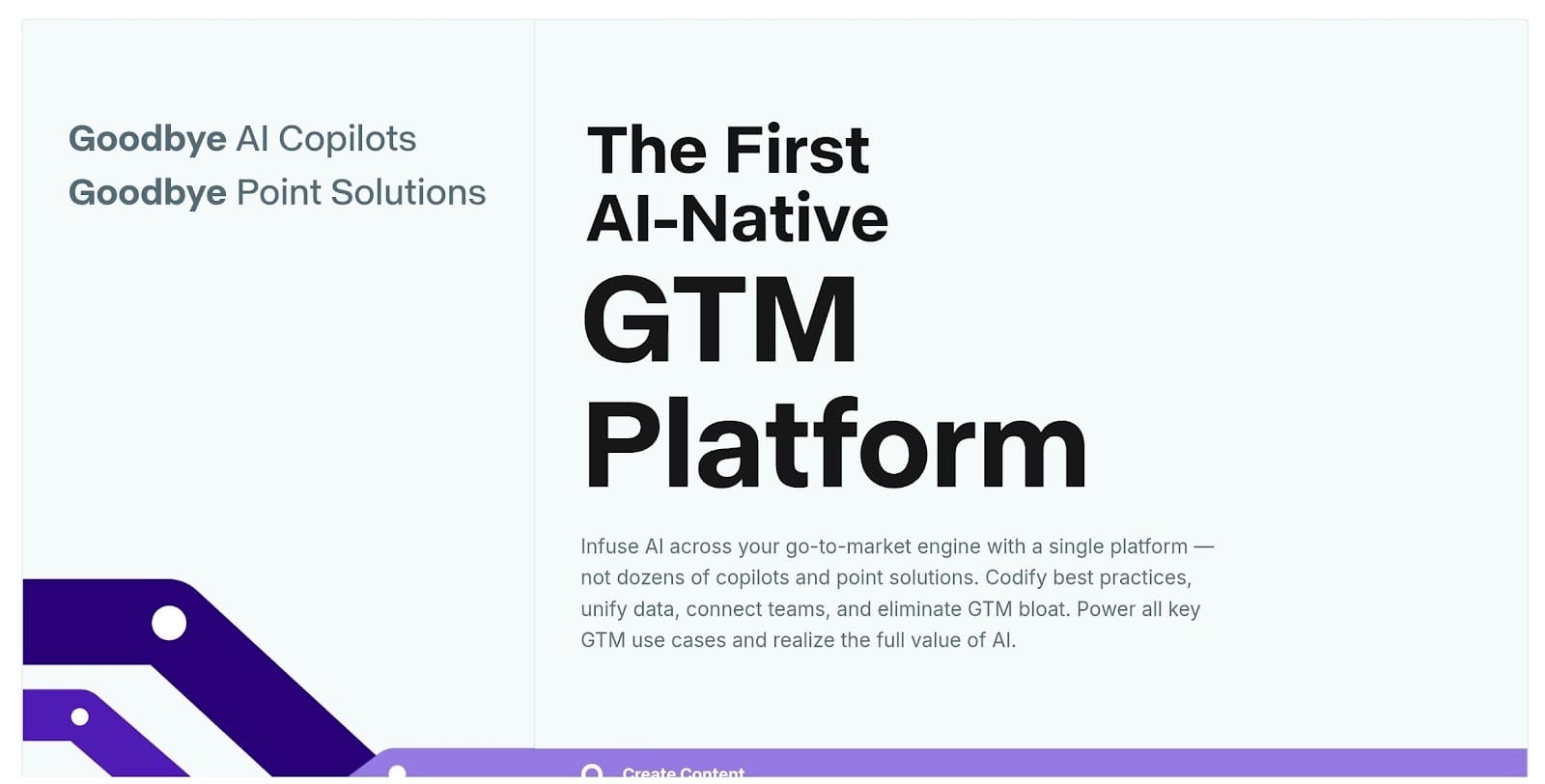
I usually suggest Copy.ai to anyone who needs to knock out social media posts or email drafts without wasting a whole afternoon. It acts as a fast AI writer helper that focuses on getting words onto the screen so you can move on to other tasks.
You can use it to brainstorm headlines or write a week’s worth of Instagram posts in one sitting. This AI assistant for writing is perfect for those small, repetitive tasks that tend to clutter up your to-do list.
This tool is great when you just need an app to write for me AI style based on a few rough notes. You can easily switch from a buttoned-up professional tone to a more relaxed vibe depending on your audience.
Why Choose Copy.ai Over Others
Go with Copy.ai if you mostly deal with high-volume, short-form projects. You get a clean workflow that helps you stay active on all your channels without burning out.
4. ChatGPT: Best All-Around AI Writing Tool
We usually grab ChatGPT when we need to use AI to write something without being tied to one specific category. It’s easily the most flexible online AI writer out there right now because it treats every prompt with the same level of speed.
I open it mostly when I’m staring at a blank screen and just need to get raw thoughts onto the page. While it writes AI content that can occasionally feel a bit generic, it’s still the quickest way to build a functional skeleton for a report or a long blog post.
It works like a brainstorming partner that never gets tired of giving you ten different ways to start a project. You just have to remember to check the facts, as it can sometimes deliver incorrect information with total confidence.
Why Choose ChatGPT Over Others
ChatGPT is the best choice for anyone who needs to produce a high volume of drafts and isn't afraid to do some manual editing later.
5. QuillBot: Best for Paraphrasing
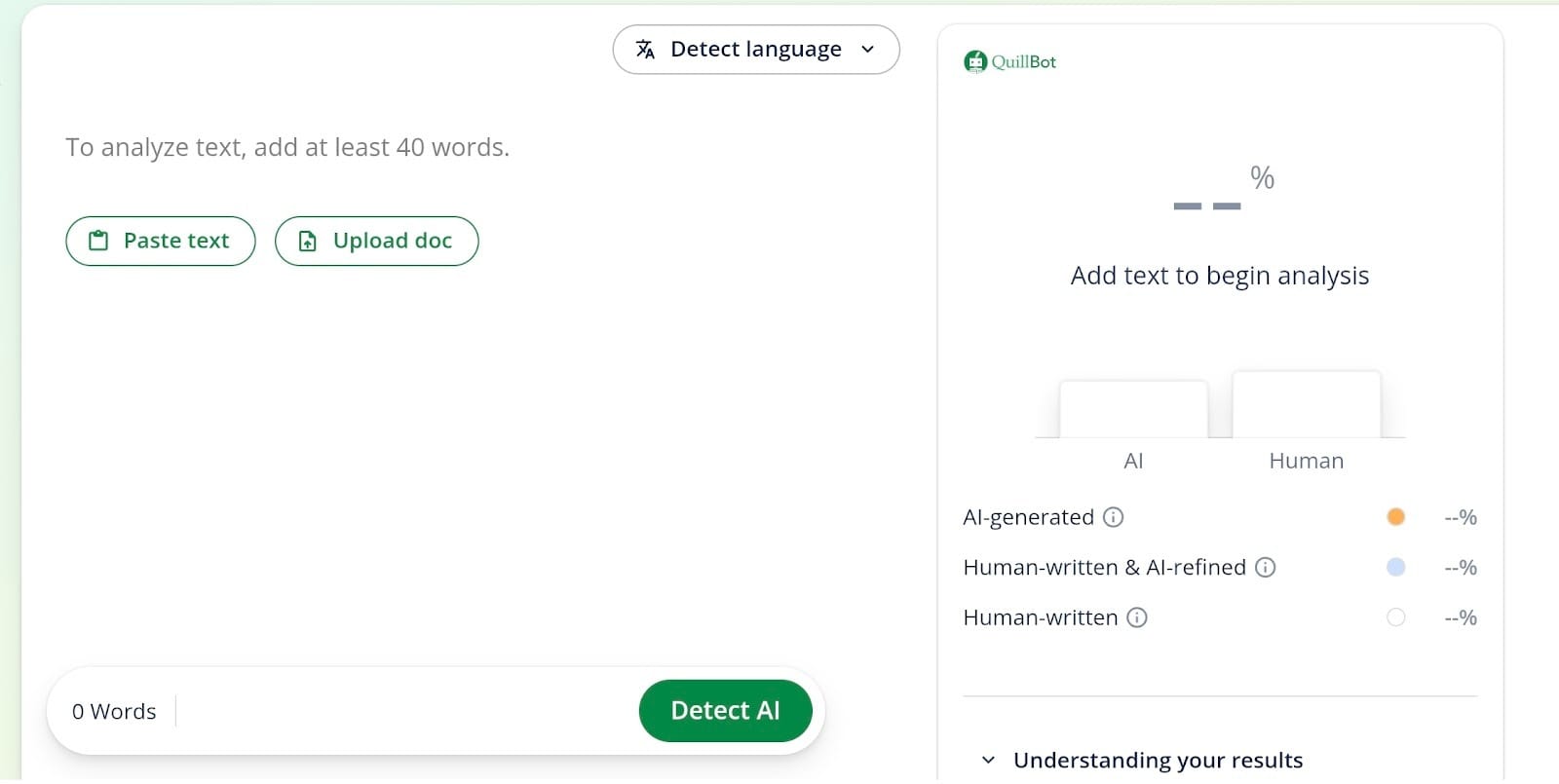
Quillbot is well-loved as a go-to when you have the right ideas but the words feel a bit off. It works as a specialized writing editor that focuses on spinning your existing sentences into different styles.
You can drop a clunky paragraph into the tool and let the AI writer suggest several new ways to phrase it. It’s a huge help if you find yourself using the same words too often or need to change the tone of a report.
Quillbot also has a summarizer and citation tools, which is why it's a popular AI paper writer among students. The interface is clean, so you can get in, rephrase your work, and get out without any hassle.
Why Choose QuillBot Over Others
Pick QuillBot if you need to polish and rephrase content you already have. It’s the best choice for avoiding repetitive language and managing citations for academic work. You get focused features that prioritize word choice over generating mass amounts of new text.
6. Hemingway Editor: Best for Readability
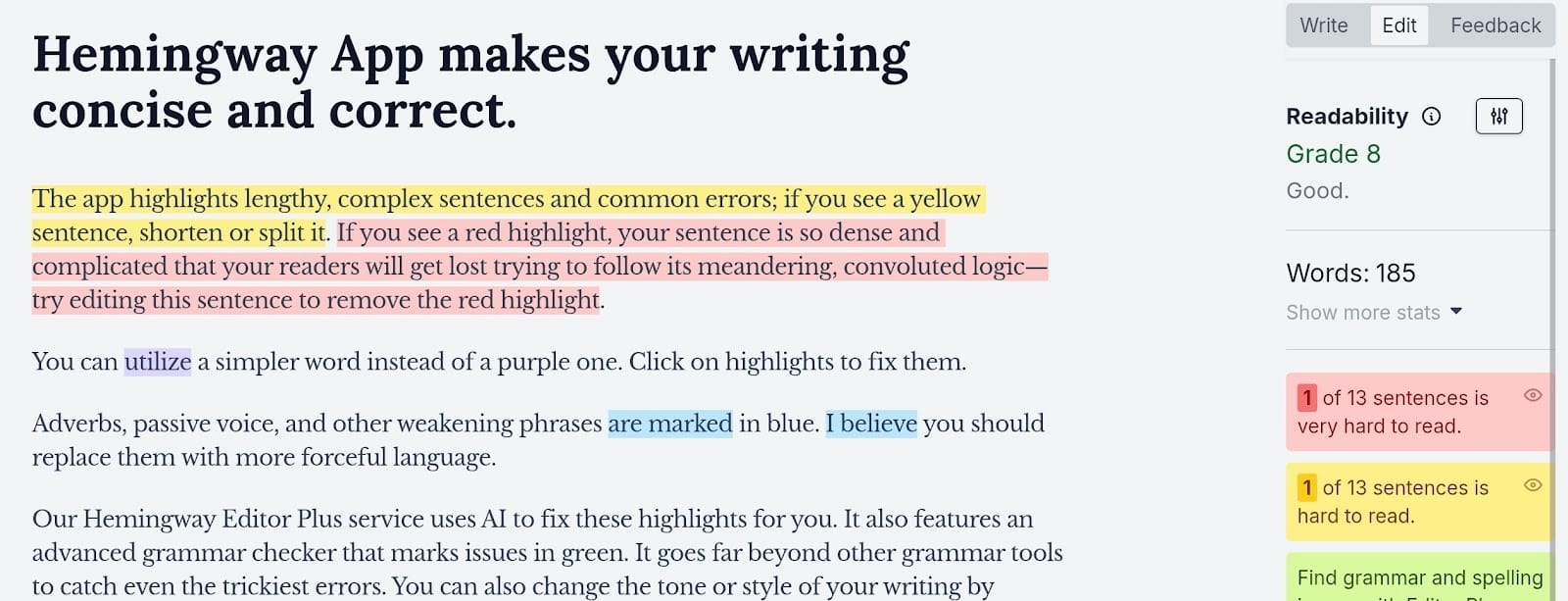
Hemingway Editor is a focused writing app that identifies wordy sentences and dense phrasing. It’s not an AI tool that writes for you. Instead, it scans your draft to find passive voice and hard-to-read segments.
The interface uses a color-coded system to show exactly where your work needs to be simplified. Yellow highlights mark long sentences, while red flags show where the logic gets too complex for a general reader.
Hemingway Editor acts as a dedicated writing helper by forcing you to cut unnecessary adverbs. It’s effectively a grammar app that prioritizes a punchy style over technical rules.
Why Choose Hemingway Editor Over Others
Hemingway Editor is the best writing tool for simplifying the long-winded paragraphs that typical generators produce. You get a clean, distraction-free space to build a crisp and professional writing style.
7. Writesonic: Best Budget AI Writing Assistant
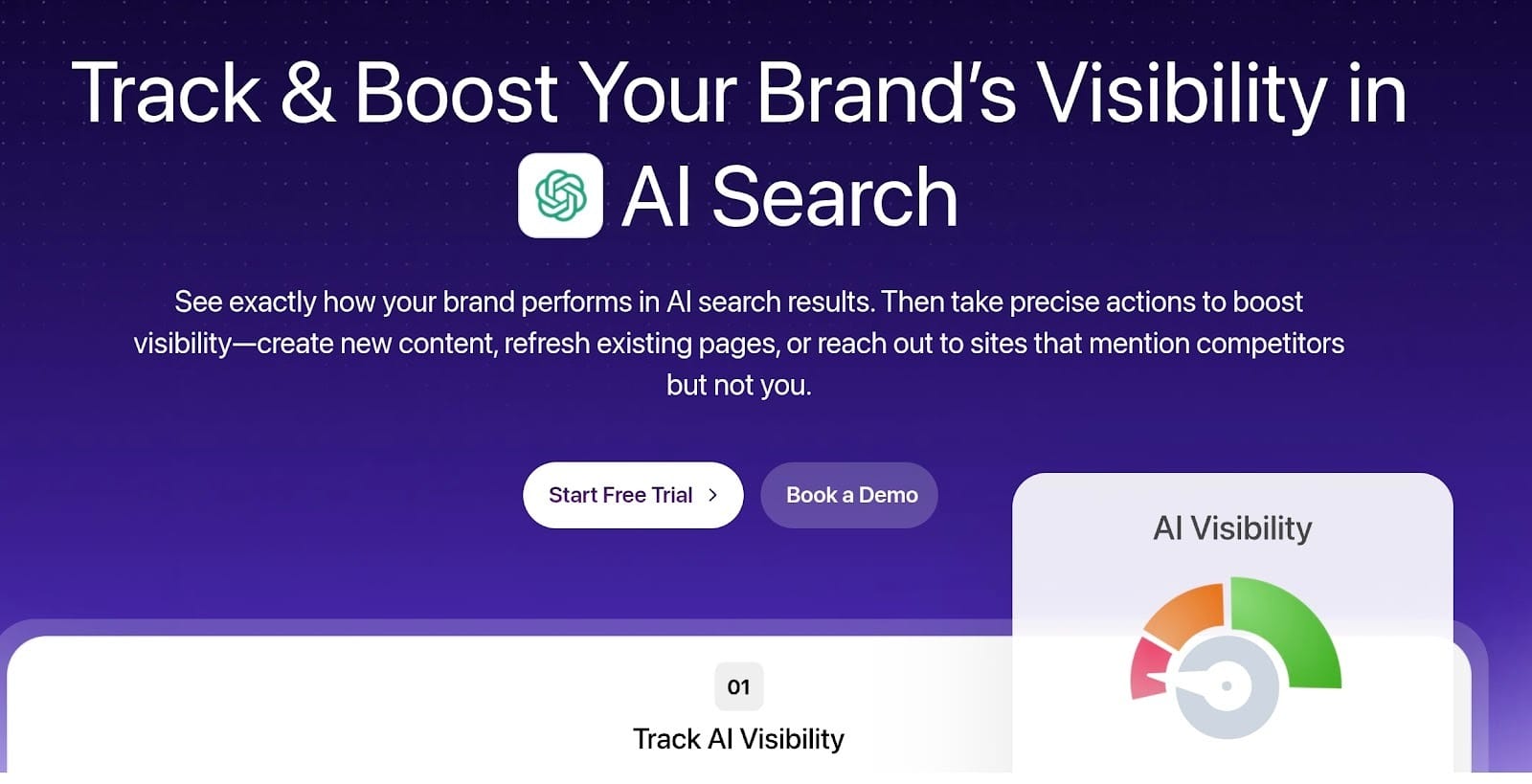
Writesonic is a practical choice for anyone who needs to produce a lot of content on a tight budget. It’s a very affordable option among AI writing tools as you get a wide range of features without a heavy monthly bill.
Writesonic handles full blog posts, landing pages, and ecommerce descriptions in just a few minutes. It works as a high-speed AI writer that turns a basic topic into a functional draft you can easily tweak for your brand.
Unlike some expensive AI writing tool alternatives, this one has a generous free tier to let you test things out first. It’s built to help you scale your content production quickly while keeping your software costs under control.
Why Choose Writesonic Over Others
Pick Writesonic if you need a high volume of marketing materials without overspending. It’s a smart pick for startups and freelancers who need more variety than a basic chatbot provides
COMPARISON TABLE
AI Writing Assistant vs AI Paper Writer

Wondering how these two seemingly similar tools differ?
An AI paper writer is built to create a full academic draft based on specific prompts.
These tools focus on university standards, including citations and research formatting. Many students view them as a high-tech version of online writing services. They generate a complete essay in one go.
The primary function is to handle the heavy drafting work for research papers or thesis statements.
How about a general AI writing assistant?
A general writing assistant has a much wider scope for daily tasks. People use this kind of AI for writing business emails, marketing copy, or personal notes.
These tools stay active while you work. They provide suggestions as you type instead of just outputting a long-form document. They prioritize versatility and speed for a variety of different professional contexts.
Editing acts as the final step that connects these two types of writing tools.
A paper writer provides the raw text, but you need an AI writer assistant to refine the tone and check for clarity. This part of the process fixes the awkward phrasing that often comes with machine-generated work.
It’s the best way to make sure the finished product sounds natural and professional before anyone else reads it.
Can You Use AI to Write Essays?
Yes, you can use AI to write essays at your own risk, but it works best as a drafting partner rather than a total replacement for your own thoughts.
These AI apps are great for building an outline or getting words onto the screen when you’re feeling stuck. You still have to bring the actual logic and the core arguments to the table yourself.
A machine follows instructions, but it doesn't understand your topic like you do. You have to verify the facts and keep the perspective original.
A paper purely from a generator often sounds flat. This is why tools like editGPT are useful for the final polish. You use the automation for speed, then step in with a dedicated editor to fix the phrasing.
This keeps your academic voice while removing those robotic patterns. It leaves you with a finished paper that is clear and obviously written by a person.
Pros and Cons of AI Writing Assistants
Using these AI tools has some obvious perks, but you should also be ready for a few specific headaches.
Pros
- Speed: You can pull a full draft together in seconds, which saves you from spending hours on basic writing tasks. It’s a great way to handle a big pile of work when you’re on a tight deadline.
- Beating writer’s block: These tools give you something to work with so you aren't just stuck looking at a blank page. You get instant ideas that help you get the ball rolling on a new project.
- Better clarity: Most AI tools flag awkward sentences and suggest cleaner ways to get your point across. This helps you polish up a messy draft and make it much easier for people to follow.
- SEO help: Many of these tools track your keywords to make sure your content actually has a chance to rank on Google. You can optimize your posts while you write instead of doing it all later.
Cons
- Overreliance: It’s very easy to stop using your own brain and just let the app do all the main work. If you stop editing, your writing will lose its personality and start to feel hollow.
- Generic tone: The text these tools produce often sounds exactly like everything else online. You usually have to go back and add some flavor to the writing to keep it from feeling like a generic script.
- Factual errors: These AI apps sometimes state total lies with a lot of confidence. You really have to double-check the details because the tool doesn't actually understand the truth
Conclusion
The AI writing tool you choose really depends on your goals for the day. If you need a high-volume marketing copy, Jasper is a solid pick.
For research and personal brainstorming, ChatGPT remains a flexible choice.
However, the most vital part of the process is the final polish…
…which is where editGPT stands out as the ultimate all-rounder. It handles the editing stage, which is easily the most important step in making your writing actually sound human.
You can take advantage of the generous free tier to see how it cleans up your next draft. Put it to work on your toughest piece of writing and see how much better it looks.
Recommended Reading
What is the best AI Proofreader?
Top 10 Creative Writing Tools in 20206
Best AI Proofreader Tools of 2026 (Tested for Accuracy, Speed & Tone)
Best AI Proofreader Chosen by the Reddit Community
Video review: This AI Text Editing Tool Is FLAWLESS!
Best AI Proofreader Tools of 2026 (Tested for Accuracy, Speed & Tone) editGPT vs Grammarly vs Quillbot: Which Writing Tool is Best?
The Best AI Proofreaders That Actually Work (Free & Paid)
Review: Wordtune Editor vs editGPT
Review: Grammarly vs editGPT
Review: ProWritingAid vs editGPT
Review: Hemingway Editor vs editGPT