We Tested 12 AI Proofreading Software Using The Same Paragraph. Here Are The Winners
We tested 12 AI proofreading tools using the exact same paragraph to compare accuracy, clarity, and corrections, here’s the one that stood out as the clear winner.
Nothing undermines professional authority quite like a glaring syntax error hiding in plain sight. We all need AI proofreading software that acts like a sharp-eyed editor who understands the context and your intention rather than a simple spell checker.
To separate the robust tools from the basic ones, we conducted a rigorous experiment. We challenged 12 leading platforms, including several Grammarly alternatives, with the exact same test paragraph, a text intentionally designed with tricky logic gaps and subtle grammatical traps. The outcome of our AI proofreading analysis was revealing.
While many competitors missed the mark on context, editGPT consistently identified the most complex errors without losing the writer’s intention and context.
How We Tested The 12 AI Proofreading Tools
We didn't want to rely on marketing claims or flashy landing pages. We wanted to see how these tools handle a real mess.
To do that, we set up a controlled experiment using a "Stress Test" paragraph. This text looks readable at first glance, but it’s actually a minefield of errors. We designed it to be a nightmare for basic spell checkers.
Here’s the exact text we fed into every single platform:
Despite the fact that remote work has became increasingly popular, many companys still struggle with it's implementation. A recent study show that 40% of employees feels disconnected from there teams. To effect change, managers should ensure that clear communication channels are establish. Walking through the office, the empty desks served as a reminder of the shifting paradigm. However; technology isn't the only solution. Its essential to foster a culture of trust, otherwise, productivity might loose momentum. The Data suggests that when workers are engaged, they perform better, but alas, to many organizations ignore this basic principal.
Using a standardized input is the only way to get a fair comparison. If we used different texts for different tools, the results would be useless. This approach keeps the variables consistent. It forces every AI to compete on the exact same playing field.
We can see exactly which tool catches the homophone "principal" and which one ignores the dangling modifier about the "walking desks."
Most basic checkers will catch "companys" or "loose." That’s the easy stuff.
What we wanted to see was if the AI could understand context.
For example, "effect change" is technically correct, but many lower-tier tools will try to change it to "affect." That counts as a fail. We also included stylistic drags like "Despite the fact that," which should be shortened to "Although" for better flow.
To determine the winner, we graded each software based on a strict set of criteria. We didn't just look for green checkmarks. We looked for intelligent understanding of the context and language.
Here is the breakdown of our scoring system:
- Accuracy: This is the baseline. We looked at how many objective errors (spelling, subject-verb agreement) the tool caught. If it missed "it's implementation," it lost points immediately.
- Clarity and flow: A sentence can be grammatically correct but still painful to read. We awarded points to tools that suggested cutting wordiness or fixing the comma splice in the "productivity" sentence.
- Contextual intelligence: This separates the robots from the editors. We checked if the AI understood that "there teams" was wrong based on the context of the sentence, not just the spelling of the word.
- Extra features: We looked at the toolkit beyond the red lines. This includes plagiarism detectors, tone adjustments, and ease of use. A tool that helps you rewrite for a specific audience got extra credit.
The best AI proofreading softwares are:
- editGPT - Top Pick
- Grammarly
- ProWritingAid
- Quillbot
- LanguageTool
- Wordtune
- Jasper
- Scribbr
- Ginger
- Hemingway Editor
- Trinka AI
- WhiteSmoke
The Results At A Glance
The Clear Winner: editGPT
We went into this expecting a tight race. Tools like ProWritingAid are famous for getting technically deep with syntax, and Quillbot is usually the go-to for smoothing out flow. But when we ran our stress test, editGPT just happened to handle it more intelligently than the rest.
While most tools glossed over the "walking desks" sentence, editGPT was the only one to flag the dangling modifier, correctly noting that furniture can’t take a stroll. It also didn't take the bait on "effect change."
A lot of the other platforms tried to force "affect" into that sentence, missing the nuance that we meant "to bring about" change rather than "to influence" it.
editGPT wasn't just fixing typos. It’s actually reading the room.
Beyond just accuracy, what really kept us coming back was the control it gave us. You aren't stuck with a "one-size-fits-all" editor.
You can use custom prompts to tell it specifically to edit for a "legal" audience or polish a "medical" document, and it adapts its suggestions instantly. Plus, if you live in Microsoft Word, being able to import docs and keep your track changes is a massive quality-of-life win.
Simply said, using editGPT feels less like using a robotic software and more like a sharp human editor who actually gets what you're trying to say.
editGPT ideal users:
- ChatGPT power users: Writers who want professional editing directly inside the ChatGPT interface.
- Microsoft Word loyalists: Those who need to keep their formatting bold, italicized, and perfectly intact.
- Niche professionals: Lawyers, medical writers, and technical experts needing industry-specific prompts.
- Students and academics: Researchers wrestling with bibliography conversions or strict MLA/APA formatting.
- High-volume teams: Agencies handling massive word counts that need collaboration tools and batch editing.
- Style-conscious creators: Anyone who wants to fix errors without losing their original voice or tone.
Pricing
Free Plan ($0/month)
This isn't just a trial. You get a recurring allowance of 10,000 words every single month. It’s ideal for everyday tasks like polishing emails or short social media posts. You get full access to the core editing features and language support without spending a penny.
Pro Plan ($6/month)
Stepping up to this tier opens the door for serious work. The limit expands significantly to 300,000 words and the ability to process 50,000 words at once. It includes "Project Mode" for organizing long-form content and lets you save your own custom prompts. You can also do batch editing with great multi[language support and custom prompts.
Elite Plan ($12/month)
Power users and agencies will want this top-tier option. It effectively removes the ceiling with a massive 2 million word monthly limit. This is built for heavy workflows where you need to edit constantly without watching the meter.
The only minor catch is that the free version handles text in 600-word chunks, so you will just need to paste longer articles in parts.
The Full Breakdown of The 12 Best AI Proofreading Software
editGPT - Top Pick
We’ve seen writers swap their old tools for editGPT, and after using it, it made perfect sense. While most AI proofreading software today are great grammar and spell-checkers, editGPT mixes ChatGPT’s intelligence with a sharp editor’s eye and understanding.
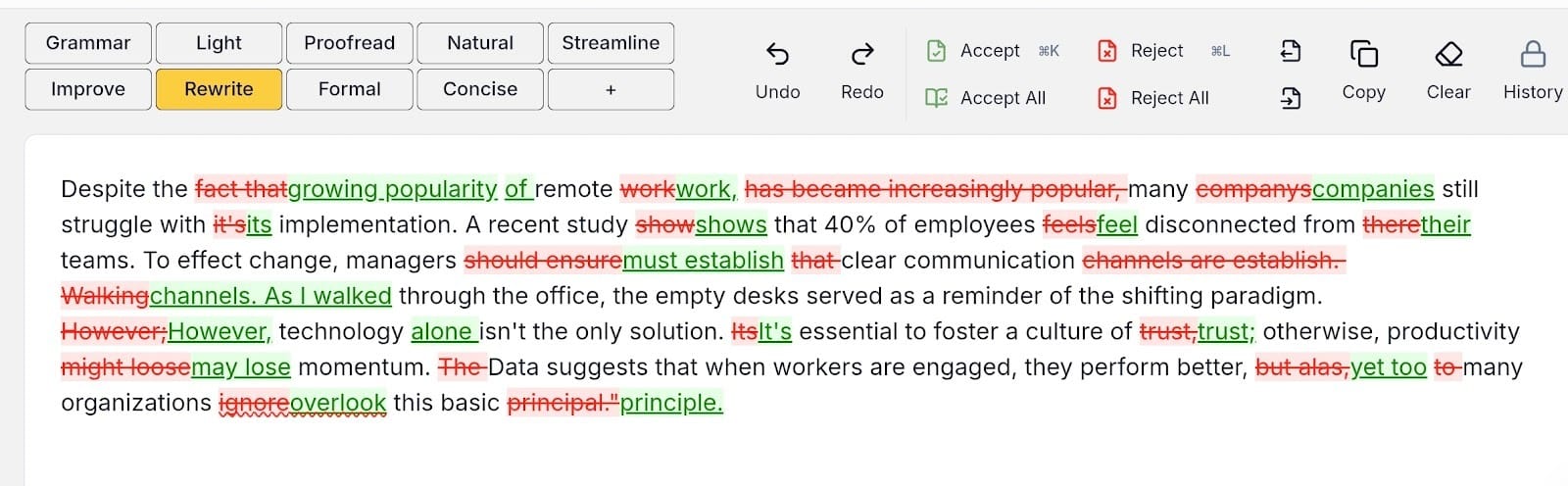
When we fed it our messy test paragraph, it didn’t just hunt for typos. It actually understood that the desks aren’t the ones actually walking, and fixed that tricky modifier immediately. It keeps your personal voice intact while polishing the rough edges.
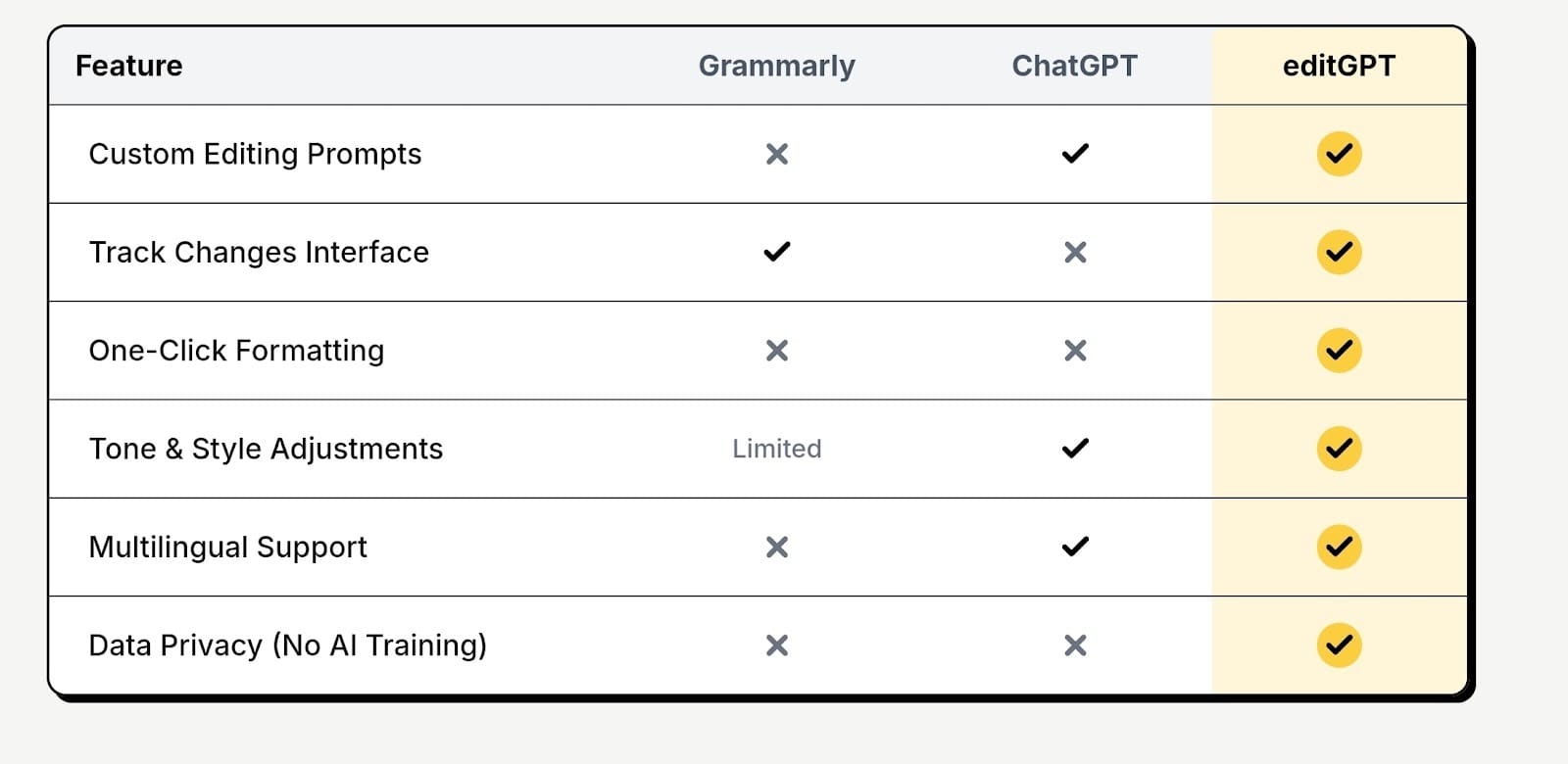
You also get custom prompts for specific needs, like legal or medical docs. Plus, the Chrome extension fits right into your browser, handling everything from quick emails to heavy business writing with ease.
Here’s what you get under the hood:
- Contextual intelligence: It catches logic errors and nuance rather than just looking for misspelled words.
- Track changes: You can import Microsoft Word documents and see exactly what was edited.
- Custom prompts: Tailor your edits specifically for academic, legal, or medical writing standards.
- Editing ,odes: Switch between standard proofreading, rewriting, or improving flow to match your goal.
- Chrome extension: This integrates directly into your browser so you don't have to switch tabs.
- Multilingual support: It detects and supports over 80 different languages.
Pros
- It sits right inside ChatGPT so you get smart edits without jumping between tabs
- You can import Microsoft Word files and keep all your original formatting intact
- It lets you use custom prompts to tailor the editing style for legal or medical documents
- The software supports over 80 different languages and 20 business languages, which is huge for international work
- You can export your polished document with every single change tracked for easy review
Cons
- The free version limits you to checking 600 words at a time
Grammarly
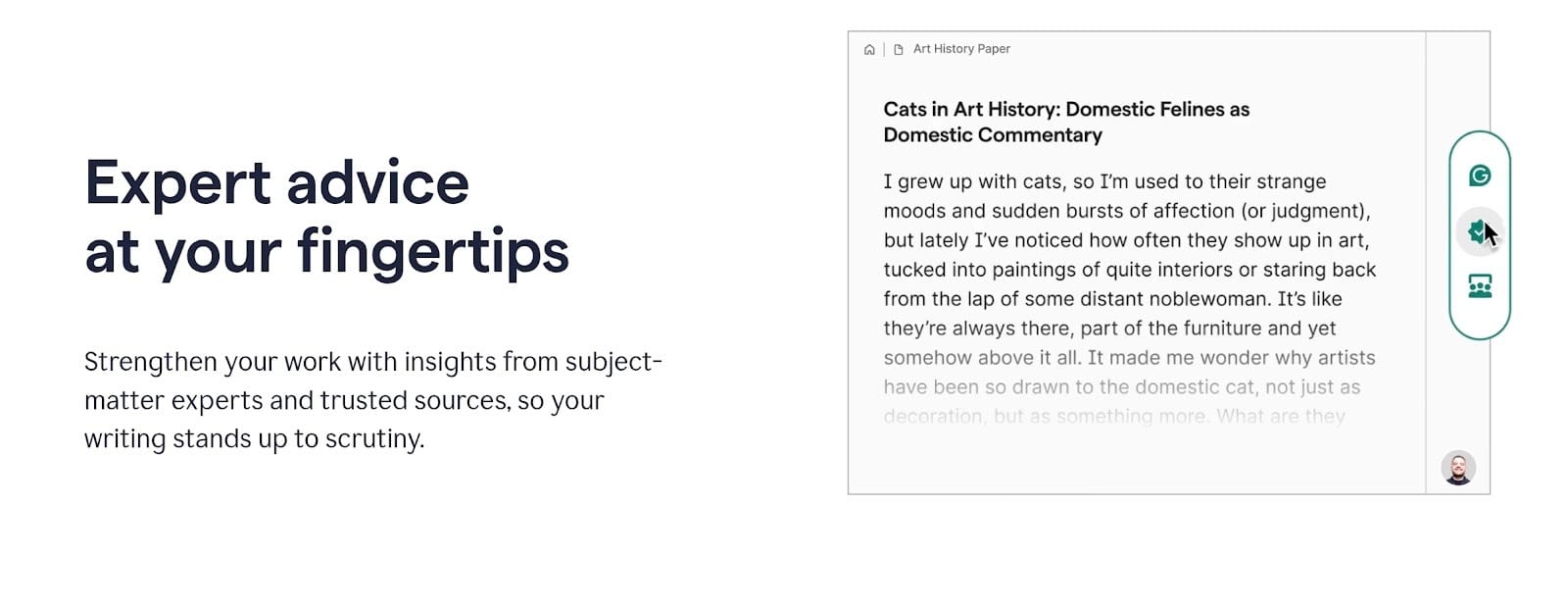
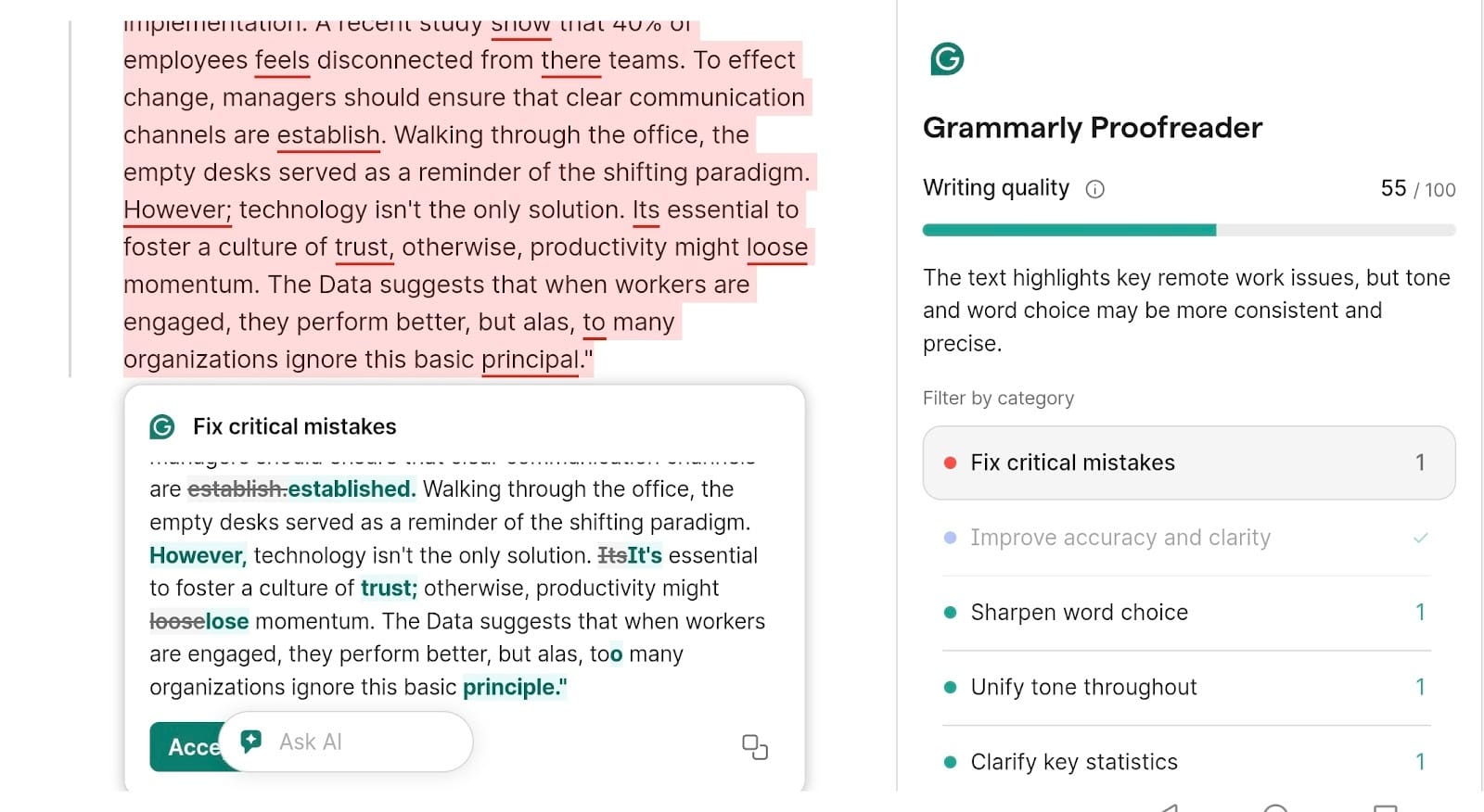
Everyone today seems to use Grammarly. It basically set the standard for digital proofreading. We ran our stress-test paragraph through it, and the tool tried to overhaul the entire vibe rather than just fixing spelling (you probably already know what I’m talking about here).
It caught the "companys" error and the subject-verb mismatch in "study show" instantly. You do have to be careful with its suggestions, though. It falsely flagged "effect change" because it misread the context.
It also tried to cut "alas" for being too dramatic. It acts less like a subtle guide and more like a stern editor holding a red pen. Nonetheless, if you just want something for basic proofreading, especially if not for creative writing, then Grammarly could be for you.
Features:
- It’s Clarity Rewrite finds messy sentences and offers a cleaner version instantly
- You pick the audience, like "expert" or "general," and it adapts
- Its generative AI lets you rewrite or generate text using custom AI prompts
- Its plagiarism checker scans your work against a massive database to check for copies
Pros
- The suggestions are usually accurate and sound very polished
- It lives in your browser, Google Docs, Slack, and even Microsoft Word
- Setting goals for audience and intent helps you get relevant edits every time
- The free version is actually useful enough that many people never feel the need to upgrade
Cons
- It has a bad habit of over-correcting and giving false positives, so you can't blindly trust it
- The monthly could be a bit steep if you don't commit to a full year
- The best features like plagiarism checks and advanced style edits are locked behind the paywall
ProWritingAid
If Grammarly is a stern editor, ProWritingAid is an obsessive English professor. We ran our disaster of a paragraph through it, and the dashboard immediately lit up with data.
It didn't just flag the "companys" typo. It also analyzed the sentence structure to catch the dangling modifier about the walking desks. It also hated the phrase "Despite the fact that," correctly identifying it as "glue text" that drags down readability.
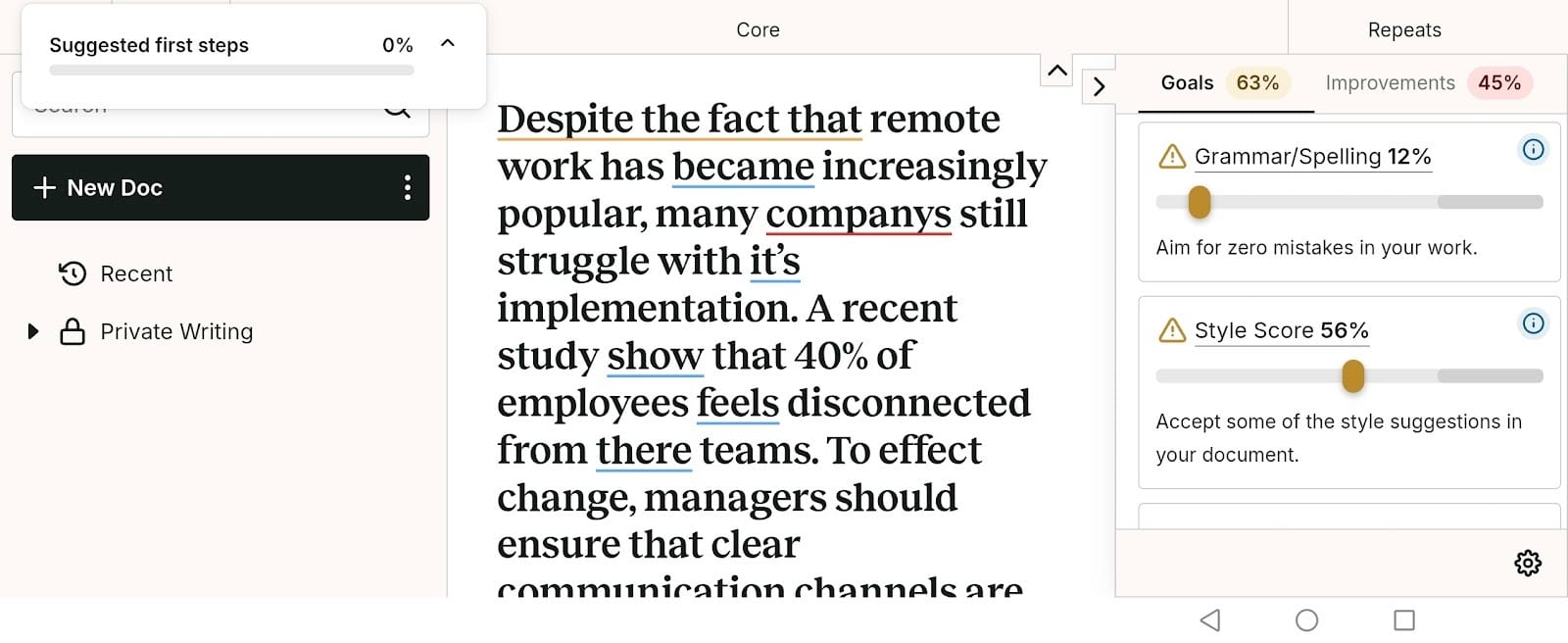
It feels less like a quick fix and more like a deep-dive writing workshop. You get hit with graphs, percentages, and reports that force you to confront your bad habits. It’s intense, but for long-form writers, it’s quite necessary.
Features:
- Style reports: Breaks your text down into pacing, sticky sentences, and sensory details
- Grammar and spelling: Catches standard typos, syntax errors, and punctuation mistakes
- Word Explorer: Helps you find contextually appropriate synonyms and rhymes
- Data visualization: Displays graphs regarding your sentence length variety and readability scores
- Integrations: Connects directly with Scrivener, Microsoft Word, and Chrome
Pros
- It offers in-depth analysis with over 20 different writing reports
- It integrates perfectly with Scrivener
- You get granular control over every single aspect of your style, tone, and pacing
- It teaches you exactly why a sentence is weak rather than just auto-correcting it for you
Cons
- The interface is cluttered with data and can feel incredibly overwhelming for casual users
- It tends to lag or slow down significantly when you feed it very large chapters
- There is no dedicated mobile app, so you are stuck doing your editing on a desktop
Quillbot
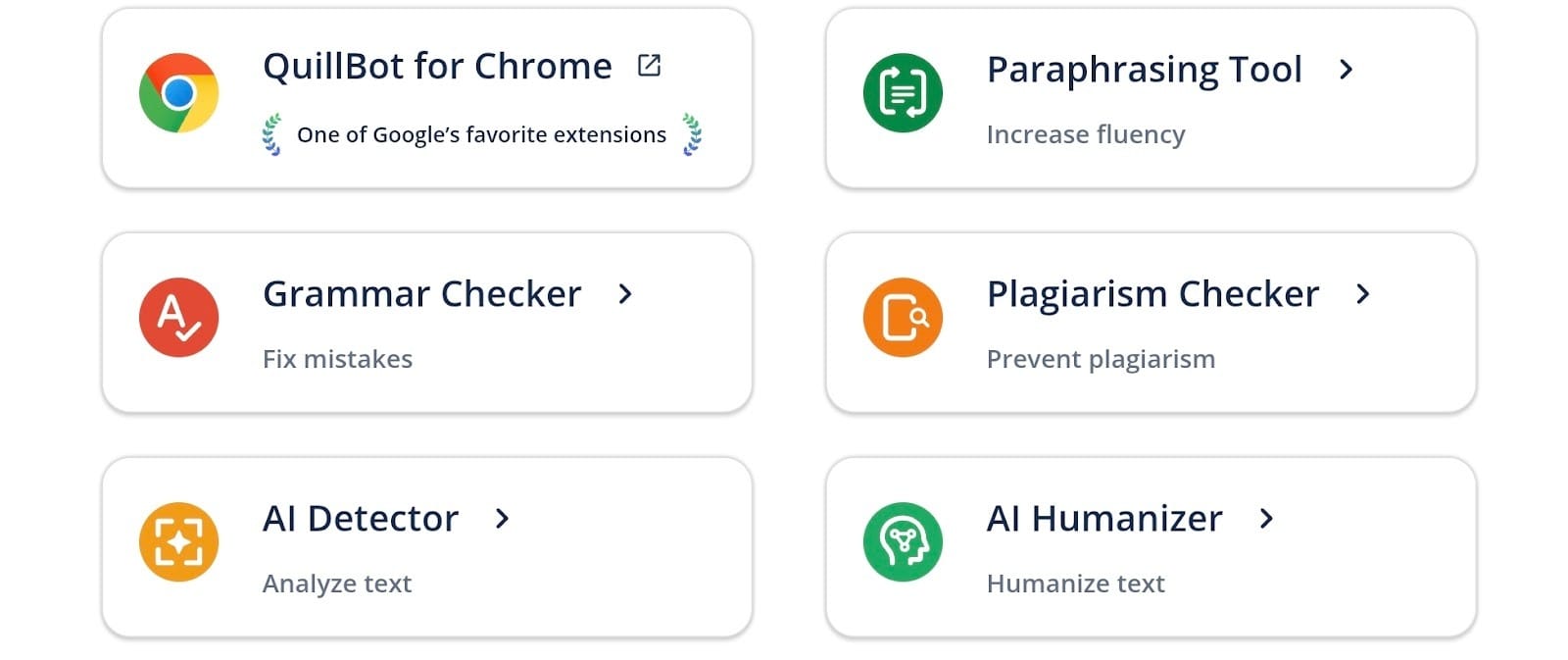
Quillbot is usually the place students go to rewrite essays so they don't get flagged for plagiarism, but it’s been trying to pivot into a serious grammar coach. We wanted to see if it could actually hang with the heavy hitters, or if it was just a one-trick pony.
The results were decent.
It snatched up the easy typos like "companys" instantly, which was a good start. But then it completely whiffed on the nuance. It glossed right over the "walking desks" sentence, leaving us with a document where office furniture was taking a casual stroll.
It also took the bait on "effect change," incorrectly telling us to swap it for "affect." It seems to prioritize rigid rules over actual logic. It’s great if you just want to clean up a messy email, but don't expect it to catch the deep stuff.
Features:
- Paraphraser: You can rewrite text in different flavors like "Formal" or "Simple" to completely change the vibe
- Grammar checker: It hunts for basic spelling and syntax errors across your browser tabs
- Plagiarism checker: Scans up to 20 pages a month to ensure you aren't accidentally copying someone
- Summarizer: Takes long articles and crushes them down into the main bullet points
- Citation generator: A total lifesaver for students who hate formatting bibliographies
Pros
- It is significantly cheaper than most of the big-name competitors.
- The tool explains the "why" behind an error so you actually learn something.
- You can use the extension to polish text on social media sites where other tools struggle.
- The free version gives you decent access to the paraphraser and grammar checks.
- It handles translation decently well if you need to work in multiple languages.
Cons
- It misses logic errors like dangling modifiers that human editors catch instantly.
- The plagiarism checker could feel very limited since it caps you at 20 pages even if you pay.
- It can be a little trigger-happy and flag words that are actually correct contextually.
LanguageTool
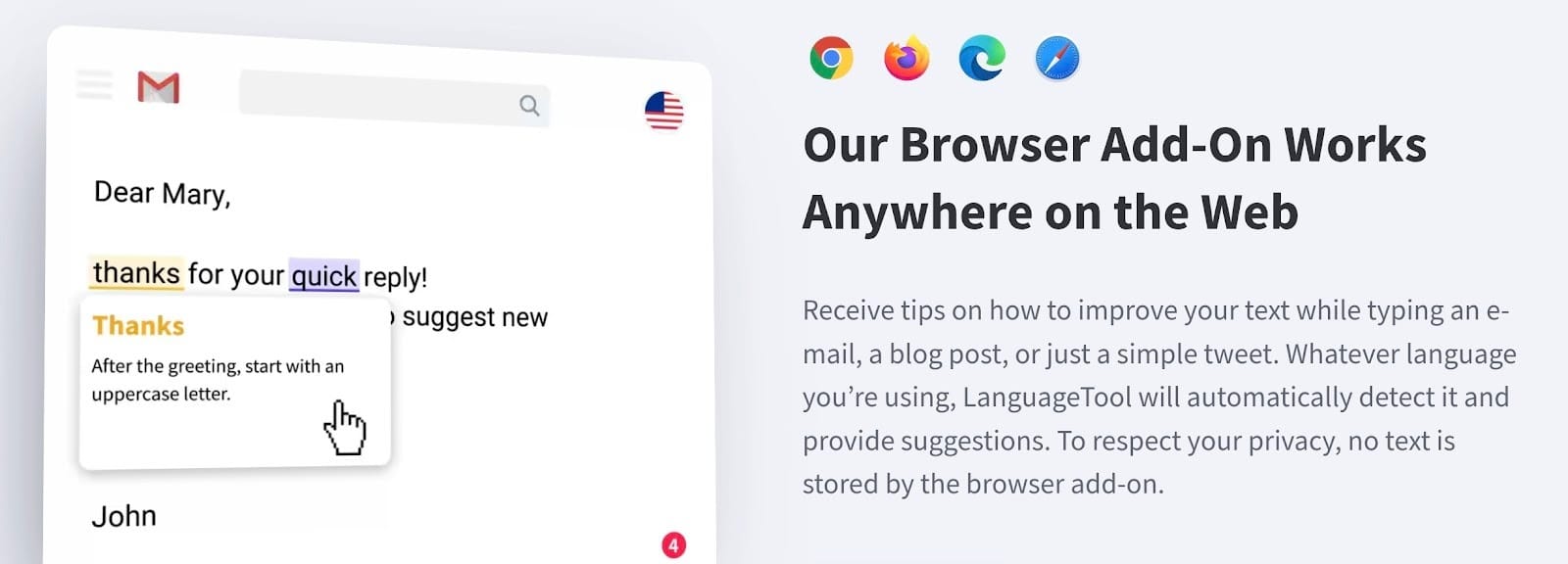
LanguageTool is the privacy-focused tool that open-source fans absolutely love. It’s best known for checking grammar in over 30 languages. We wanted to see if this security-conscious approach could handle our messy writing test, so we fed it the paragraph.
It snatched up the basic errors like the "companys" typo and the subject-verb mismatch without blinking. But when it came to the tricky stuff, it seemed to struggle a bit. It completely missed the dangling modifier, meaning our office desks were still walking around the room by the time we finished editing. It also got confused by "effect change," marking it as a mistake when it was actually correct.
But we love LanguageTool for its security features and basic editing.
Features:
- Multilingual check: Supports over 30 languages, including Spanish, German, and French.
- Picky Mode: Turns up the heat on style and tone suggestions.
- Personal dictionary: Lets you whitelist your own slang or brand names.
- Everywhere extension: Plugs into Chrome, Word, and even Obsidian.
Pros
- Great multi-lingual support.
- The open-source nature makes it highly trustworthy for sensitive work.
- "Picky Mode" actually helps you tighten up sloppy phrasing.
- You don't even need an account to start using the basic features.
Cons
- It misses the weird logic errors that humans catch instantly.
- The free version cuts you off after 10,000 characters.
- It lacks the advanced generative text features that other AI proofreading softwares have.
Wordtune
Being true to its name, Wordtune seems to care more about how your sentences actually sound rather than where to put your comma. We ran our messy paragraph through it, and the experience was totally different from the others.
It didn't give us a list of rules to follow or red underlines to click. Instead, it highlighted the awkward "walking desks" sentence and offered ten different ways to rewrite it completely.
This effectively fixed the logic error by restructuring the whole thought, even if it didn't explicitly explain the grammar rule. It handled the "effect change" debate by suggesting stronger verbs like "drive" or "implement," which simply made the writing punchier. It solves problems by writing around them.
Features:
- Rewrite tones: Instantly switch your text to Casual, Formal, Shorten, or Expand modes.
- Spices: You can ask the AI to generate a statistic, a joke, or a counter-argument to support your point.
- Summarizer: Upload a PDF or link to a long article and get the main points extracted.
- Smart Synonyms: Highlight a word and get context-aware alternatives that actually fit the sentence.
Pros
- It crushes writer's block by giving you fresh phrasing options when you feel stuck.
- The "Spices" feature adds actual substance and new ideas to your writing rather than just fixing typos.
- The Chrome extension works flawlessly on social media sites like X (Twitter) and LinkedIn.
Cons
- The free plan could feel very limited, offering only 10 rewrites per day.
- It isn't a dedicated grammar checker, so it often misses technical punctuation rules.
- You have to be careful that the rewritten sentence doesn't drift away from your original meaning.
Jasper
Jasper is the heavy hitter for marketing teams. It’s less of a proofreader and more of a content factory, or so it felt like it. We pasted our messy paragraph into its "Content Improver" template to see what would happen.
It didn't bother with red underlines or small tweaks. It took the "walking desks" sentence and completely rebuilt it so the human was doing the walking, not the furniture. It fixed the logic by overwriting the bad grammar entirely.
It handled "effect change" correctly too, likely because it predicts the best outcome rather than following a rule book.
Features:
- Brand voice: You can upload your company's style guide and it mimics your tone perfectly.
- Marketing templates: There are over 50 presets for things like blog posts, Facebook ads, and Amazon descriptions.
- Jasper Chat: A conversational interface that acts like a specialized bot for business tasks.
- Browser Extension: Brings the generative power directly into your email and CMS.
Pros
- It’s unbeatable for maintaining a consistent brand voice across a large team.
- The generative engine fixes grammar by simply writing better sentences from scratch.
- It integrates seamlessly with SurferSEO, which is a huge plus for content marketers.
- You get enterprise-level security and collaboration features that smaller tools lack.
Cons
- The price tag could be steep, which is hard to justify for simple editing.
- It’s not designed for line-by-line proofreading, so you lose some control over specific changes.
- It can sometimes hallucinate facts if you let it rewrite too freely.
Scribbr
Scribbr is usually the tool you find when you are panic-Googling citation rules at midnight. It’s the go-to for students who need their references to be absolutely perfect. But we wanted to know if the free grammar checker could actually hang with the paid tools.
We ran the test paragraph through it, and honestly, it felt a bit timid. It nailed the obvious typos like "companys" and fixed the grammar agreement issues without a problem.
But it totally ignored the confusing sentence structure. Our desks were still "walking" around the office because Scribbr didn't flag that dangling modifier. It also skipped over the "effect change" phrase entirely. In other words, it felt like a polite teaching assistant who’s afraid to mark up your paper too much.
Features:
- Citation Generator: This is the main attraction, handling tricky formats like APA and MLA without breaking a sweat.
- Plagiarism Checker: It taps into the official Turnitin database, so the results are actually accurate.
- Proofreading service: You can pay to have a real human edit your thesis.
- Knowledge base: They have a huge library of articles explaining writing rules and formatting styles.
- AI proofreader: A simple, free tool on their site that scans for basic mistakes.
Pros
- The citation tool is a total lifesaver and beats almost every other free option out there.
- Since it uses the Turnitin database, the plagiarism check is way more reliable than other web scrapers.
- It’s built for academic writing, so it won't try to make your serious essay sound like a tweet.
Cons
- The free grammar checker could feel too basic to catch complex logic errors or awkward phrasing.
- You have to pay for every single plagiarism check and there’s no unlimited subscription.
- It doesn't have a browser extension, so you’re stuck copy-pasting text into their specific editor.
Ginger
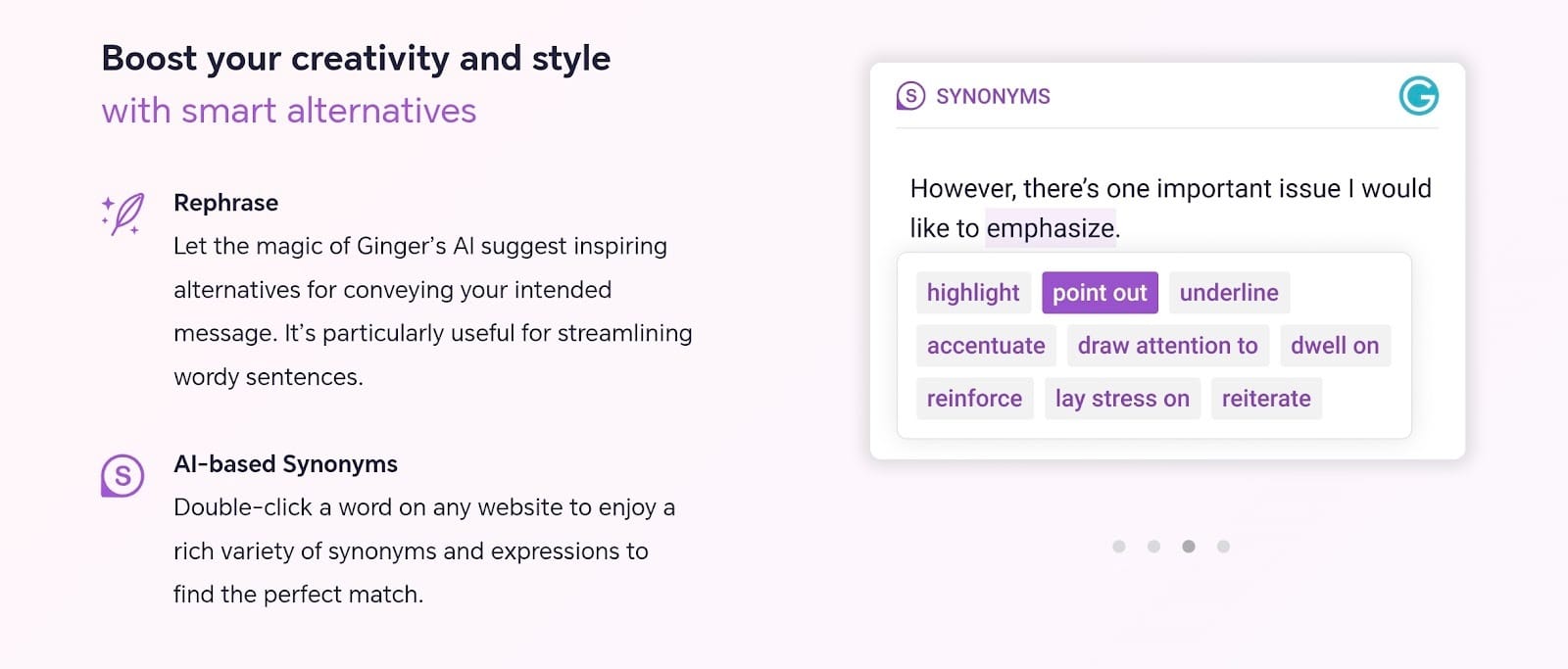
Ginger is basically the veteran in this space. It was rephrasing sentences way before the current AI boom made that a standard feature. We decided to put the software through the same stress test as the others to see if it could still keep up.
The tool handled the surface-level errors without any issues. It snatched up the basic typos and sorted out the subject-verb agreement problems instantly. But the logic check wasn’t so perfect. The sentence about the "walking desks" stayed exactly as it was.
Ginger looked at the grammar rules and decided the sentence was fine, completely ignoring the fact that furniture cannot walk across a room. It also tried to fix "effect change," marking it as an error when it was actually correct.
To sum it up, Ginger works great for basic cleanup, but has a flawed awareness to catch deeper meaning errors.
Features:
- Sentence Rephraser: This gives you fresh ways to structure your sentences for better clarity.
- Grammar check: It highlights spelling and punctuation mistakes while you are typing.
- Translation: You can switch your text into over 40 different languages right in the app.
- Personal Trainer: The system remembers your specific bad habits and builds lessons to help you fix them.
Pros
- The Personal Trainer is actually useful for improving your English skills over the long term.
- Translation support for over 40 languages makes it a great choice for international users.
- The rephrasing suggestions often provide very distinct alternatives to your original writing.
- The interface is clean and doesn't bury you in complex data charts.
Cons
- It tends to miss logical errors like dangling modifiers.
- You don’t get a plagiarism checker included in the package.
- The free version puts a strict limit on how many corrections you can verify every week.
Hemingway Editor
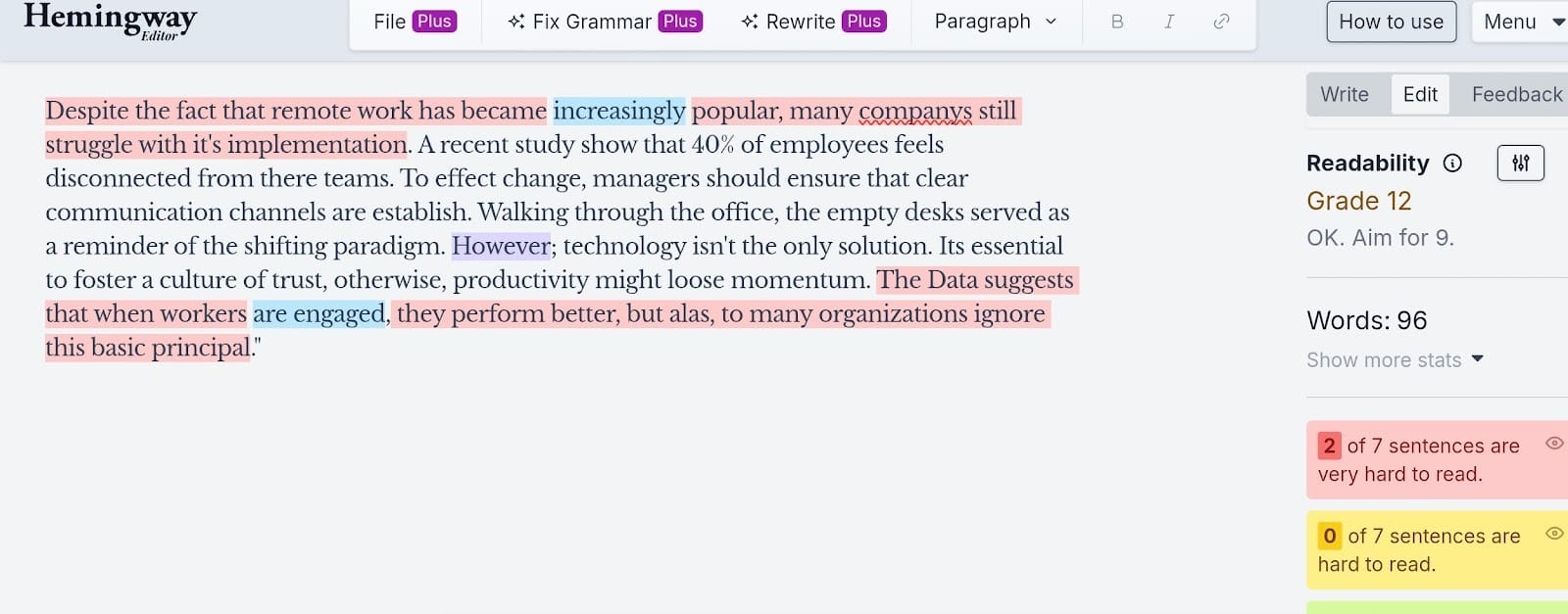
Hemingway Editor is the minimalist of the group. It has zero interest in your spelling, your commas, or your logic. Its only goal is to cut the fluff.
Yes, it’s not interested in your typos. Hemingway Editor focuses on the readability of your text.
We pasted our messy text into the dashboard, and the results were unique. It ignored the "companys" typo completely. It also didn't care that the desks were walking around the office. It looked right past those errors and focused entirely on the sentence structure.
It immediately highlighted "Despite the fact that" in bright red, labeling it as "complex." It told us to delete the adverbs and shorten the long sentences.
This tool doesn’t hold your hand. It forces you to be bold and direct. If you want a grammar checker, this isn’t it. If you want to stop rambling, this is exactly what you need.
Features:
- Readability score: This number tells you the lowest education level needed to understand your text.
- Color-coded edits: Yellow sentences are a bit long, while red sentences are considered very hard to read.
- Passive voice tracker: It highlights any sentence where the object appears before the subject.
- Adverb counter: The tool tracks how many adverbs you use and suggests deleting almost all of them.
- HTMLeExport: You can format your text with headers and bullets, then grab the code for your blog.
Pros
- The browser version is completely free and doesn't even make you create a login.
- It forces you to write with clarity, which is great for web content.
- The interface has zero buttons or menus to distract you from typing.
- You can copy the HTML directly, which saves time for bloggers.
Cons
- It won’t catch spelling errors or grammar mistakes, so you need a second tool.
- It ignores context completely, so logic errors slide right through.
- The desktop version costs money, even though the website is free.
Trinka AI
Trinka AI positions itself as a specialist tool for academic and technical writing. It ignores casual emails and blog posts to focus entirely on research papers and medical manuscripts. We ran our messy test paragraph through the system to see if it could handle general errors along with the technical ones.
Trinka identified the surface-level mistakes immediately. It corrected the "companys" typo and fixed the subject-verb agreement error in the second sentence.
However, the logical flaw regarding the desks remained in the final text. Trinka analyzed the grammatical syntax but seemed to not recognize the physical impossibility described. It also flagged "effect change" as an error.
The system suggested replacing it with "affect" or a different verb entirely. This response shows a preference for safe, standard grammar over complex or idiomatic phrasing… which isn’t bad if you just need a proofreader and editor and nothing else.
Features:
- Citation checker: This tool verifies that your references are accurate and consistent throughout the text.
- Plagiarism check: It compares your writing against a massive database of paid publications and internet content.
- Auto-file edit: You can upload a full manuscript and the system will apply style guides like APA or AMA automatically.
Pros
- The publication readiness check saves researchers time during the submission process.
- The interface focuses strictly on function without unnecessary distractions.
- The free version offers enough utility for students working on term papers.
Cons
- It’s not the best for creative writing or casual content.
- The system tends to miss contextual logic errors such as the dangling modifier in our test.
- The premium subscription could be pricey compared to general grammar checkers.
WhiteSmoke
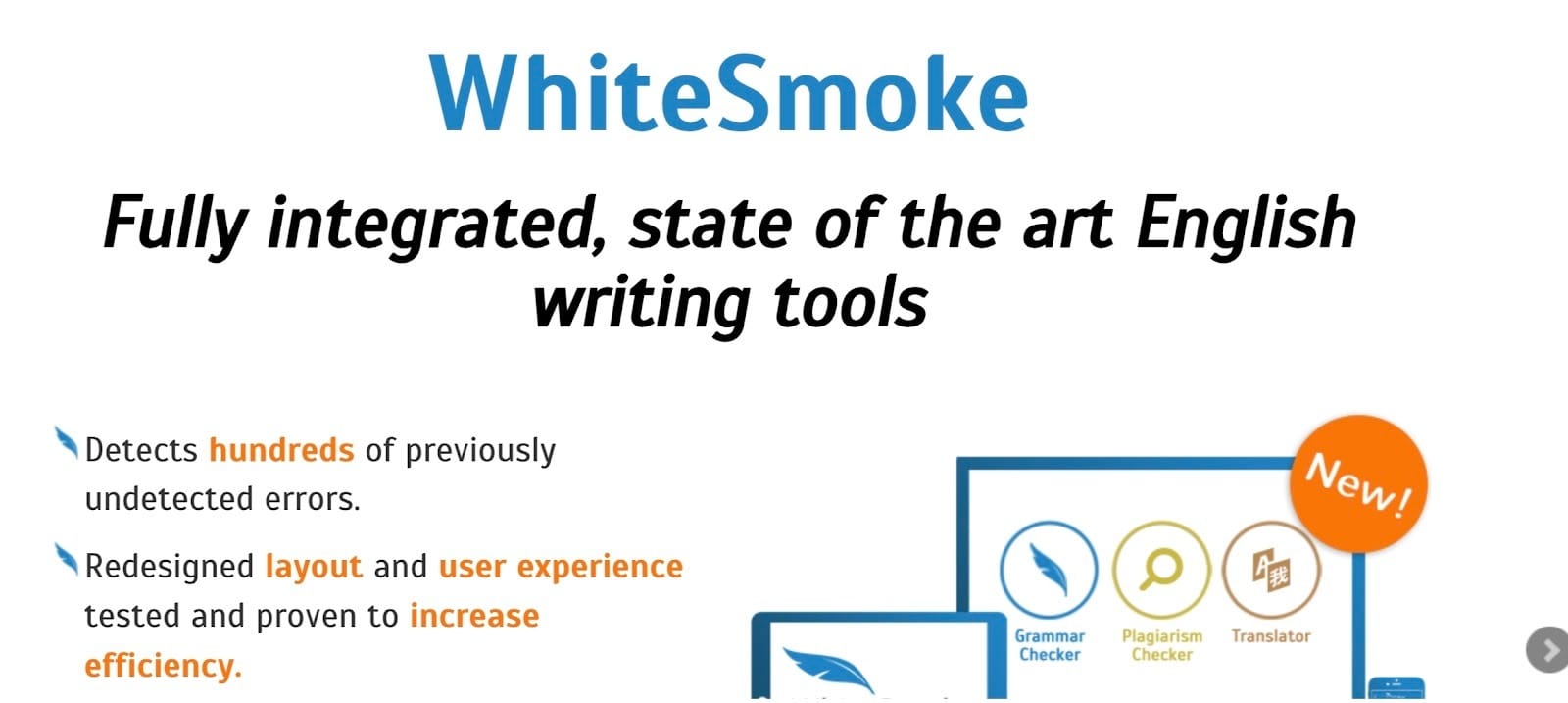
We love how WhiteSmoke prioritizes pure utility over sleek design, so we wanted to see if that focus translated to better editing.
When we fed it our test paragraph, this tool did a solid job with the fundamentals. It caught the typo in "companys" and fixed the grammar agreement issues without delay. However, it didn't quite grasp the context.
Yep. The "walking desks" sentence slid right through because the syntax was correct, even though the meaning was absurd. It also flagged "effect change" as a mistake, showing33 a preference for rigid rules over stylistic nuance.
It’s a capable editor, but you definitely have to look past the clunky visuals to appreciate the results.
Features:
- Grammar core: Detects sentence structure errors, punctuation mistakes, and capitalization issues.
- Style checker: Analyzes your writing for monotony and suggests vocabulary changes.
- Translator: Offers full-text translation for over 50 languages directly in the editor.
- Templates: Includes formats for cover letters and proposals to save time.
Pros
- The translation features are robust and integrated well.
- It’s excellent for technical accuracy and strict adherence to rules.
- The inclusion of document templates is a huge time-saver.
- It works across all browsers and has a desktop app.
Cons
- The user interface could feel dated and clunky.
- There’s no free version to test before buying.
- Customer support has a reputation for being slow
AI Proofreading Software vs Human Proofreading
We just ran a marathon testing AI proofreading software that can polish your writing faster than you can type. The technology is genuinely impressive and changes the way we work for the better.
However…
…it’s important to remember that these smart tools are designed to assist you, not to take over completely. A 2024 global report by Elsevier revealed that 86% of researchers still find errors in AI-generated content, and accuracy remains a priority.
This doesn’t mean that you should be scared of AI. Instead, it highlights the importance of reviewing your work while working alongside your AI tool. A very intelligent software is amazing at handling speed and volume, but your oversight ensures the final product is actually correct.
Not to mention, this also lets you preserve your very own voice, tone, and intention.
When is AI enough?
If you’re blasting out internal emails, tidying up a Slack message, or running a spell-check on a rough draft, these tools save the day. They excel at "triage." They patch up the missed commas, the "their" vs. "there" mix-ups, and the typos that happen because you type faster than you think.
An automated essay proofreader works perfectly for students who need a quick sanity check before hitting submit. It acts as a safety net.
Non-native speakers also get a lot of value here. It helps you confirm your sentence structure is standard without waiting three days for a friend to text you back.
When should you still hire a human?
Real stakes require real eyes. If accuracy determines your grade or your paycheck, you cannot leave it to chance. A human editor tracks the logic of your narrative and notices when your facts contradict themselves three pages later.
Algorithms struggle here because they follow rules rather than meaning. A 2025 study from the University of Cambridge highlights that AI editing often creates "blander" text. It strips away the specific word choices that define your personal style to make everything sound uniform.
If you want to keep your voice distinct and your arguments bulletproof, a human is usually the best bet.
That said…
That specific limitation regarding context is exactly why editGPT caught our attention.
It stood out among the other tools because it seemed to grasp the actual intent behind our words. It felt less like a cold engine and more like a helpful editor.
editGPT recognizes the flow of the paragraph and made suggestions that improved readability without killing your own voice and the context behind it. It offers a balance that feels surprisingly close to a human touch, making it a standout option if you want the speed of AI without the robotic aftertaste.
Cost and speed comparison
The debate often stops when you look at the price tag. AI tools win on pure speed and cost every time. You can paste an entire manuscript into a browser window and get feedback instantly for a few dollars a month.
Human proofreaders operate on a totally different level.
You’re paying for a professional's actual brain power, which means a standard project could easily cost hundreds of dollars and take a week to return. That leaves most people stuck choosing between cheap, robotic fixes or high-quality, expensive editing.
This is where editGPT shines.
It bridges that gap by offering genuine intelligence for under $50. It understands context in a way that basic tools miss, making it feel like you have a skilled editor on your team. You get the nuanced feedback usually reserved for expensive freelancers, but you get it instantly and at a fraction of the price.
How To Choose The Right AI Proofreading Tool
Selecting the perfect proofreading tool requires looking past the marketing hype. You have to find a tool that actually fits your workflow rather than forcing you to change it.
Key features to look for
You want a tool that improves your process rather than adding extra steps.
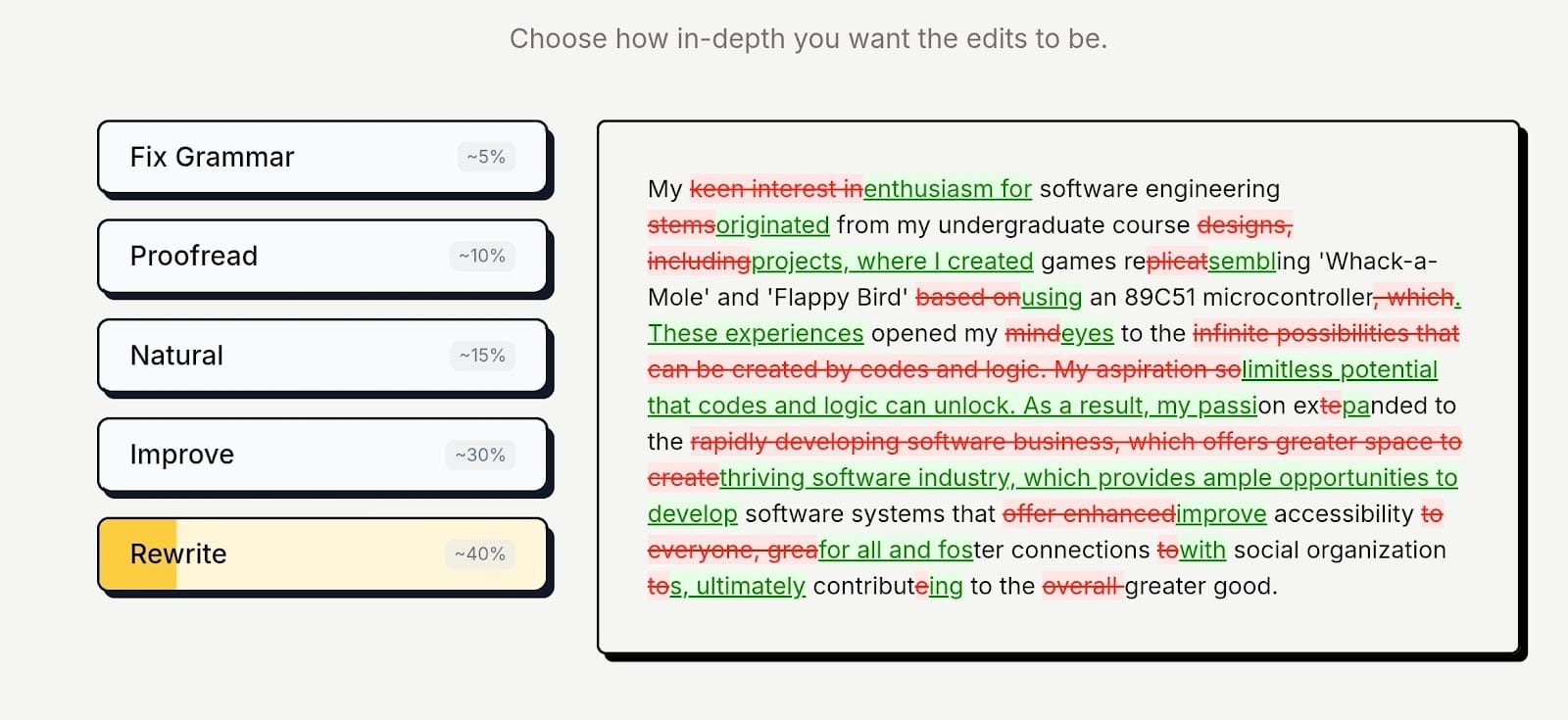
- Flexible editing intensity: Sometimes you just want to fix typos, not rewrite your whole personality. A top-tier tool lets you dial the helpfulness up or down. from "Strict grammar" to "Total makeover", so you stay in control.
- Contextual rewriting: Basic spell-checkers blindly follow rules. You want an intelligent tool that understands flow and can restructure a clumsy sentence entirely rather than just hunting for commas.
- Visual change tracking: You need to see exactly what changed to trust the result. A quality interface highlights deletions in red and additions in green so you can accept or reject specific edits in seconds.
- Tone customization: A rigid tool strips away character. Look for software that toggles between modes like "Professional" or "Casual" so the feedback actually matches the vibe you are going for.
Accuracy vs rewriting
You need to decide if you want a janitor or a co-author. Standard proofreaders strictly hunt down mechanical errors like misplaced commas. Rewriting tools, like editGPT, operate on a higher level.
They analyze a clumsy sentence and suggest a completely new structure to make it readable. If you often find yourself stuck on phrasing, a rewriting-focused tool offers significantly more value than a basic grammar checker.
Does the tool respect your tone?
Most algorithms are trained on safe, standard business English, which often results in a flat, robotic style. You need software that includes specific tone adjustments. The ability to tell the AI you are writing a "persuasive" sales email or a "witty" text prevents it from sounding like a compliance manual. It preserves your unique voice while polishing the delivery.
Data privacy considerations
Pasting sensitive text into a browser window requires caution. Some free services monetize their platform by using your data to train their models. You must read the fine print before submitting client contracts or personal information. If you work in a regulated industry, finding a tool with strict encryption and a "no-training" policy is non-negotiable.
When to upgrade from a free plan
Free tiers usually act as a teaser. They handle basic spelling errors and simple grammar slips perfectly fine. The real value comes when you need help with clarity and style. Premium plans unlock advanced suggestions that fix run-on sentences and passive voice.
If efficient communication ties directly to your income, the monthly fee is an investment that buys back your time.
Frequently Asked Questions
Is editGPT better than Grammarly?
It really comes down to the job description. Grammarly focuses on keeping your grammar perfect and your tone polite, making it excellent for general polish. But that is if you don’t care much about tone and voice. editGPT is different because it tears apart a bad paragraph and rebuilds it for better flow, but does so with a strong contextual editing that edits your text while preserving your voice and intention.
Can AI fully replace human proofreading?
You should probably keep your editor's number saved. Software catches typos faster than any person, but it completely lacks the ability to understand sarcasm, complex logic, or emotional nuance. A human checks that your message actually makes sense rather than just following rules. The closest AI proofreading software we have to a human touch is editGPT with its contextual editing magic and intelligence.
Do AI proofreaders introduce errors?
They absolutely do, especially when they misunderstand what you mean. we've seen tools change a perfectly valid creative phrase into generic text, effectively ruining the style of the sentence. You always need to double-check their work to make sure they haven't removed your personality.
How much does AI proofreading cost?
Most of these tools are very affordable. You can usually start with a generous free tier and upgrade for a subscription fee that sits around twenty dollars. That’s a massive bargain compared to hiring a professional freelancer who typically charges by the word.
Is AI proofreading allowed for academic work?
You need to tread very carefully here and check your specific university policy. Generally, using software or tools to catch spelling mistakes or basic grammar slips is acceptable. However, allowing an algorithm to rewrite your arguments or restructure your thesis is often considered cheating.
Conclusion
We’ve used and rated many AI proofreading software for this experiment, and there are so much more that didn’t make it on this list.
One thing’s for sure.
The gap between an algorithm and a human editor is smaller than it has ever been. Most tools handle the basics perfectly fine. editGPT stood out because it actually followed the conversation with intelligence and understanding. It recognized context in a way the others missed entirely.
That specific ability to track logic makes it the strongest option right now. It helps your writing make actual sense instead of only fixing the grammar.
You should see the difference on your own work. Go test the free version of editGPT or take another look at our top three picks to decide.